Images & photos · Social Image Resizer
Even Pixel Dimensions and Chroma Subsampling: Why Odd Sizes Cause Trouble
· Background
image-dimensions image-encoding video-workflow
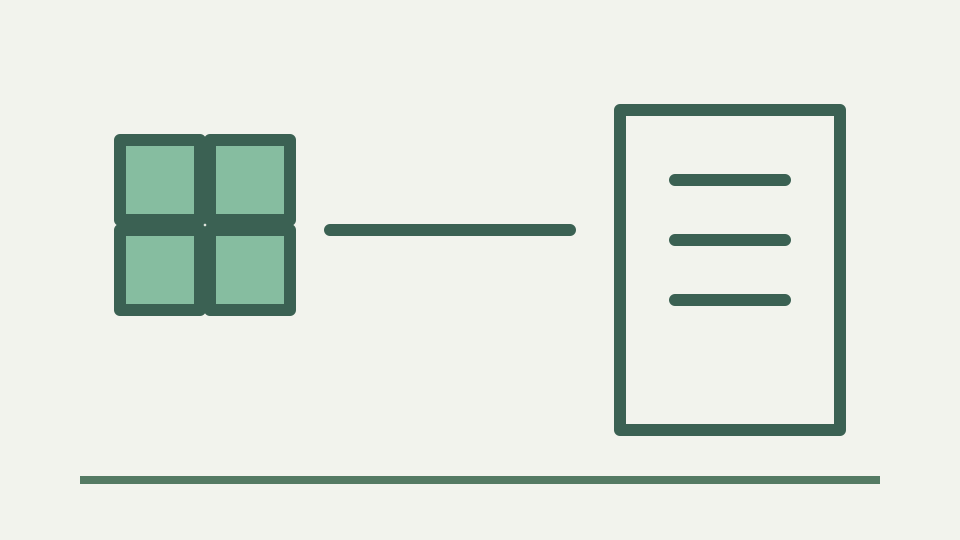
JPEG and most video encoders store colour at half resolution using 4:2:0 chroma subsampling, which is why odd pixel dimensions cause errors or edge artefacts in some pipelines. This post explains the mechanism and why nudging a size by one pixel is sometimes the right call.
Odd-dimension failures belong to specific downstream encoders; ToolAcre does not reproduce one here
An odd width or height can be rejected by a particular video encoder, but Social Image Resizer itself accepts any positive integer target that fits its pixel budget. Its current presets happen to use integer dimensions that are even. No test in this app demonstrates a one-pixel failure or edge artifact.
Treat an encoder error as evidence about that downstream contract, not as a universal property of images. Capture the exact message, codec settings and dimensions. Then adjust the ToolAcre custom output if the next tool explicitly requires an even pair. This correction keeps cause and remedy in the same pipeline.
Luma and chroma concepts are background, not controls exposed by this tool
Image and video codecs can represent brightness information separately from colour information. Human vision often tolerates less spatial colour detail than brightness detail, which motivates chroma subsampling designs. That background explains why some formats group colour samples across neighbouring pixels.
ToolAcre does not expose luma planes, chroma planes or sampling controls. It hands a canvas and MIME request to the browser encoder. The resulting implementation details depend on that encoder and cannot be derived from the quality slider. Conceptual codec education must remain separate from product claims.
ToolAcre does not promise 4:2:0 encoding for JPEG, WebP or video
In a 4:2:0 representation, chroma commonly relates to a two-by-two luma region, which makes even dimensions convenient for many implementations. Exact storage, padding and boundary rules belong to the codec and encoder. A slogan such as “all JPEG and most video use this” is too broad for the evidence available here.
Neither render.js nor its tests inspect subsampling markers in JPEG or WebP output. The application also exports still images, not video. If subsampling must be known, analyse the actual encoded file with a format-aware tool or consult the documented downstream encoder rather than inferring it from dimensions.
Where odd sizes fail must be verified in the actual downstream pipeline
Odd sizes can be unsupported, padded or handled normally depending on the pipeline. This repository contains no test proving blur on a last row or column, so the article omits that claimed symptom. A failed handoff should be reproduced with the exact file and consumer before changing a dimension.
ToolAcre’s output table reports width and height, making the handoff check straightforward. If the receiving video tool requires both values divisible by two, add that requirement to the production checklist. Do not silently nudge every social image when its destination has no such constraint.
Aspect ratio versus even pixels — why a mathematically exact ratio sometimes has to yield to an even dimension
Aspect ratio and divisibility can compete when custom dimensions are rounded. sizeFromRatio rounds the shorter edge after fixing the longest edge. That result may be odd. If the downstream contract requires an even pair, choose an even longest edge and calculate a nearby even counterpart while measuring the resulting ratio difference.
Do not stretch an existing output by changing only metadata. Create a new canvas at the chosen dimensions and inspect the frame. A one-pixel adjustment may be visually negligible in one job, but the acceptance should come from the actual downstream requirement and preview rather than a universal assertion.
Worked example: calculate an even 9:16 pair without inventing encoder artifacts
For 9:16, 1080×1920 is already an exact even pair and is the current generic full-screen tool preset. A custom half-size pair of 540×960 also preserves the ratio exactly and remains even. Both examples come from arithmetic, not from an invented encoder quality rule.
If a requested longest edge yields an odd rounded counterpart, compare neighbouring even values by width divided by height and select the pair that meets the documented consumer requirement. Export it, verify the results table and run the receiving tool. Success in that handoff is the evidence that matters.
What this does not cover — 4:4:4 and 4:2:2 workflows, and professional video colour pipelines
Professional 4:4:4, 4:2:2 and video colour pipelines are outside this still-image cropper. So are codec profiles, pixel formats and hardware-encoder constraints. The browser encoder accepts JPEG, PNG or WebP requests; it does not expose the switches needed to promise those production formats.
Use a video tool to control video sampling and colour. Use Social Image Resizer to prepare a still frame with known dimensions and composition. Maintaining that boundary prevents a helpful even-dimension check from becoming false assurance about the encoded chroma structure.
Takeaway: prefer even numbers when it is free — the Social Image Resizer crops to the ratio and resizes in the browser; check the final dimensions before handing the file to a video tool
Prefer even dimensions when a documented downstream workflow benefits and the adjustment costs nothing, but do not elevate the preference into an image law. The receiving encoder owns its constraints. ToolAcre’s job is to provide inspectable integer output dimensions and a predictable frame.
Check the file before handoff, keep the intended ratio and run the real consumer. If it fails, use the error and documentation to choose another pair. This evidence-first method is more reliable than attributing every odd-sized artifact to 4:2:0 without ever examining the encoded file.