Developer tools · Text comparison
Every Line Changed? Line Endings, Trailing Spaces and BOMs in a Diff
· How it works
text-diff line-endings debugging
Diagnoses the three invisible causes of a comparison that reports every line as different, and shows how to tell which one you have before blaming the author.
The same file, saved twice, apparently rewritten — sets up the common case of a file edited on two operating systems
Two saves can look like a rewrite when an editor changes invisible characters, but ToolAcre’s behavior depends on which characters changed. It normalizes line endings before matching, while spaces at a line’s edge and a U+FEFF at the beginning remain ordinary line content unless another option changes the key.
Build a diagnostic fixture instead of guessing from color. Compare one pair differing only in endings, another differing in trailing spaces, and a third with a leading BOM. Controlled pairs reveal the tool’s boundaries more reliably than a real file containing several invisible changes at once.
CRLF versus LF: the character at the end of every line — explains why Windows ends lines with two characters, Unix with one, and how a diff sees the extra carriage return
`splitLines` replaces CRLF and lone CR with LF, then splits. Tests establish that all three conventions produce the same arrays. Therefore a CRLF-only difference is invisible even when Ignore whitespace is off; the outline’s claim that every line would differ contradicts this implementation.
A final newline also does not create an extra row. After splitting, one terminal empty entry is removed. Genuine empty lines in the middle remain comparison units, so the behavior distinguishes a file-ending convention from intentional vertical separation inside the document.
ToolAcre normalizes CRLF, CR and LF before comparison, so ending-only changes disappear
Trailing spaces remain in original lines. With ordinary comparison, `name=value` and `name=value ` have different keys. Ignore whitespace trims both ends and collapses internal runs, so that option can make the pair match while preserving the left original text in the displayed equal row.
The library also implements a narrower `ignoreTrailingWhitespace` option, but the current UI does not expose it. Articles must not describe a checkbox that users cannot select. The shipped panel offers Ignore case, Ignore all whitespace differences and Collapse long unchanged runs.
The byte-order mark at the top of the file — describes the U+FEFF character some editors prepend to UTF-8 files and why it makes only the first line differ
A UTF-8 byte-order mark decoded into JavaScript text is U+FEFF at the beginning of the first line. `splitLines` has no explicit BOM removal. With ordinary matching, that character can make only the first row differ while later lines remain equal.
JavaScript whitespace operations may treat U+FEFF as whitespace when Ignore whitespace calls `trim`, but this article does not generalize that into file decoding behavior. The editor receives strings; it does not read file bytes or report encodings. Inspect the actual character when byte-level provenance matters.
Worked example: telling the three causes apart — gives a decision path: a first-line-only difference points to a BOM, every line points to endings, scattered lines point to trailing spaces
Start with `alpha beta` and `alpha beta`: the result is identical. Next compare `alpha beta` with `alpha beta`: ordinary mode reports replacement rows, while whitespace mode matches them. Finally prefix one side’s alpha with U+FEFF and observe the first-line effect.
That sequence separates causes using repository-proven operations. If every line still differs after ending normalization, investigate content, indentation or trailing characters rather than blaming CRLF alone. If only line one differs, examine its leading code points before rewriting the entire file.
Using the whitespace option as a diagnostic — shows how enabling ignore-whitespace in ToolAcre's Text comparison can absorb trailing-space and line-ending noise so real edits stand out
Ignore whitespace is useful for trailing-space noise because it trims and condenses line keys. It is not responsible for hiding CRLF versus LF; that already happened during splitting. Keeping those stages separate prevents a misleading conclusion about which option repaired the comparison.
Run both views because trimming can hide meaningful indentation and condensing can alter fixed-width values or string literals. A quiet normalized result says the keys match under that transformation. It does not certify that the original files are byte-identical or semantically interchangeable.
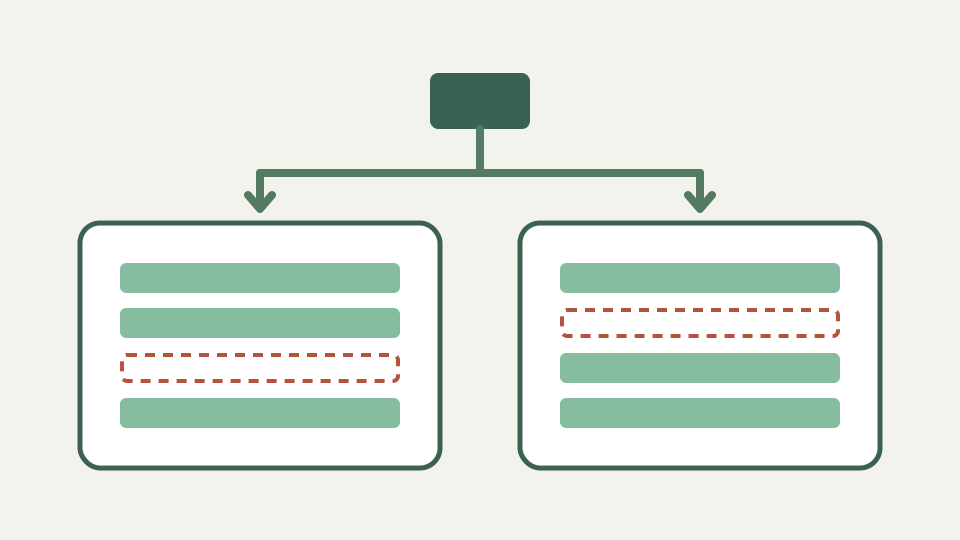
Whitespace mode diagnoses trailing spaces, while line endings are already normalized
Text diff does not convert files, configure Git, change editor settings or expose hexadecimal bytes. It accepts pasted strings and reports line operations. Advice about `.gitattributes`, `core.autocrlf` or encoding repair belongs to tools whose behavior can be verified separately.
The tool also cannot distinguish how an invisible character entered the text. A formatter, clipboard, decoder or manual edit may produce the same string. Use the comparison to locate the row, then inspect the source pipeline before assigning a cause.
Takeaway: check invisibles before blaming the author — summarises the diagnostic path and notes the comparison runs in your browser, so sensitive files stay on your machine
Check the invisibles in a fixed order: endings, trailing or internal whitespace, then leading special characters. ToolAcre’s tests give a firm result for the first category and its options help isolate the second. The third may need a character inspector outside this route.
The browser-side line split makes cross-platform ending differences disappear by design. That is convenient, but it also means this tool cannot prove two source files use the same physical newline bytes. Choose a byte-aware utility when preserving an exact wire or repository representation is the requirement.