Documents · PDF Toolkit
How Reordering PDF Pages Works: The Page Tree Explained
· How it works
pdf page-order browser-processing
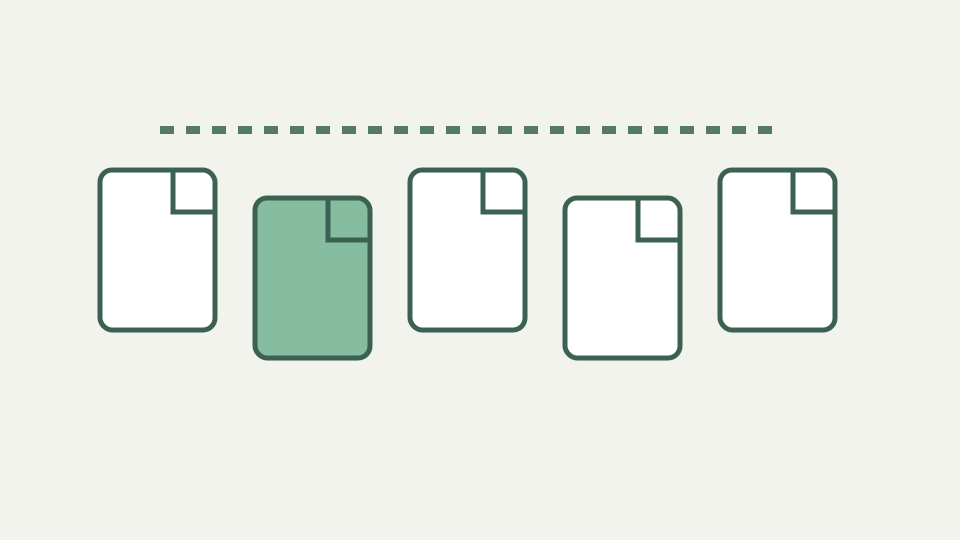
Moving pages into a new order feels like shuffling paper, but inside the file it is a rewrite of the document's page tree. This post shows what changes, what stays the same, and why the operation is safe for the page content itself.
Page 7 before page 3 — how duplex scanning, collated printing and dropped sheets produce out-of-order PDFs
Duplex scanners can append all odd sheets before all even sheets, and a dropped stack can place page 7 ahead of page 3. The visible error resembles shuffled paper, but repairing it means writing a new PDF whose pages occur in the selected sequence. The original file is never modified in place.
ToolAcre accepts one unencrypted PDF up to 50 MB and reports its page count before editing. The organizer then presents page thumbnails with move-earlier, move-later, and remove buttons. Those controls work with touch, keyboard, and pointer input, avoiding native drag-and-drop behavior that is unreliable on mobile browsers.
The page tree — how a PDF lists its pages as a hierarchy of nodes rather than a flat sequence
PDF pages are reachable through document structure rather than inferred from printed folios. ToolAcre does not expose or mutate that internal tree node by node. Its `reorder` operation receives a zero-based array representing the chosen sequence, creates a new document, and copies source pages into it in exactly that order.
This source-grounded description matters because “rewriting child arrays” suggests an in-place structural edit the implementation does not perform. The output is serialized as a fresh PDF. Every requested index is validated, duplicates can be meaningful if supplied programmatically, and the interface requires at least one page to remain.
Reordering copies pages into a new document in the chosen array order
What changes is the order in which copied pages are added to the new file. The page content is not rasterized, so selectable text, vector drawing instructions, embedded images, page dimensions, and stored rotation survive the page-copy operation. Nothing is harmonized merely because pages now sit beside different neighbors.
The consequence is fidelity without document identity. File bytes, object numbering, and document-level organization are newly serialized. A digital signature over the input cannot remain valid. If the report participates in a signed or controlled workflow, reorder first, inspect the result, and apply any required signature only afterward.
Copied pages retain visible content and rotation, but annotations are not promised
The outline says annotations travel because they belong to page objects, but the merge configuration states that annotations, forms, bookmarks, and attachments are dropped by page copying. Reordering uses the same copy-pages mechanism. The article therefore promises visible page content and rotation, not comments, highlights, widgets, or attachment relationships.
This is a reason to inspect more than thumbnails. A page may look right while an interactive field or review note is absent. Preserve the source, open the output in the viewer recipients use, and check any workflow-critical interactivity. The organizer is a page-level editor, not a complete migration engine for every PDF feature.
Showing you the order — why a tool has to render or list the pages before you can move them, and how that work stays on your device
The organizer uses pdf.js to render previews locally before movement begins. Thumbnail object URLs are owned by a dedicated scope: loading another document revokes the previous set, and destroying or clearing the organizer revokes them all. That cleanup prevents previews from occupying memory for the lifetime of the tab.
Only the first thumbnail allowance is rendered for very long documents to protect memory, while later pages remain in the order array and output. Buttons display the original page number, update their accessible labels, and emit a copied order after each move or removal. No page image is uploaded to create the preview.
Worked example — repairing a twenty-page report where the even pages were appended after the odd ones
Suppose a twenty-page scan stores odd positions first and even positions second. Move each even page beside its matching odd page using the arrow buttons, checking thumbnail content rather than printed labels alone. The status line reports how many pages remain and refuses removal when only one page is left.
After saving, open the `-organised.pdf` result and step through all twenty physical positions. Verify tables that span page boundaries and check page rotation. For a long file whose later thumbnails are not shown, a numerical extract-and-merge workflow may be easier to audit than dozens of repeated button movements.
Bookmarks, forms, annotations, attachments, and signatures are not preserved
Bookmarks and page labels can point to positions that no longer mean what their authors intended, but this implementation goes further: it does not promise to carry bookmarks, forms, annotations, or attachments into the fresh output. Printed cross-references inside page content remain visible and can become logically wrong after movement.
Reordering also does not deskew scans, recognize page numbers, or infer the desired sequence. Encrypted documents are refused, the input cap is 50 MB, and existing signatures are invalidated. These limits keep a visual page organizer from being mistaken for a semantic repair or records-conformance system.
Reordering writes a fresh page sequence rather than editing a tree in place
In this toolkit, reordering means copying pages into a fresh PDF according to an explicit array, not editing page-tree children in place. That narrower mechanism is easy to reason about: page appearance stays intact, selected order becomes output order, and unsupported document-level structures are left behind.
The worker performs the save on the device, while pdf.js produces local previews and the organizer revokes their URLs when cleared. Use the final download as the artifact to review, not the thumbnail grid as proof of complete preservation. Keep the source until navigation, interactivity, and sequence have all been checked. If a later page lacked a rendered thumbnail, verify it especially carefully because inclusion and preview availability are intentionally separate.