Developer tools · HTML WYSIWYG editor
Headings Are Not Big Bold Text: Why Heading Levels Matter in Web Content
· Why it matters
html accessibility text-editing
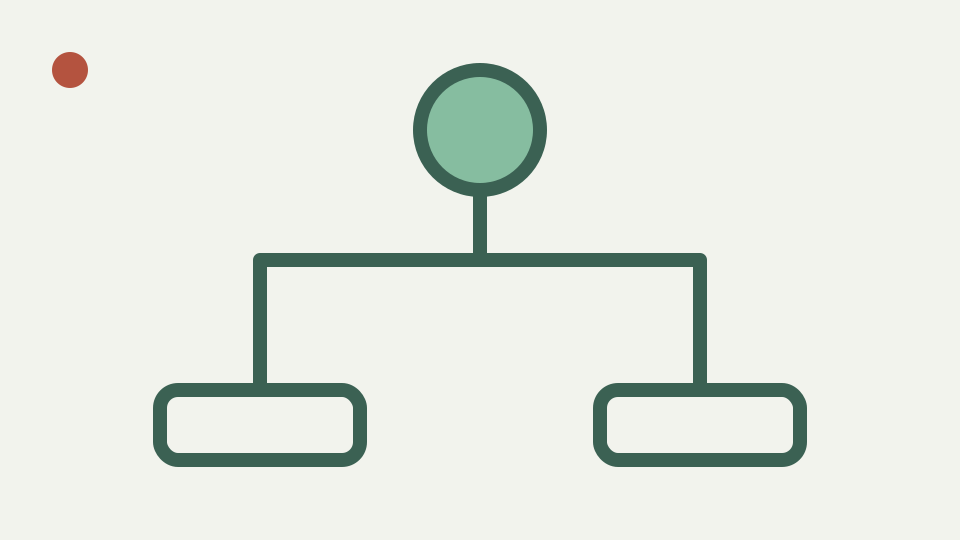
Explains why h1 to h6 form a document outline that screen-reader users and search engines rely on, and how to check that visual headings are real headings.
The article with no headings — opens with a page where every apparent heading is a bold paragraph
A line enlarged and bolded by CSS can look like a section heading while remaining a paragraph in the document tree. Sighted readers may infer the division from typography, but software receives no heading element to identify, collect or navigate. Appearance alone does not create hierarchy.
ToolAcre avoids style controls and provides explicit block choices for h1 through h4. A writer can therefore encode a heading rather than simulate one with strong text. The allowlist also accepts h5 and h6 in source, although the toolbar does not advertise controls for those levels.
What a heading element does beyond size — explains the outline, navigation shortcuts and structure it provides
A heading element labels the content that follows and contributes to navigable document structure. Browsers expose that role through accessibility APIs, and many assistive tools can present a list of headings or move among them. The element remains identifiable when a stylesheet is absent or replaced.
A bold paragraph offers none of that structural signal. It can still be useful prose, but it should not stand in for a section boundary. Test the final document with an outline or accessibility inspection tool because the local preview does not report heading relationships or validate the author’s organization.
Levels are nesting, not sizes — covers why skipping from h2 to h4 confuses readers and tools
Levels express nesting, not a menu of type sizes. An h2 normally introduces a section beneath the page’s primary context; an h3 introduces a subsection of that h2. Selecting h4 simply because its default font looks right can imply missing intermediate structure.
ToolAcre will preserve h1 through h6 and does not reject skipped levels. The filter enforces vocabulary, not editorial logic. Build the outline on paper or in source, then use CSS at the destination to control appearance without changing levels to chase a preferred visual scale.
Choose the page heading in context; this editor does not enforce a one-h1 rule
The workbook prescribes one h1, but the implementation has no such rule and this article does not invent one as a universal law. Page templates, embedded fragments and document conventions determine whether the content should supply its primary heading or begin beneath one provided by the host.
Inspect the complete destination, not the fragment alone. If the CMS already renders the article title as h1, pasted body content may sensibly start with h2. ToolAcre cannot see that outer template, so its h1 option is a capability rather than a recommendation for every draft.
Worked example: compare a bold paragraph with a heading element in source
Create `<p><strong>Installation</strong></p>` and `<h2>Configuration</h2>`. Both may look prominent in the sandbox, yet source reveals that only Configuration is a heading. An accessibility tree inspection on the published page should likewise identify only the h2 as a heading.
Change Installation to the correct level through the block selector or source mode. Then review whether the two headings are peers or parent and child. The sanitizer preserves both forms but cannot decide the relationship from their words. That judgment belongs to the document author and page context.
Styling headings without abusing levels — explains that CSS, not level choice, should control appearance
Heading appearance belongs in CSS. A site can make h2 modest and h3 visually distinctive while retaining logical levels, provided the design still communicates hierarchy. Styling a correct h2 is safer than substituting h4 merely to obtain a smaller browser default.
The preview’s stylesheet is intentionally simple and light. It is not your product theme, so its default heading dimensions are poor evidence for destination design. Copy the semantic fragment, apply approved styles there, and review responsive behavior without rewriting the outline to satisfy one isolated view.
What this does not cover — sectioning elements such as <section> and <article>, or SEO beyond structure
This article does not cover section and article elements, ARIA heading roles, complete SEO guidance or every screen reader. It also does not claim ToolAcre validates skipped levels, duplicate titles or heading text quality. The toolbar supplies elements; authors supply a coherent structure.
Sanitized output is not automatically safe untrusted publication. The preview sandbox limits execution inside ToolAcre, while copied markup leaves that protection. Use destination-side sanitation and accessibility tests. A correct heading tree is one quality dimension, not a security control or complete audit.
Takeaway: structure first, style second — summarises the rule and how ToolAcre's HTML WYSIWYG editor lets you confirm whether the markup behind a visual heading is a heading element
Structure first, style second. Decide which topics are sections and subsections, assign levels from that relationship, then inspect the actual h elements ToolAcre emits. A heading should remain meaningful when fonts, colors and spacing disappear.
Finally, place the fragment inside its real template and review the combined hierarchy. The local editor cannot know an outer page title or navigation shell. Its value is transparency: visual formatting and source sit beside each other, making fake headings easier to detect before publication.