Developer tools · Text comparison
Invisible Differences: Non-Breaking Spaces, Smart Quotes and Unicode Forms
· How it works
text-diff unicode debugging
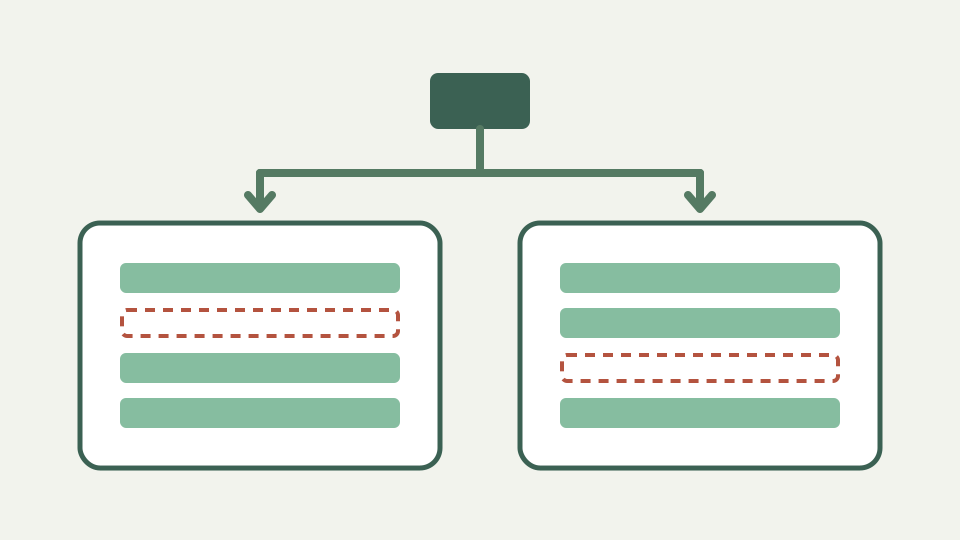
Explains why lines that look the same on screen can differ byte for byte, from non-breaking spaces and curly quotes to zero-width characters and decomposed accents, and how to find them.
Two lines that look identical but are flagged as changed — opens with a translation file that fails review for no visible reason
A translation line can render exactly like its neighbor and still fail comparison. Browser fonts hide code-point boundaries, combine accents and assign similar shapes to different punctuation. ToolAcre compares JavaScript strings after only the selected case or whitespace transformations, so a flagged row can expose a real textual distinction.
Trust the location, not an assumption about the character. Copy the suspect line into an editor that reveals code points or a hexadecimal inspector. The diff tells you which line differs; it does not annotate the internal position or name the Unicode value responsible.
Non-breaking spaces and their relatives — explains U+00A0 and other space characters that word processors insert and why a plain space does not match them
U+00A0 non-breaking space is not the same character as U+0020 ordinary space. In ordinary mode their line keys remain distinct. Under Ignore whitespace, the whitespace-run replacement may reduce those runs to an ordinary space after trimming, making some such differences disappear.
That option is a matching transformation, not a Unicode cleanup command. Displayed equal rows retain original left text, and no corrected document is produced. If a publishing system requires non-breaking spacing, a normalized match could hide an intentional layout instruction rather than fix it.
Whitespace mode may collapse Unicode whitespace; ordinary comparison preserves distinct characters
Straight apostrophes and quotation marks differ from typographic opening and closing forms. Ignore case does not change punctuation, and whitespace handling does not rewrite quotes. A word processor’s autocorrect can therefore produce a full-line replacement even when the sentence reads identically at a glance.
Choose the intended punctuation based on the destination. Source code, search keys and data formats may require exact ASCII characters, while editorial copy may prefer typographic forms. The comparison proves difference, but it has no policy for deciding which side is correct.
Zero-width and directional characters — covers zero-width spaces, joiners and bidirectional marks that render as nothing yet change the line
Zero-width spaces, joiners and directional marks can occupy string positions without drawing a visible glyph. ToolAcre renders input using text content, avoiding HTML interpretation, but that safe rendering does not make hidden code points visible. They still participate in ordinary line equality.
Directional behavior can also make visual order an unreliable guide to storage order. Do not copy a suspicious mixed-direction fragment into a shell command or identifier merely because it looks familiar. Inspect code points and surrounding context in a purpose-built tool before replacing anything.
Composed and decomposed accents — explains NFC versus NFD normalisation with an accented letter as one code point versus a base letter plus a combining mark
An accented character may be represented as one precomposed code point or as a base letter followed by a combining mark. The repository contains no call to `normalize`, so canonically equivalent-looking forms remain different JavaScript strings and can produce remove-plus-add rows.
The test suite proves identical Unicode strings match and `café` differs from `cafe`; it does not promise grapheme-aware comparison. This article therefore avoids claims about byte comparison or full Unicode equivalence. The line algorithm receives strings and compares their transformed keys with strict equality.
Composed and decomposed accents remain different because the tool performs no Unicode normalization
Suppose a resource line appears unchanged but is flagged. First compare with all options off, then toggle whitespace alone. If the row becomes equal, inspect spaces and hidden whitespace. If it remains changed, inspect quotes, combining marks and other code points rather than repeatedly retyping the line.
A character inspector can reveal U+00A0 where an ordinary space was expected. Replace it only after confirming the format’s requirement. In translated content, non-breaking spaces may be deliberate punctuation conventions, and a broad search-and-replace can damage correct typography elsewhere.
What this does not cover — the comparison reports that lines differ; it does not perform Unicode normalisation for you or replace characters
Text diff does not normalize NFC or NFD, identify confusables, remove zero-width marks or produce a repaired output. It also does not compare encoded bytes. Those are separate operations with consequences that a generic line comparator should not choose silently.
Ignore case uses JavaScript `toLowerCase`, while Ignore whitespace trims and condenses matching keys. Neither operation supplies locale-aware collation or a Unicode security review. Use the output to narrow an investigation, not to certify identifiers as safe or linguistically equivalent.
Takeaway: trust the diff over your eyes — concludes that a flagged line is a real difference and shows how ToolAcre's Text comparison pinpoints which lines to inspect
When sight and diff disagree, assume the string deserves inspection. The algorithm has no visual model to be fooled by font shaping; it sees line keys. That limitation is useful because it keeps hidden differences from passing merely because a browser draws them alike.
Run the ordinary comparison first, record which option changes the result, and inspect code points before editing. This evidence trail separates whitespace normalization from punctuation or composition and avoids the destructive habit of replacing every unusual character with an ASCII approximation.