Developer tools · Syntax converters
CSV to JSON and JSON to CSV: headers, string values and flattening
· How it works
json csv data-formats
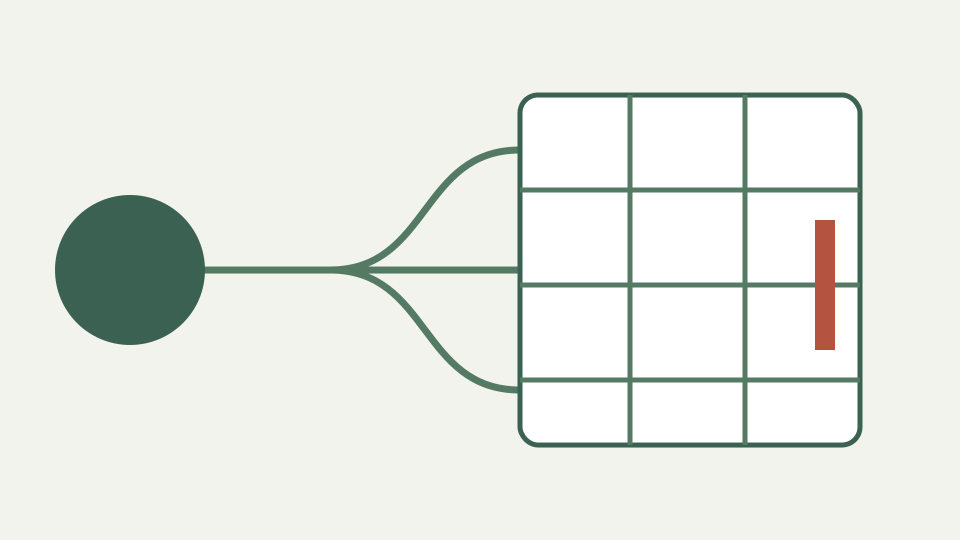
CSV is flat, typeless and ambiguous about its own delimiter, while JSON is nested and typed. This post shows how a converter maps rows to objects and back, and where information is lost in each direction.
Every number came back in quotes — the CSV export converted to JSON where 42 became "42" and the ZIP code kept its leading zero for once
The workbook asks for CSV-to-JSON examples, but ToolAcre never reads CSV. The engine advertises exactly nine directed pairs, and none starts with CSV. Reading a file would require choices about delimiter, quoting, header presence and cell types; this panel refuses to make four silent guesses. The corrected article therefore documents the shipped JSON-to-CSV direction.
That one-way decision is visible in both interface and errors. CSV appears as a target, not a source, and attempting the reverse returns `UNSUPPORTED_CONVERSION` with advice to use a tool that asks about dialect and types. A title suggesting both directions would misstate the product even if the general topic were common elsewhere.
CSV is not read here: start with the JSON-to-CSV path the tool actually ships
A root JSON array supplies the rows. A plain object becomes one row. An object whose only key holds an array unwraps that array and warns that it used the named property. Objects with additional sibling keys do not unwrap, because doing so would discard or duplicate those siblings.
Each selected record is flattened before columns are collected. Records can even be scalars inside an array; those use a `value` column. A bare scalar at the document root is refused because one string or number does not define a table with records and fields.
Choosing records from JSON: arrays, single objects and one-key array wrappers
JSON types survive only as cell text. Booleans become `true` and `false`, numbers use their decimal rendering, and null becomes an empty cell. CSV cannot distinguish that null from the empty string, so the writer counts nulls and warns about the ambiguity rather than calling the result equivalent.
Wide integers are already subject to JSON parsing before this stage, so an unsafe numeric literal may have lost precision. Putting an identifier in quotes preserves its text. Formula-like strings receive an additional apostrophe by default when they begin with `=`, `+`, `-`, `@`, tab or carriage return; actual numeric `-5` remains a number and is not prefixed.
Why CSV output cannot preserve JSON types
Columns are the union of flattened keys in first-seen order. If one row has `a` and another has `b`, the output has both columns and pads each missing field with an empty cell. A warning reports ragged rows rather than shifting values under the wrong headers.
Sorting object keys is not applied to CSV; the writer’s rule is first appearance across records. That makes an example stable for a fixed JSON input, but it is not a schema contract. Arrange source keys deliberately or post-process the header when a downstream import requires a prescribed order.
Flattening nested data — dot paths such as address.city, arrays as indexed columns or joined strings, and the point at which CSV simply cannot hold the shape
Nested object keys join with a dot: `address.city`. Arrays use the same separator and numeric indices: `tags.0`, `tags.1`. Empty objects and arrays retain one empty cell at their own path instead of disappearing. This produces a rectangle while admitting that a tree has been projected into names.
A source key already containing a dot is ambiguous with a nested path. ToolAcre detects and warns but does not invent an escaping syntax that spreadsheets would not understand. Deep or long arrays can also exceed the 2,000-column cap, where the conversion refuses rather than emitting a table that ordinary spreadsheet software cannot use.
Worked example: a customer list both ways — CSV to JSON, editing a nested field, and JSON back to CSV with the nesting flattened
Use `[ {"id":"0042","address":{"city":"Oslo"},"tags":["new","west"],"note":"=1+1"}, {"id":"0043","address":{"city":"Lima"},"tags":[],"note":null} ]`. Headers include id, address.city, tags.0, tags.1 and note. The second row receives blanks for absent tag indices, and its null note is indistinguishable from empty text.
The first note is prefixed with an apostrophe so a spreadsheet treats it as text. Records end with CRLF, fields containing delimiter, quote or line ending are double-quoted, and embedded quotes are doubled. Selecting semicolon or tab changes the delimiter; an optional UTF-8 BOM can be added for consumers that need it.
Worked example: a nested customer array flattened once into CSV
Malformed or ambiguously encoded CSV is outside this route because no CSV enters it. The CSV Cleaner is the place to choose or detect dialect and repair quoting. Here the source is strict JSON and the output follows the documented writer conventions.
The converter also caps output at 100,000 rows and 2,000 columns. Empty arrays are refused because a file with neither header nor row carries no table shape. Those limits are enforced code paths, not performance promises, and the article does not invent throughput figures.
Takeaway: CSV is a table, JSON is a tree — and how the Syntax converters panel moves between them without uploading the rows
JSON is a typed tree; CSV is a text table. ToolAcre chooses rows, flattens paths, unions columns, quotes fields and neutralizes dangerous text, but it cannot preserve null-versus-empty or reconstruct nesting later. Those losses are structural rather than formatting noise.
Use this direction when the spreadsheet-shaped output is the intended artifact. If you need CSV-to-JSON, choose a reader that asks about delimiter, header and types. Refusing the reverse is safer than returning convincing JSON built from unreviewed guesses.