Images & photos · Social Image Resizer
One Master Image, Every Placement: Planning Crops for a Social Campaign
· Why it matters
campaign-workflow aspect-ratio image-cropping
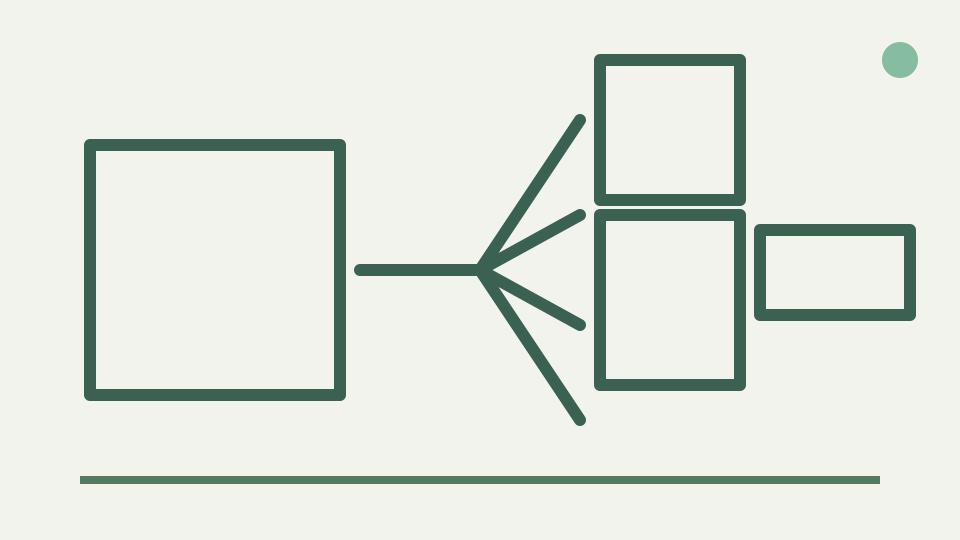
A campaign needs the same creative in square, portrait, landscape and vertical formats. Composing one master image with a crop-safe centre and deriving each placement from it saves time and keeps the campaign consistent, and this post shows the planning method.
Five placements, one deadline — the concrete workload of re-making a creative for each ratio by hand
A campaign deadline becomes expensive when the same product hero is rebuilt independently for square, portrait, landscape and full-height placements. Differences creep into logo position, subject scale and background even before copy changes. A master source reduces that drift by giving every export the same high-resolution visual evidence.
Social Image Resizer supports this pattern directly: one loaded bitmap can produce several selected preset targets in one export action. Each target is rendered at its own dimensions and receives a dimensioned filename. The tool is not a campaign asset manager, but its one-source-many-crops design makes the geometry repeatable.
Design a resilient master for the full set of intended crops, not one universal tightest crop
The phrase “design for the tightest crop” can mislead because a tall crop and wide crop remove different axes. Instead, design a resilient master that keeps the non-negotiable subject, mark and short headline near a focal region shared by the intended frames. Give the surrounding image enough expendable context to absorb both side and vertical loss.
List every target before composing. The current generic presets include 1:1, 4:5, 9:16 and 16:9. They create a demanding set because the vertical and landscape frames pull in opposite directions. If all mandatory information cannot survive, plan target-specific layouts rather than shrinking everything into an unreadable centre.
Map a practical shared focal region without claiming a platform safe zone
A shared focal region is the area that remains meaningful when each target frame is placed over the source. It is a design aid, not the same as ToolAcre’s safe-area inset and not a platform specification. Sketch the four rectangles over the master and mark which content must appear in all of them.
The mathematical intersection may become too narrow to carry a long headline. That is useful evidence, not a failure of planning. Move explanatory copy into captions, shorten the image text or create variants. A mechanically surviving element is not successful if it becomes too small to read after the target downscale.
Deriving each placement — cropping the master to each ratio and resizing for each surface, always from the full-resolution master
Derive every placement from the full master. In cover mode, each target calculates its own max-scale frame and clips the relevant overflow. The tool reuses zoom and offset state, so inspect every selected target rather than assuming one position serves all shapes. Where necessary, export target-specific passes from the original.
Do not feed the square result into the portrait pass. That sequence inherits the square’s discarded sides and performs another render. Keeping one source bitmap available preserves the broadest framing choices. It also makes campaign corrections easier because a new placement starts from the master, not from a chain of derivatives.
Consistency as a feature — why the same crop logic across placements makes a campaign recognisable in any feed
Consistency does not require identical framing. It comes from preserving recognisable hierarchy: the same product, colour system, mark treatment and visual emphasis. A landscape crop can show more environment while a portrait crop moves closer, yet both can read as one campaign if the focal relationship remains deliberate.
Use exported filenames and review notes to distinguish intentional variation from accidental drift. ToolAcre appends target dimensions automatically. A reviewer can therefore compare `-1080x1080` and `-1080x1350` without relying on thumbnails, then flag a misplaced subject in one version without reopening every asset.
Worked example: derive four ratio crops from one source using current tool presets
For a product hero, select the current 1080×1080 square, 1080×1350 portrait, 1920×1080 landscape and 1080×1920 full-screen presets. Begin with the product near the shared focal region, use cover mode and inspect each preview. Adjust from the master when one ratio removes a critical feature.
Export the approved set and verify dimensions in the measured results table. If a placement uses a destination-specific size not in the generic four, choose the current labelled preset or enter a custom ratio and longest edge. Treat all dimensions as current tool outputs and check critical requirements against the destination.
What this does not cover — copy variations, localisation and paid-ad specs, which have their own review process
Copy variations, localisation and paid-placement review are outside this cropper. Longer translated words can break a shared composition, and a paid workflow may impose requirements not represented by the preset table. Those differences deserve their own masters or review branches rather than being squeezed into one geometry rule.
The tool also processes one source image at a time. It can produce many crops of that source, not batch an entire campaign folder. Use its strength for controlled derivation, then manage naming, approvals and copy variants in the campaign system that owns those responsibilities.
Takeaway: plan once, crop many — the Social Image Resizer produces each aspect-ratio crop from the same master in the browser, without uploading campaign assets
Plan once at the source level and crop many from that evidence. A resilient master retains expendable background, keeps essential content near a shared focal region and accepts that radically different ratios may need tailored composition. The method saves work without pretending one frame can solve every message.
ToolAcre makes the derivation local and inspectable. Select targets, review what each excludes, download dimensioned outputs and preserve the master. When preset numbers drift, the source composition and ratio planning remain useful; only the final target check needs updating.