Developer tools · HTML WYSIWYG editor
Enter vs Shift+Enter: How Editors Choose Between <p>, <div> and <br>
· How it works
html contenteditable text-editing
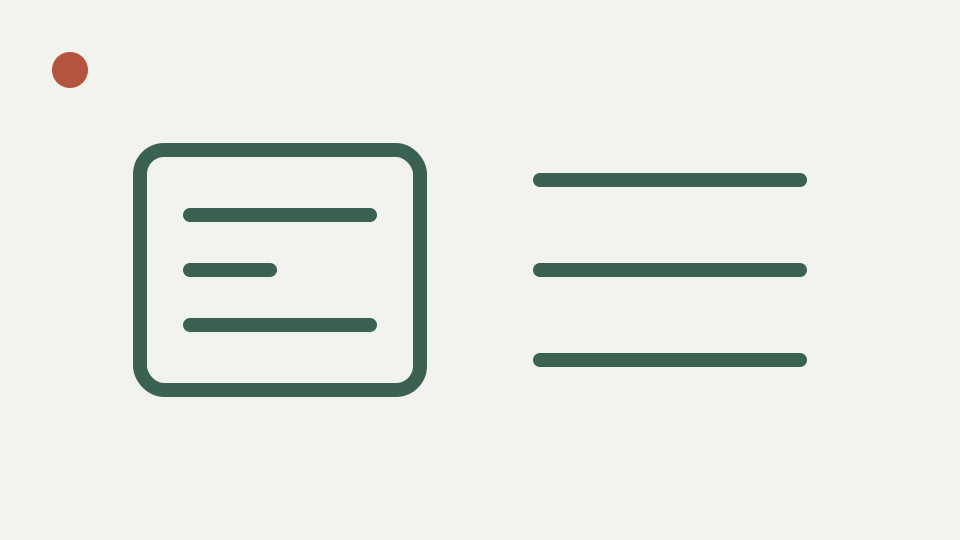
Explains the paragraph model behind browser editors: why Enter may create a <p> or a <div>, why Shift+Enter inserts <br>, and how that decides your spacing.
Why the spacing is wrong in the CMS but fine in the editor — opens with the classic double-gap or no-gap problem
Spacing that appears comfortable in the editor can change when the fragment enters a CMS because blocks receive margins from the destination stylesheet. Two paragraphs and two lines separated by br are structurally different even if one preview happens to give them similar vertical distance.
ToolAcre exposes that difference in source. It does not carry copied margins or inline styles, so paragraph spacing comes from the preview wrapper or later destination CSS. Writers should choose structure by meaning and verify the serialized elements instead of adding blank keystrokes until one temporary view looks right.
Block versus inline breaks — explains that <p> and <div> are blocks with their own margins, while <br> is a line break inside a block
Paragraph and div are block containers; br is a void line-break element inside another flow. This editor permits p and br but not div. A pasted div is unwrapped, preserving its words and allowed descendants while discarding the wrapper. Sanitized br is emitted as `<br />`.
A postal address can be one paragraph with deliberate line breaks because its lines form one unit. Two independent thoughts are better represented as two paragraphs. The destination can style p margins consistently, while repeated br elements used as vertical spacers encode appearance directly into the content.
What Enter does here is browser-dependent and not configured by ToolAcre
ToolAcre does not set a default paragraph separator command or intercept Enter. The contenteditable browser handles the key, and the input listener refreshes output afterward. Repository limitations warn that engine behavior differs, so asserting that Enter always creates p, always creates div or follows one version-specific rule would be invented compatibility guidance.
The sanitization step then narrows whatever serialization arrives. A browser-created div cannot survive as div, although its text can remain. This may make the final source differ again from the live intermediate tree. Source mode is therefore the place to establish explicit p elements when stable paragraph meaning matters.
Soft breaks can be written in source, but no Shift+Enter contract is implemented
The toolbar has no “soft break” button and the code does not register Shift+Enter. A browser may implement that gesture, but this article does not promise its output. Source mode can retain an allowed br, providing a deterministic way to express a break within a paragraph after inspecting the visual result.
Keyboard behavior also depends on selection and editing state that the module does not test. Use the exact browser involved in your work, then read source. If the gesture produces an unwanted block, rewrite the fragment explicitly rather than relying on a shortcut description copied from another editor framework.
Worked example: build an address and note, then inspect rather than predict
For an address, use source mode to make one p with br between recipient, street and locality. For a short note, make two p elements. Return to visual mode, where the source is sanitized before insertion, and compare the preview without assuming its margins match the final website.
Then copy HTML and inspect the fragment separately from Download HTML. The copied result contains sanitized body markup; the download contains a complete document with ToolAcre’s preview CSS. This distinction can explain why opening the downloaded file looks more complete than pasting the copied fragment into a system with different styles.
Empty paragraphs and non-breaking spaces are retained only when supported by the rewriter
An empty allowed paragraph can remain because p is accepted and no rule deletes empty blocks. A known non-breaking-space entity may become its decoded character and later be escaped according to the local entity implementation; the code does not provide a cleanup rule specifically targeting spacer paragraphs.
Therefore, “Sanitise now” is not a layout cleaner. It removes unsupported markup and attributes, balances tags and formats source, but it can retain structurally allowed emptiness. Delete spacing artifacts deliberately in source or visual mode, and let destination CSS supply normal margins rather than accumulating blank blocks.
What this does not cover — CSS margin-collapsing rules or editor-framework configuration
This article does not cover margin collapsing, framework separator configuration, browser-by-browser keyboard matrices or email spacing quirks. It also does not claim that the preview reproduces a CMS. The light sandbox uses its own body font, line height, padding and break behavior.
Nor does it treat filtered output as universally safe publication. A malicious submission needs server-side sanitization appropriate to the destination, even if a disposable local preview remained inert. Paragraph semantics, browser editing behavior and security policy are three separate concerns that should not be collapsed into one “looks right” test.
Takeaway: choose the break that matches the meaning — summarises the model and how ToolAcre's HTML WYSIWYG editor lets you check which element each key produces
Choose the break that matches the content, but verify rather than predict the keypress. ToolAcre gives direct source access, accepts p and br, unwraps div and shows a sandboxed rendering. Those facts support a repeatable workflow without inventing a promise about Enter or Shift+Enter.
Build a small address and note, switch modes twice, and ensure the intended structure survives sanitization. If a destination applies surprising gaps, inspect its CSS instead of inserting more empty HTML. Stable meaning travels better than spacing tuned to one isolated preview.