Developer tools · Syntax converters
How TOML tables become JSON objects: [table], [[array]] and dotted keys
· How it works
toml json data-formats
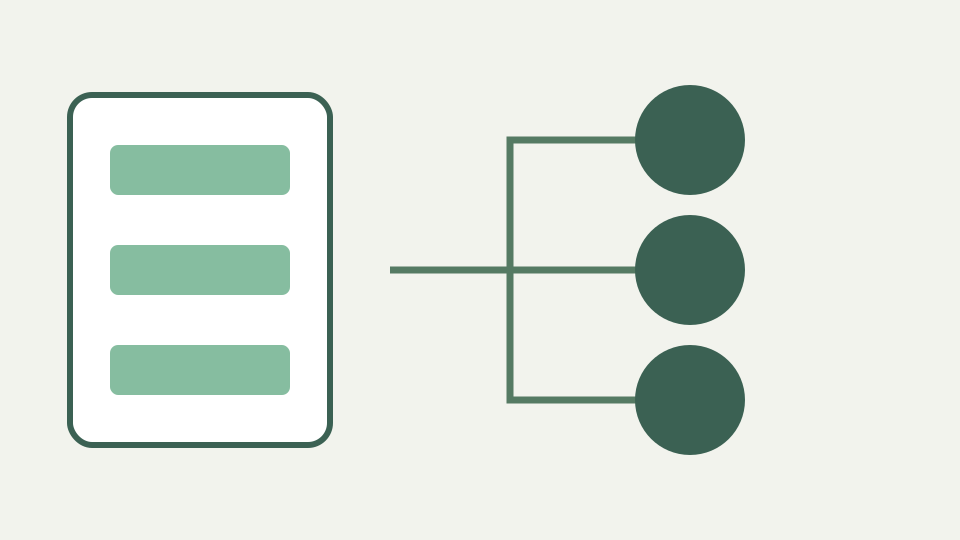
TOML's headers look nothing like JSON's braces, but they define exactly the same nesting. This post explains how [server], [[products]] and a.b.c map onto JSON objects and arrays, and where the two models diverge.
Where did the nesting come from? — a flat-looking TOML file converted to deeply nested JSON, and the headers that caused it
A TOML file can appear nearly flat because brackets carry the nesting. `[a.b.c]` opens intermediate tables, so `d = 1` beneath it becomes `{"a":{"b":{"c":{"d":1}}}}`. The JSON braces make a hierarchy visible that TOML expresses through the active table path.
ToolAcre delegates syntax parsing to smol-toml and then normalizes values JSON cannot carry. This is not line-based rewriting. Tables, dotted keys and arrays of tables become ordinary objects and arrays before JSON serialization, which is why their spelling and comments are not available in the output.
[table] headers — how a header opens a nested object and how [a.b.c] creates intermediate objects implicitly
A single-bracket header opens a table. `[owner]` directs following assignments into `owner`; `[owner.contact]` creates or enters the nested contact object. Intermediate objects need not have separate headers. Their existence follows from the path segments in the header.
Assignments before any header remain at the root. Later tables do not retroactively move them. When reviewing converted JSON, follow the full property path rather than the physical distance between lines: TOML’s current table remains active until another header changes it.
[[array of tables]] — why a repeated double-bracket header appends objects to an array, and the order it preserves
A double-bracket header appends a table to an array. Two `[[server]]` sections become `server: [{...},{...}]` in source order. Fields under each header belong to that array member until another header begins, making the repeated configuration explicit in JSON.
Order inside the array is data and is preserved. Object-key presentation may later be sorted when the option is selected, but array members are never reordered. Confusing the two would change server priority or plugin sequence rather than merely formatting a document.
Dotted keys and inline tables — a.b = 1 and { x = 1 } as two more ways to express the same nesting
Dotted assignments provide another path notation: `a.b.c = true` yields the same nested object shape as corresponding table headers. Inline tables such as `point = { x = 1, y = 2 }` become nested objects immediately. These forms can describe similar trees while looking very different to a reviewer.
JSON records only the resulting keys and values, not which TOML notation authored them. Converting back therefore cannot restore the original choice among headers, dotted keys and inline tables. The TOML writer chooses its own valid serialization from the tree.
Types that carry over and types that do not — integers, floats, booleans and strings map directly; date-times become strings and JSON null has no TOML source
Strings, safe integers, floats, booleans, arrays and tables map directly. TOML’s four temporal types do not: offset date-time, local date-time, local date and local time become their RFC 3339-like source strings, and a warning names each path and kind. The writer later quotes those strings rather than recreating datetime tokens.
TOML’s signed 64-bit integers can exceed JavaScript’s safe integer range. smol-toml returns such values as BigInt when needed; ToolAcre converts them to decimal strings and warns rather than rounding digits. This preserves spelling at the cost of changing the JSON type.
Worked example: a pyproject.toml — [project], [project.optional-dependencies] and a [[tool.plugins]] list converted to JSON with each level traced
Try `name = "demo"`, `[project]`, `dependencies = ["a", "b"]`, `[project.optional]`, `test = ["vitest"]`, then two `[[tool.plugins]]` tables with distinct names. JSON places name at the root, nests project and optional, and produces a plugins array beneath tool.
Add `released = 1979-05-27` and `huge = 9223372036854775807`. The first becomes the string `1979-05-27`; the second becomes a decimal string. Both warnings identify the changed paths, making the non-JSON types reviewable instead of allowing silent Date or Number coercion.
What this does not cover — converting JSON back to idiomatic TOML with sensible header grouping, which involves style choices no rule fully determines
JSON-to-TOML is supported for a root object, but it does not recreate idiomatic author choices or comments. Null-valued keys are omitted; null inside an array becomes an empty string to preserve positions. A root array, scalar or null is refused because a TOML document must be a table.
That behaviour corrects the outline’s implication that reverse conversion is outside scope. The converter writes TOML, yet style fidelity is outside its promise. The distinction matters: supported serialization is not the same as restoring the source file byte for byte or choosing the layout a maintainer would prefer.
Writing JSON back to TOML is supported, but comments, datetime types and authorial style do not return
Read TOML headers as paths and double brackets as append operations. The JSON view is valuable for tracing the resulting tree, while warnings expose datetimes and wide integers that cross a type boundary. Do not call the operation lossless when either warning appears.
For configuration migration, keep the original beside the converted output. Verify values first, then edit the TOML organization for readers and the target tool. Syntax converters performs the mechanical parse-and-write step; it cannot decide project-specific grouping, accepted keys or whether the application supports that file.
A final comparison should separate three questions that are easy to blur together. First, did the parsed values survive? Second, did any TOML-only type become a JSON string or any null disappear? Third, is the newly serialized TOML organized in a way a maintainer can understand? The first two can be checked against values and warnings; the third needs a human review. Keeping those checks separate prevents a technically valid serialization from being called a faithful migration when its types or authorial structure changed.