Developer tools · Unix timestamp converter
Seconds or milliseconds? Telling a 10-digit epoch from a 13-digit one
· How it works
timestamps unix-time developer-workflow
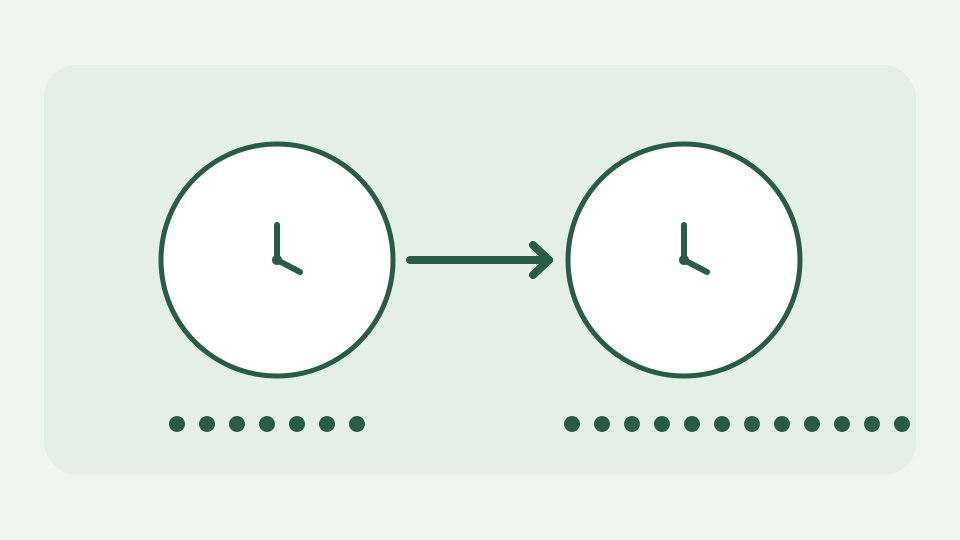
Most epoch values you meet today are either ten digits (seconds) or thirteen digits (milliseconds), and guessing wrong puts a date tens of thousands of years out. This post explains the arithmetic behind the digit counts and why a converter should state the unit rather than infer it.
1700000000 or 1700000000000? — the same instant written two ways, and the dashboard that showed a date in the far future
A log value of 1700000000 and a payload value of 1700000000000 can describe the same instant. Treat the first as milliseconds and your dashboard falls into January 1970; treat the second as seconds and its date jumps thousands of years into the future. A timestamp is just a count plus a unit and starting point, so a database column named created_at without documentation has omitted essential information.
Why current second counts have ten digits — the billionth second in 2001, the ten-digit range running to 2286, and what nine digits would mean
Unix time counts elapsed seconds from 1970-01-01 00:00:00 UTC under the usual POSIX convention. The counter crossed one billion in 2001; for contemporary positive dates it is commonly ten decimal digits. It remains ten digits until it reaches ten billion in 2286. This is a property of base-ten notation, not a rule baked into an ISO date string. Negative values before the epoch and dates far outside the present invalidate a simple digit-count shortcut.
Why millisecond counts have thirteen — a factor of a thousand, three extra digits, and where JavaScript's and Java's conventions come from
JavaScript Date.getTime() conventionally counts milliseconds, multiplying a seconds timestamp by 1,000. Three zeroes make a current ten-digit second count into a thirteen-digit millisecond count. For example 1,700,000,000 seconds becomes 1,700,000,000,000 milliseconds; both are 2023-11-14T22:13:20.000Z. A converter that merely inserts separators without stating the assumed unit may turn a valid number into a plausible but wrong date.
Where guessing goes wrong — small values near the epoch, dates before 2001, and future dates where the digit count stops discriminating
Heuristics fail near 1970 when a millisecond value may be short, before 2001 when seconds have fewer than ten digits, or with microsecond and nanosecond counters. ToolAcre defaults to interpreting magnitudes below 10¹¹ as seconds and larger values as milliseconds, and labels the unit used. That threshold is a practical guess, not an unambiguous format decoder. A timestamp supplied by a specific API should be interpreted using that API’s documentation even when its length is unusual.
Worked example: three values from one log — 1700000000, 1700000000000 and 1700000000000000, read in seconds, milliseconds and microseconds
Three integers from an illustrative log show the trap. Interpret 1700000000 as seconds and 1700000000000 as milliseconds: both resolve to 2023-11-14T22:13:20Z. Interpret 1700000000000000 as microseconds and divide by one million to obtain the same second count. The ToolAcre converter accepts seconds or milliseconds, not a microseconds mode: pasting that third number without converting its unit first will not confirm the intended instant. Always keep the raw field and its unit together while debugging.
Why the unit should be stated, not guessed — how the converter shows the unit it applied so a wrong assumption is visible rather than silent
A service sending timestamps should name the unit in its schema or use ISO 8601 text with an explicit offset. If a legacy field is undocumented, compare several values against another reliable event time before deciding; a single coincidentally plausible date is insufficient evidence. The converter displays which unit it applied, giving you a chance to catch a factor-of-1,000 mistake. Change the unit explicitly and compare rather than relying on an automatic guess as a long-term API contract.
What this does not cover — timestamps stored as strings, ISO 8601 text or spreadsheet serial dates, which are different problems
This article does not explain Excel serial dates, strings such as 2026-09-28T10:15Z, or time-zone formatting of local clock readings. Those are different representations. Unix timestamps refer to an instant; the same instant appears as different wall-clock times in different zones. Leap-second conventions also deserve separate treatment, and a 32-bit signed counter has an overflow problem in 2038 that is distinct from the seconds-versus-milliseconds question.
Takeaway: count the digits, then confirm the unit — and how the Unix timestamp converter reads both seconds and milliseconds with the unit labelled
Count digits as an initial hint, then confirm the producer’s stated unit and at least one known event. Unix timestamp converter makes the applied seconds/milliseconds assumption visible and prints both UTC and local representations in your browser. Do not let a neat-looking date override contrary documentation from the system that produced the value.