Images & photos · Social Image Resizer
What Happens to EXIF When You Resize a Photo in the Browser
· How it works
image-metadata privacy canvas
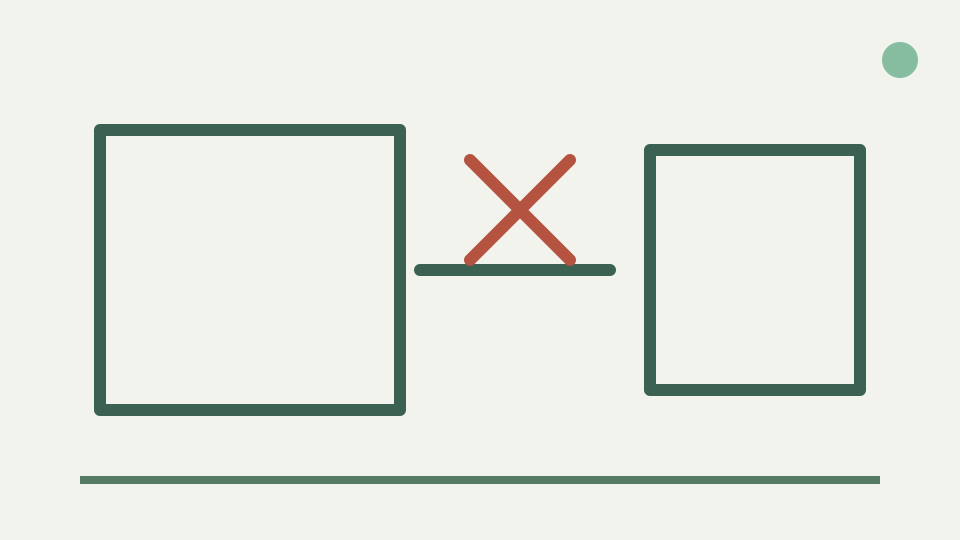
Drawing a photo into a canvas and encoding a new file produces an image with none of the original's metadata blocks unless a tool deliberately copies them back. This post explains why, what it means for orientation, and how to confirm what your resized file contains.
Resized, but is it clean? — the practical question of whether a social crop still carries GPS and camera data
A social crop can remove metadata as a side effect of creating a new encoded image, but privacy work should not rely on side effects. ToolAcre decodes the selected JPEG, PNG or WebP into an ImageBitmap, draws pixels onto a canvas and encodes that canvas. No code in this path copies EXIF, IPTC or XMP blocks into the output.
That source review supports a narrow expectation: the new file is built from rendered pixels and chosen export settings, not from a byte-for-byte rewrite of the original container. The companion Image Metadata Privacy Tool provides the independent check. Use it on the downloaded result before sharing a location-sensitive photograph.
Why a canvas export starts from zero — the canvas holds only pixels, so the encoder writes a fresh file with no EXIF, IPTC or XMP unless they are re-inserted
Canvas holds width, height and pixel values needed for drawing. EXIF camera model, GPS directories, IPTC captions and XMP editing records are separate container structures. encodeCanvas receives only the canvas, MIME type and quality value, so it has no metadata object available to reinsert during toBlob or convertToBlob.
Fresh encoding is not the same as a specialist metadata-strip operation. The latter can remove named segments while preserving compressed image bytes; canvas necessarily decodes and redraws. If keeping source pixels unchanged matters, use the privacy tool built for segment or chunk handling instead of resizing merely to chase metadata.
Orientation handling is browser-controlled here and is not asserted as a universal EXIF rule
The outline says modern browsers generally apply EXIF Orientation and bake the corrected view into output. This app calls createImageBitmap without an explicit imageOrientation option and has no orientation fixture in its tests. Exact orientation behavior therefore belongs to the browser path and should be verified with the actual phone file and browser.
A practical check uses a photo whose stored dimensions and visual orientation differ. Load it, inspect the preview, export it, then open the result in another viewer. If the preview or output turns unexpectedly, do not rotate metadata blindly. Record the browser and use a tool that exposes orientation information before deciding what the source intended.
Source profiles are not preserved, while exact colour conversion remains browser-controlled
The product limitations state that colour profiles are not preserved through canvas and unusual embedded profiles may shift slightly. They do not say every input is forcibly converted by one named algorithm into a guaranteed sRGB file. Decode, canvas colour handling and encoder output remain browser responsibilities in this implementation.
Keep the original next to the resized output and compare them on the same display. Highly saturated reds and greens can reveal a visible difference, but a visual match does not prove profile preservation. A metadata inspector can tell you whether a profile block is present; it cannot by itself certify that two rendered colours are numerically identical.
Trust but verify — running the resized file through the Image Metadata Privacy Tool to see exactly which blocks, if any, remain
Verification begins with two reports, not one assumption. Inspect the source file in Image Metadata Privacy, note any GPS, camera, orientation and profile fields it understands, then inspect the downloaded crop. A missing field in the second report is direct evidence about that parser’s result for those two files.
Also review the picture itself. Street signs, badges, reflections and faces remain pixels and cannot be removed by deleting EXIF. Metadata cleaning and visual redaction answer different privacy questions. A clean metadata panel does not make an identifying background disappear, and a tight crop does not prove every container block is absent.
Worked example: a phone photo before and after resizing — comparing the two metadata reports
Choose a non-sensitive phone photograph for the worked test. Record its original byte size and dimensions, inspect metadata, create a square crop as PNG or JPEG, then inspect the new file. The exact list depends on the input and inspector, so this article does not invent a universal before-and-after field count.
The source path predicts a fresh canvas encoding with no deliberate metadata copy. The two reports test that prediction against real bytes. If a field remains, preserve the files and browser details as a reproducible case. If none remains, phrase the conclusion as “not found by this inspection,” not as proof against every possible hidden payload.
What this does not cover — a resize is not a substitute for a metadata stripper when you need the original pixels unchanged; the Social Image Resizer's technical notes state what its output contains
Resizing is not a substitute for metadata stripping when the original pixel encoding must remain unchanged. It also cannot process unsupported HEIC, AVIF or camera RAW files on this route. The accepted input list is JPEG, PNG and WebP, and each resized output has been resampled and freshly encoded whether or not its dimensions happen to match.
The tool’s technical boundary is therefore clear: use it to create social-sized derivatives, not as an archival sanitizer. Use Image Metadata Privacy when removal categories and unchanged image-bearing data matter. Combining the two tools gives a deliberate sequence instead of asking an incidental canvas consequence to carry the whole privacy claim.
Takeaway: resizing rewrites the file — the Social Image Resizer re-encodes on your device, and the companion Image Metadata Privacy Tool lets you confirm what the result carries
Browser resizing rewrites the deliverable from pixels. That design leaves no application step that copies source EXIF, IPTC or XMP into the Blob, while also introducing browser-controlled orientation and colour behavior that deserves observation. Both parts matter: metadata can disappear while rendered appearance changes in ways the container tags once explained.
Treat the resized file as a new artifact. Inspect its metadata, check its orientation and compare its colour before posting. Social Image Resizer supplies the local crop and encode; the companion inspector supplies evidence about retained blocks. Together they replace an absolute “resizing cleans everything” slogan with a repeatable test.