Developer tools · JSON formatter & validator
Why a trailing comma breaks JSON and where the validator points
· How it works
json developer-workflow validation
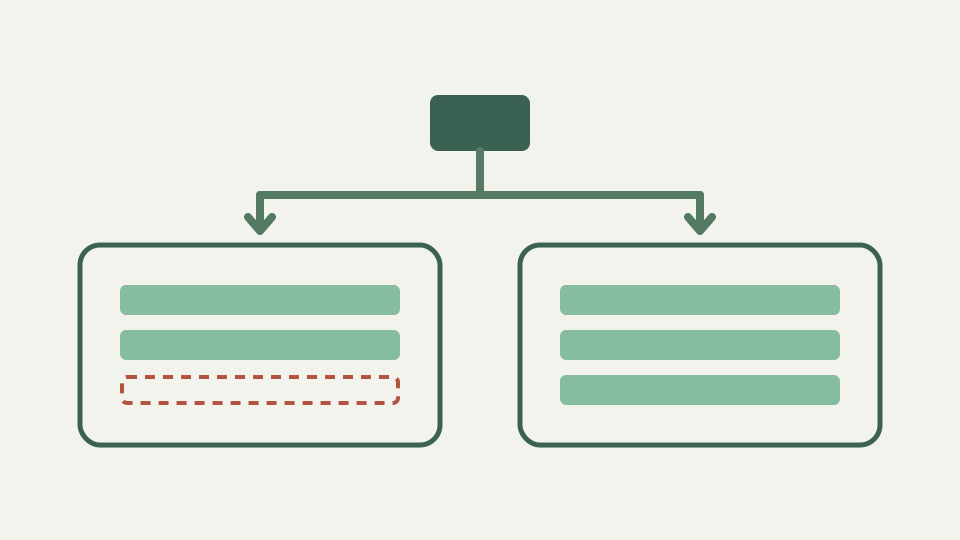
The trailing comma is the single most common JSON mistake, and the error never lands on the comma itself. Learn what the grammar expects after a comma and how to read the reported position.
The one-character bug that takes ten minutes to find
The one-character bug that takes ten minutes to find — a config edited by hand, a comma left after the last property, and a build that fails. A strict parser follows the token sequence actually present in the document. Consider an object ending with `'enabled': true,` and an array ending with `'blue',`: both separators promise another item even though the next token closes the container.
ToolAcre does not derive a location from the browser engine message. JSON.parse first decides validity; only after failure does the repository scanner walk the text and report the first unacceptable character. For a trailing comma, that character is the closing brace or bracket, and the reason explicitly says “Trailing comma”. In an object, another quoted member name is missing; in an array, another complete value is missing.
What the JSON grammar says after a comma
What the JSON grammar says after a comma — RFC 8259 uses commas to separate values in arrays and members in objects. A separator therefore needs a valid item on each side. After an object comma, the parser expects a double-quoted name, a colon and a value. After an array comma, it expects any valid JSON value. A closing delimiter satisfies neither production.
The separator belongs between two members or elements, never after the final one. Removing the last comma changes no value or order; it restores the grammar that closes the container directly after its final value. This is also why a comma can appear after every earlier item without trouble: each of those commas is followed by the next item it promises.
Why the error lands on the closing bracket
Why the error lands on the closing bracket — a comma is legal in the middle of a container, so the parser cannot reject it merely on sight. It consumes the separator and changes state to expect another name or value. The contradiction becomes certain only when `}` or `]` arrives instead. That delimiter is where the promised item proves absent, even though the preceding comma caused the state transition.
The reported delimiter is therefore evidence about parser state, not a suggestion to delete the brace or bracket. Read one token to the left. If that token is a comma and the delimiter closes the same container, remove the comma and preserve the close. ToolAcre’s scanner names the trailing-comma condition and supplies the source position after JSON.parse rejects the document.
JavaScript, Python and modern linters allow it, JSON does not
JavaScript, Python and modern linters allow it, JSON does not — source-language literals often permit a comma after the last item because it makes reordered lines and future additions easier to review. Formatters may even insert or preserve that style. Those conveniences belong to each language grammar. A `.js` object literal or Python dictionary can be valid source while the same visible punctuation remains invalid in an RFC 8259 JSON document.
An editor configured for JavaScript may consequently show no warning when a pasted fragment ends in a comma. The destination parser still controls acceptance. Use a JSON language mode for `.json` text and validate the exact payload sent to an API or configuration field. Leniency in a source file, linter or JSON5 parser is not transferable evidence about a strict JSON consumer.
Worked example: three trailing commas in one file
Worked example: three trailing commas in one file — suppose `features` ends with `"beta",`, its containing object ends with `"enabled": true,`, and a second root member has the same mistake. The first validation stops at the closing bracket after `beta`. Removing that comma allows parsing to continue until the closing brace after `true`, and repairing the second location reveals the remaining root-level object error.
This sequence is expected because parsers generally report the first point where continuation is impossible, not every later defect. Map each line and column to its closing delimiter, inspect the separator immediately before it, make one intentional change and run validation again. Do not bulk-delete all commas: separators between actual neighbors are required. Repeated validation distinguishes the three invalid terminal commas from the valid commas throughout the same document.
Variants that produce the same error
Variants that produce related separator errors — a leading comma, two commas in a row, and a comma after the root value all misuse the same character but violate different parser states. A leading comma has no completed item on its left. Consecutive commas provide no item between separators. A comma after the complete root value appears after the JSON text has already reached a valid end.
Those cases should not automatically be labelled trailing commas. The precise reason depends on position and container state. Inside `{"a":1,,"b":2}`, the second comma is unexpected where a quoted member name should begin. In `[ ,1]`, the first comma appears where a value is required. Inspect the diagnostic and surrounding tokens rather than applying a universal “delete the previous comma” rule outside the closing-delimiter pattern.
What this does not cover
What this does not cover — JSON5 and some JSON-with-comments workflows deliberately allow trailing commas. A file written for one of those grammars should use its declared parser, extension and tooling. Treating it as strict JSON will produce errors that reflect a format mismatch, not necessarily an authoring mistake. Conversely, accepting it with a permissive parser does not make the source safe to send to a strict JSON endpoint.
Changing parsers merely to silence this diagnostic changes the accepted language and can conceal incompatibility with the eventual consumer. Comments, unquoted names and single-quoted strings may accompany trailing commas in extended formats, creating additional failures when the text crosses the boundary. Confirm the destination contract first. If it says JSON, remove extension syntax; if it says JSON5 or JSONC, validate with tooling that implements that exact format.
Takeaway: look one token to the left of the reported position
Takeaway: look one token to the left of the reported position — when the caret sits under `}` or `]`, the preceding comma may have promised a member or element that never arrived. Preserve the structurally necessary closing delimiter and remove only that terminal separator. Then validate the whole document again, because the first repaired location may uncover another trailing comma in a later container.
ToolAcre keeps the responsibilities narrow: JSON.parse decides that the document is invalid, and the local scanner supplies a stable structural reason plus line and column after failure. Use that coordinate to inspect parser context rather than blaming the highlighted character in isolation. A trailing comma is a one-character edit, but understanding why the error appears on the following delimiter makes the same diagnosis reliable across objects, arrays and deeply nested configuration.