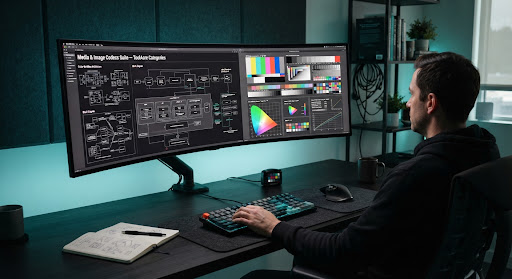
Media & Image Codecs Suite
High-performance browser-native image compression, multi-aspect resizing, format transcoding, and EXIF privacy sanitization. No cloud uploads, zero telemetry, and compiled WebAssembly threads executing purely inside your browser memory.
Zero Transfer Penalty: Native Wasm vs Cloud API
Eliminate network upload roundtrips for 24MB DSLR RAW images or 4K social assets. Transcoding starts at raw memory bus speed without latency or remote queuing delays.
Lossless Huffman table optimization

Anti-aliasing sinc filter matrix
Image & Media Tool Suite
Selected browser-native codec utilities ready for instant execution without registration.
Client-Side Image Compressor
Lossy and lossless compression powered by MozJPEG & OxiPNG WASM with visual side-by-side artifact loupe inspection.
Universal Format Transcoder
Bi-directional container conversion across WebP, AVIF, PNG, JPEG, SVG, ICO, and Apple HEIC without external binaries.
Multi-Scale Dimension Studio
High-fidelity downsampling using Lanczos-3 Sinc kernels to prevent moiré patterns and maintain subpixel sharpness.
EXIF Metadata Inspector
Inspect hidden TIFF IFD0, Camera Serial numbers, lens profiles, and sanitize all markers in under 12 milliseconds.
Remove GPS & GeoTags
Zero-out coordinates, altitude, and timestamps directly at the binary byte level (0x8825) without re-encoding pixels.
Social Canvas Multi-Aspect
Export standard social bundles concurrently: 1:1 Instagram, 16:9 YouTube banners, 9:16 Reels/TikTok with focal anchoring.
Subtitle Timing Shifter
Linear time dilation and framerate drift compensation (e.g., 23.976 NTSC to 24/25 FPS PAL) with millisecond offsets.
SRT to WebVTT Transcoder
Standards-compliant W3C WebVTT normalization, comma-to-dot timestamp conversion, and cue voice tag sanitization.
Zero-Egress Image Processing via WebAssembly & OffscreenCanvas
Isolated WebWorker Heap
Every codec task spawns a dedicated WebWorker executing inside an unprivileged virtual sandboxed memory heap. The main DOM thread remains 100% fluid at 120 FPS while complex vector kernels crunch in the background.
Zero Disk Caching Guarantee
Files dropped into ToolAcre never reach IndexedDB or browser cache storage. ArrayBuffers are allocated directly in ephemeral RAM and overwritten with null byte fills immediately upon download trigger.
Wasm SIMD Vector Optimization
Codecs are cross-compiled using LLVM and Emscripten with 128-bit SIMD vector instruction sets enabled, translating directly to your local CPU's AVX2 or ARM NEON silicon registers.