Developer tools · Text comparison
Checking What an Editor or AI Rewrite Actually Changed in Your Text
· Why it matters
text-diff editing writing
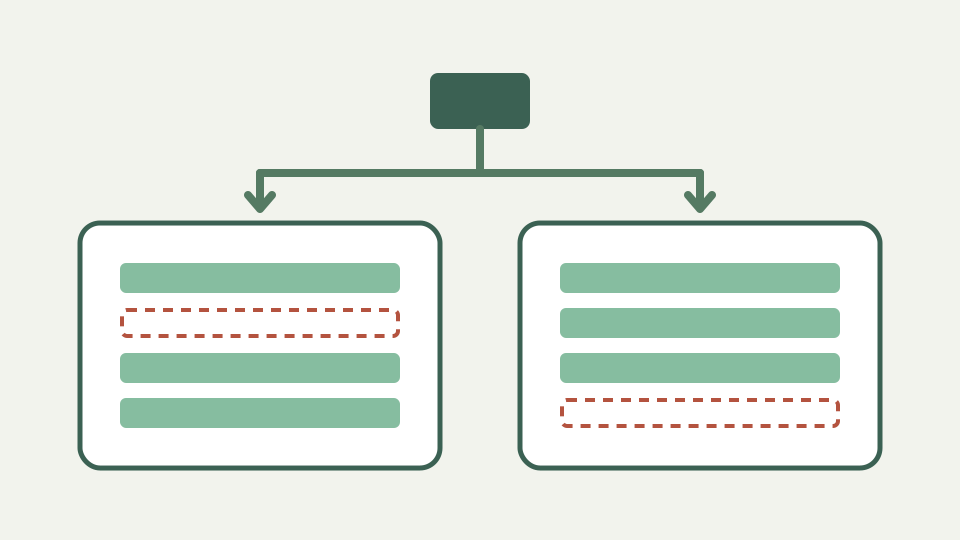
Shows how to compare your original against an edited or machine-rewritten version so nothing slips through: changed numbers, dropped caveats or altered meaning.
'I only tightened it up a bit' — opens with the problem of accepting edits you cannot see
“I only tightened it” is not a change log. An editor or generative rewrite can alter a number, remove a condition or strengthen a claim while preserving the paragraph’s tone. A direct comparison turns that vague assurance into rows a reviewer can verify.
Keep the original untouched and compare against the exact returned draft. If either version is copied through another editor first, smart quotes, wrapping and whitespace changes can pollute the result. Preserve provenance so every flagged row points back to a real submitted version.
Why unseen edits are risky — covers changed figures, removed qualifiers and shifted claims, especially in technical and legal copy
Unseen edits are risky where small words control accuracy: “may,” “up to,” “only,” and “approximately” can bound a statement. Figures can be rounded, units dropped, and negation reversed. A fluent sentence is not evidence that its factual contract survived rewriting.
Line diff does not evaluate truth, so pair each changed claim with its source. The tool finds textual differences and original line numbers. A human must decide whether the revision improves clarity, changes meaning or introduces an assertion the evidence does not support.
Preparing both versions for a fair comparison — advises one sentence per line and matching quote styles so the result reflects wording changes
For prose, place one sentence per line in temporary comparison copies. Match line breaks and quote style where possible so the algorithm can retain unchanged sentences. Do not normalize away punctuation before review; punctuation can change scope and meaning.
The comparison copies are not publication files. Keep the authoritative formatting separately and transfer only approved wording changes back. This avoids letting a review-oriented reflow alter Markdown blocks, legal numbering or another structure whose whitespace carries meaning.
Worked example: original versus rewrite — compares a product description with its AI-rewritten version and finds a dropped limitation and a rounded number
Compare “The export supports files up to 20 MB in this route” with “The export supports large files.” The rewrite drops both the measured limit and the route boundary. A second row might round 19.6 to 20; verify whether that rounding is allowed rather than accepting smoother prose.
ToolAcre will show each changed sentence as removal plus addition. Read the pair together and annotate the exact issue: dropped qualifier, changed number or unsupported generalization. That note is more actionable than accepting or rejecting an entire paragraph on style grounds.
Using the case option deliberately — shows when ignoring case is helpful (heading style changes) and when it hides an intentional change (product names)
Ignore case can reduce noise from headings converted to title case, but it also hides a case-only change in a product name, path or identifier. Toggle it only after the strict comparison, and observe which rows disappear. The displayed original text remains unchanged.
Ignore whitespace is similarly diagnostic, not a default. It condenses runs and trims line edges without reflowing paragraphs. If spacing belongs to code samples, tables or quoted strings, the normalized view may conceal something the published text must preserve.
What this does not cover — the tool shows what changed; judging whether a change is an improvement remains your job
The tool cannot decide whether a rewrite is better, detect plagiarism, score tone or prove factual accuracy. It has no model of claims, citations or audience. Its line-based result is an inventory for a reviewer, not an editorial verdict.
It also carries no authorship or revision timestamp inside the diff. If accountability matters, preserve the surrounding document history in the system that created the drafts. Two pasted states reveal difference only; they do not explain who made it or why.
Takeaway: never accept invisible edits — summarises the review habit and how ToolAcre's Text comparison keeps unpublished drafts on your device
Never accept invisible edits on trust when the text carries technical, legal or commercial claims. Compare the exact states, isolate meaningful rows, and return every changed assertion to its evidence. Approve wording only after that loop closes, and record rejected alterations so a later rewrite does not quietly reintroduce them.
Text diff keeps this review narrow and immediate: two browser editors, explicit options and an optional patch-shaped download. Use harmless or approved content, because a local feature path does not override the security rules of the device on which the browser runs. Preserve source citations and reviewer decisions beside the authoritative draft, not inside an untracked comparison copy.