Developer tools · Text comparison
Comparing Two Contract Drafts Without Uploading Either Version
· Why it matters
text-diff privacy legal-workflow
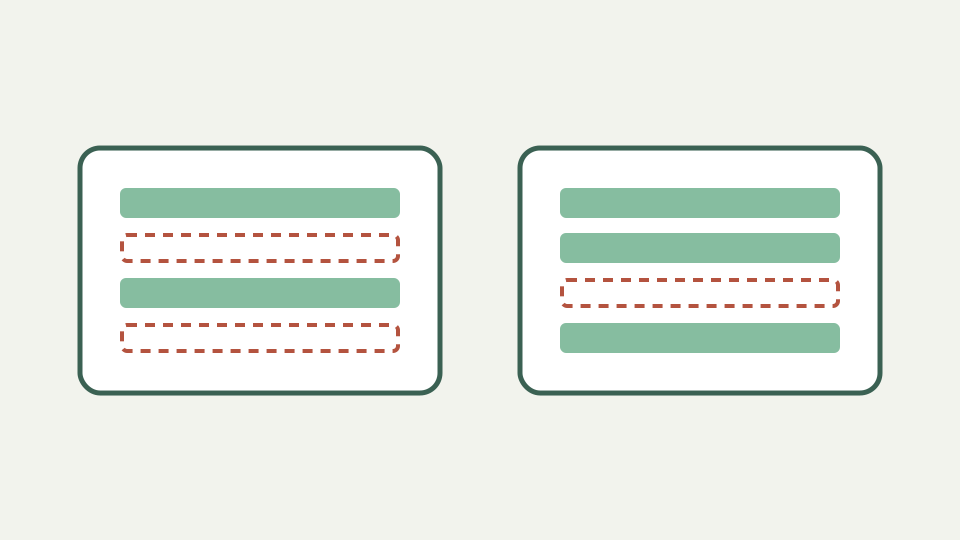
Makes the case that comparing confidential documents should never involve a server, and shows a plain-text workflow that keeps both drafts inside your browser tab.
The counterparty says the changes are minor — opens with the risk of taking a redline on trust
A counterparty may describe edits as minor, but acceptance should follow the text rather than the cover note. A line comparison can reveal a changed cap, deleted exception or substituted defined term before anyone relies on the revised draft. The task is verification, not distrust by default.
Start from authorized copies and preserve the originals. Plain-text extraction is a review aid, not the governing document. Every flagged clause should be checked against the formatted draft because tables, footnotes, numbering and tracked-change metadata may not survive export.
Where uploaded drafts actually go — explains what a server-side comparison implies: transfer, temporary storage, logs and a third party's retention policy
A remote comparison necessarily creates a route by which submitted text reaches that service. Storage, logging and retention then depend on its actual implementation and policy; they cannot be alleged from the word “upload” alone. ToolAcre’s reviewed comparison path has no processing endpoint.
Local execution is still not permission to paste anything. Browser extensions, managed-device rules and clipboard utilities sit outside the diff modules. Use an approved environment, minimize the excerpt and verify runtime requests when confidentiality requirements demand evidence rather than product wording.
Server-side comparison creates a transfer path; retention depends on the specific service
Plain text gives both drafts a common representation focused on wording. Export each version through the same controlled method so line breaks and quote conversion do not create avoidable noise. Keep clause numbers where possible; they provide useful anchors for returning to the source documents.
The neutral ground is intentionally incomplete. Fonts, strike-through, comments, author identities, headers and page layout disappear. That reduction helps answer “which lines differ,” but it cannot answer “what did the word processor record about negotiation history.” Retain both evidence forms.
Worked example: spotting a changed clause — walks through pasting two drafts, using ignore-whitespace to hide reflow noise and finding a changed indemnity cap
Suppose an indemnity clause changes a cap from fees paid in twelve months to all fees paid. Place each sentence on its own line, compare with options off, and confirm the removed and added rows. Then toggle whitespace only if reflow obscures the wording change.
Whitespace mode trims and collapses runs inside each line; it does not delete all whitespace or merge lines. It can hide indentation or spacing that carries legal meaning in a schedule, so never let the normalized view replace review of the original clause and its surrounding structure.
Reading the result like a lawyer — advises focusing on deleted lines first, then insertions, and checking defined terms and cross-references
Read removals first to discover protections or qualifiers that disappeared, then read additions to see their replacements. Check defined terms, numbers, negations and cross-references around every pair. A line reported as added does not prove novelty if an equivalent clause moved elsewhere.
Use line numbers as navigation aids, not contract citations, because extraction may alter pagination and wrapping. Record the source filename and clause identifier in review notes. The diff supports attention; legal judgment and document control remain with qualified reviewers and the authoritative versions.
What this does not cover — the tool compares plain text; it does not read tracked changes in .docx files, formatting, footnotes or tables as tables
ToolAcre does not open `.docx`, interpret tracked changes, compare formatting or reconstruct tables. It receives two text strings. Footnotes become reviewable only if the extraction includes them, and a table becomes lines whose column relationships may be lost.
It also does not merge accepted wording or produce a negotiated redline. Download patch creates a patch-shaped text account of rows, not a legal-document revision. Choose a document-aware system when authorship, comments, acceptance state or visual formatting is part of the required record.
Takeaway: keep the drafts where they already are — summarises why a browser-only comparison with no account and no upload fits confidential work, and how ToolAcre's Text comparison provides exactly that
The practical workflow is extract, minimize, compare, verify and record. Keep drafts in their approved repository, bring only necessary plain text into the browser tab, and return to the originals for every substantive finding. Clear the editors when the comparison is finished, and retain review notes under the matter’s normal access controls.
Source inspection supports a local comparison claim for this feature, not a blanket certification of the entire device. That precise boundary is still valuable: no text-processing server is required to compute the line diff, and reviewers can independently test the runtime with harmless markers.