Text & everyday tools · QR & Barcode Toolkit
What happens when you generate a QR code in your browser, not on a server
· How it works
qr-code privacy browser-processing
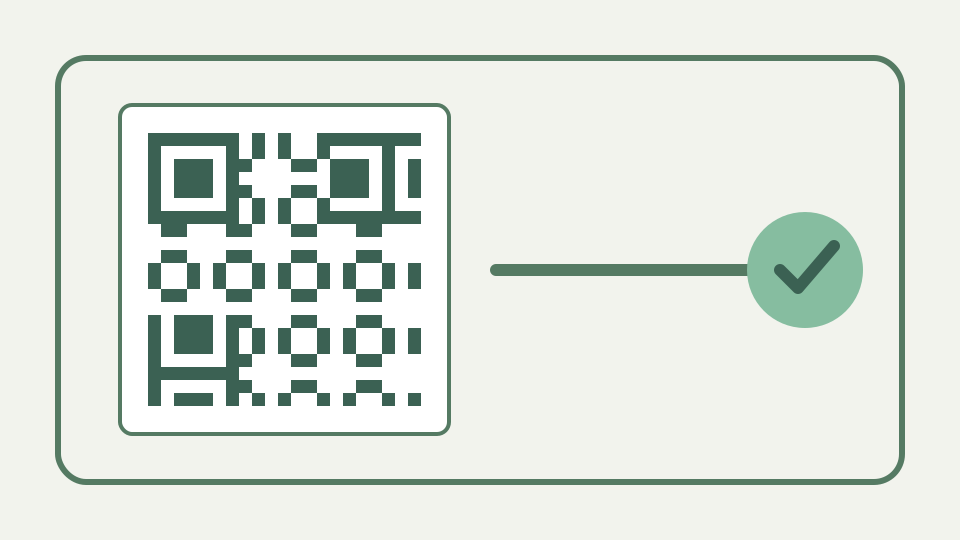
Contrasts a server-rendered QR generator with one that runs as JavaScript in the tab, showing exactly what data leaves your device in each case and how to verify it yourself.
Local and remote generation are different architectures; this repository proves only ToolAcre’s local path
Two pages can display the same QR image while using different data paths. ToolAcre’s source proves that its generator hands text to browser-side JavaScript, receives an in-memory matrix and renders it locally; it does not prove how an unrelated service works.
The distinction can be seen at the function boundary. `buildPayload` returns a string plus notes and warnings; `generateQrMatrix` consumes that string; `renderQrSvg` or `drawQrToCanvas` consumes the boolean matrix. None accepts a server response or remote image URL. A different site may use a request-based architecture, but diagnosing it requires observing that site rather than treating “online generator” as one uniform implementation.
A remote generator could receive payload text, but another service’s logging behaviour requires separate evidence
A server-rendered architecture necessarily sends enough information for a remote process to make the image, but log retention, caching and analytics vary by service. Treat those behaviours as questions for that provider instead of presenting assumptions as observed facts.
A remote endpoint would need the payload or an equivalent representation before it could produce payload-specific modules. What happens after receipt remains unknown without evidence: one service may discard requests, another may retain application logs, and a third may place data in error reports. This article therefore teaches data-flow inspection, not an allegation that every server generator stores submitted text.
The browser-side path — text encoded to a bitstream, error correction added and a grid drawn, all inside the page
In ToolAcre, TextEncoder creates UTF-8 bytes, qrcode-generator builds the matrix, and local SVG or canvas code draws modules. Those functions accept values already held in the page and contain no fetch call carrying the payload.
Local rendering also keeps export construction in the same process. SVG is assembled as escaped markup with merged horizontal runs; PNG is drawn to a canvas with integer module rectangles and downloaded as a browser-created blob. The output does not arrive in an HTTP response. That mechanism is stronger evidence than a lock icon, which protects a connection but says nothing about what a receiving server does.
How to check for yourself — opening the browser's network panel, generating a code, and watching for requests that never appear
Open developer tools before entering a distinctive test string, clear the request list, generate the code, and search request URLs and bodies for that string. This verifies the narrow claim that generation did not transmit the payload during your observed session.
Use both the request list and source evidence. Clear the panel after the page has loaded, generate from a unique harmless marker, and inspect new requests for the marker in URLs, payloads and form data. Then confirm the generation path has no fetch or XHR call. Either check alone is weaker: runtime observation is one session, while static inspection can miss injected deployment behaviour.
Third-party page resources and payload transmission are separate questions that must not be conflated
A page may still request scripts, fonts, advertising or analytics without sending the text being encoded. Conversely, an empty-looking list is not proof about prior page loads, browser extensions or future deployment changes, so scope the conclusion carefully.
The repository’s focused tool panel says the generator makes no network request, while the wider publishing contract warns that a production page can load consent-managed site resources. Both can be true because payload handling and page delivery are separate flows. Report exactly what was searched and when. “The marker was absent from generation requests” is reproducible; “the page has nowhere to leak” is broader than the evidence.
Worked example: filter the network log for the test payload rather than expecting an entirely silent page
Use a harmless intranet-shaped example such as https://intranet.invalid/menu-check-47, then filter the network log for menu-check-47. The expected evidence is no payload-bearing request, not a promise that every page resource disappears.
For example, enter `https://intranet.invalid/menu-check-47`, generate, then search captured request details for `menu-check-47`. Also inspect the payload preview to verify the builder did not quietly substitute another address. A clear result shows that the same distinctive value moved from form to matrix locally during that observed generation step. It does not certify browser extensions, earlier requests or a future deployment build.
What this does not cover: later image sharing, deployment resources or unrelated networked tools
Local generation does not control where the exported image is uploaded, how its destination server logs visits, or what unrelated ToolAcre media tools may fetch by design. It also does not make a secret safe after someone scans a printed code.
The final image is a portable copy of the data. Uploading it to a document system, emailing it or printing it can disclose the payload to new people even though generation was local. The decoded URL also contacts its destination when scanned. Local processing removes one processor from creation; it does not turn a QR code containing a password or internal address into encrypted storage.
The takeaway — the QR & Barcode Toolkit performs the whole job in your tab, which you can verify in under a minute
The useful privacy property is precise: QR encoding and rendering operate locally in the inspected implementation. Verify that property against the deployed page when the payload is sensitive, and prefer offline software for credentials with a strict threat model.
For ordinary links, local generation offers a simple and inspectable route. For credentials or regulated data, consider whether a QR image should exist at all and use offline tooling if page resources fall outside the threat model. Privacy claims should follow the complete lifecycle—entry, generation, download, sharing, scanning and destination—not stop after confirming that the encoder itself lacks a network call.