Text & everyday tools · QR & Barcode Toolkit
How phones decide what a QR code means: URL, WIFI:, mailto: and tel:
· How it works
qr-code encoding privacy
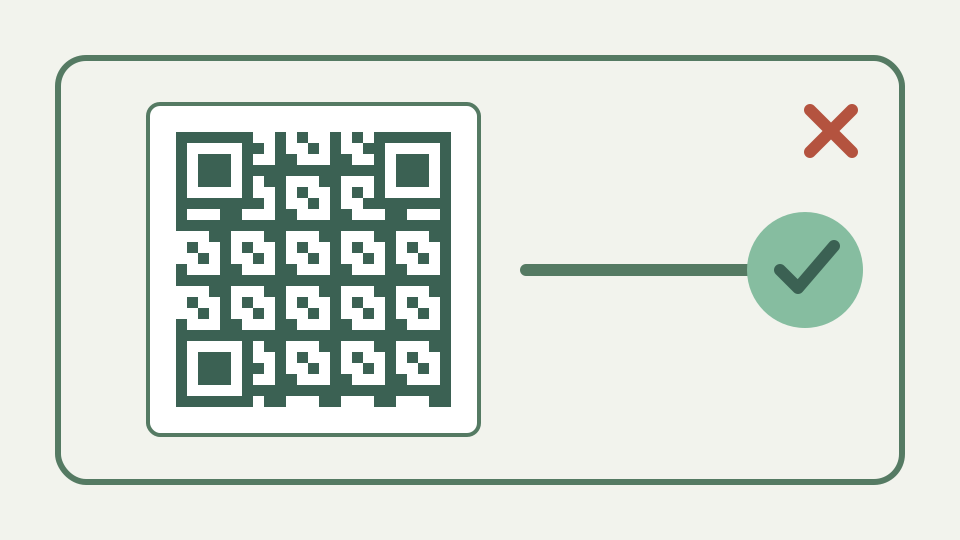
A QR code only ever stores text; this post explains the payload conventions — URLs, WIFI:, mailto:, tel:, MECARD and vCard — that camera apps recognise, with the exact strings to type.
It is all just text — why a QR code has no idea it contains a Wi-Fi password, and how the scanning app infers intent from the string
A QR matrix carries bytes; meaning comes from the decoded text and the scanner application. ToolAcre’s payload builders make that text explicit, returning both the payload and notes or warnings so transformations are visible rather than silently hidden.
The builder’s return shape helps expose this separation. It provides the exact payload, informational notes about transformations and warnings about risky choices. The UI can therefore say that it added `https://`, normalised a phone number or escaped punctuation instead of showing only a finished square. When another phone behaves differently, the raw string becomes a test artifact that can be decoded and compared without guessing what the form intended.
URLs and schemes — http, https, mailto:, tel: and sms:, and why the scheme prefix decides which app opens
A conventional prefix gives the scanner an action hint: https can open a browser, mailto can prepare email, tel can offer a call, and the toolkit’s SMS builder uses an SMSTO payload. Actual prompts still depend on the scanning application.
ToolAcre percent-encodes email subjects and bodies so characters such as `#`, `&` and line breaks stay inside their query values rather than becoming URI separators. Phone payloads keep digits and a leading plus while removing formatting spaces. These are payload-building rules, not promises that every device will place a call or open a composer automatically; the scanner and operating system still choose the action.
The WIFI: format — the T, S, P and H fields, the trailing double semicolon, and how to escape semicolons and backslashes in passwords
ToolAcre writes Wi-Fi values as WIFI fields for authentication type, SSID, password and hidden status, ending with a double semicolon. It escapes backslashes, semicolons, colons, commas and quotes so punctuation cannot terminate a field early.
A concrete Wi-Fi case is `Café;Visitors` with a password containing a colon and backslash. The builder prefixes the reserved characters with backslashes and reports that escaping occurred. It also quotes an even-length hexadecimal-looking SSID so readers do not reinterpret the name as encoded bytes. If security is not `nopass` and the password is blank, the panel warns instead of inventing a credential.
Contact cards: ToolAcre produces vCard 3.0 and does not generate MECARD
The outline contrasts MECARD with vCard, but this toolkit implements vCard 3.0 only. Its builder escapes vCard punctuation, emits contact fields and intentionally avoids line folding because the repository documents compatibility trouble in popular scanners.
The vCard builder starts with `BEGIN:VCARD` and `VERSION:3.0`, writes structured name components separately, and finishes with `END:VCARD`. It normalises the phone field and escapes commas, semicolons, backslashes and newlines where required. An organisation can stand in for a missing person name, but a phone number alone produces no card because there is no meaningful display identity.
Plain text and unknown payloads — what a camera does with a string it does not recognise
If a scanner does not recognise a payload convention, it can still present the decoded text. That fallback is why inspecting the raw payload is useful: generation can guarantee bytes and escaping, not a particular camera application’s interface.
An unknown payload remains useful as text only if the person can understand it. A scanner that does not recognise `SMSTO:` or vCard may show the full string, including escape characters and field labels. That is a compatibility failure rather than corrupt QR encoding. Preserve a readable fallback or test the exact camera applications when the desired action matters more than simply recovering the bytes.
Worked example — writing a guest Wi-Fi payload and a contact card by hand, generating both, and scanning with two different phones
Create a guest SSID such as Café;Visitors and a password containing a colon or backslash, then inspect the escaped WIFI string. For a contact, use the toolkit’s vCard fields and compare the payload; MECARD is deliberately omitted because it is not implemented.
Build a Wi-Fi card and a contact card from punctuation-rich examples, then decode both on supported phones and compare the resulting values with the payload preview. The repository’s adversarial tests already round-trip Wi-Fi fields through a parser and verify vCard delimiters; device testing adds the application layer that unit tests cannot represent. MECARD should not appear in the comparison because this toolkit never creates it.
Worked example: build a Wi-Fi payload and ToolAcre vCard, not an unsupported MECARD code
Proprietary deep links, payment schemes and other domain-specific formats are not generated by these builders. The QR encoder can encode arbitrary text, but that does not mean ToolAcre validates an external scheme or guarantees another app will act on it.
A custom payment or deep-link string can be entered as plain text, but doing so bypasses scheme-specific validation. ToolAcre will faithfully encode malformed data just as it encodes valid arbitrary text. Supported payload panels add value because they escape and warn according to implemented rules. For any proprietary scheme, use its current authoritative tooling rather than treating generic byte encoding as conformance.
The takeaway — type the payload exactly and the QR & Barcode Toolkit encodes it locally, with the password never leaving your device
Choose the supported payload panel, inspect the produced text, and test it with representative phones. Wi-Fi QR Code keeps construction local and handles the escaping rules most likely to break hand-written network credentials.
Inspect before export: confirm the visible raw value, read every warning and test the intended action. For Wi-Fi, remember that anyone who photographs the code receives the credential; for contact cards, trim long notes when the builder warns that density has grown. The QR layer preserves the prepared bytes, while correct field choice and safe distribution remain the publisher’s responsibility.