Developer tools · Crontab generator
Cron and daylight saving time: why a 02:30 job can skip or run twice
· Why it matters
cron time-zones daylight-saving
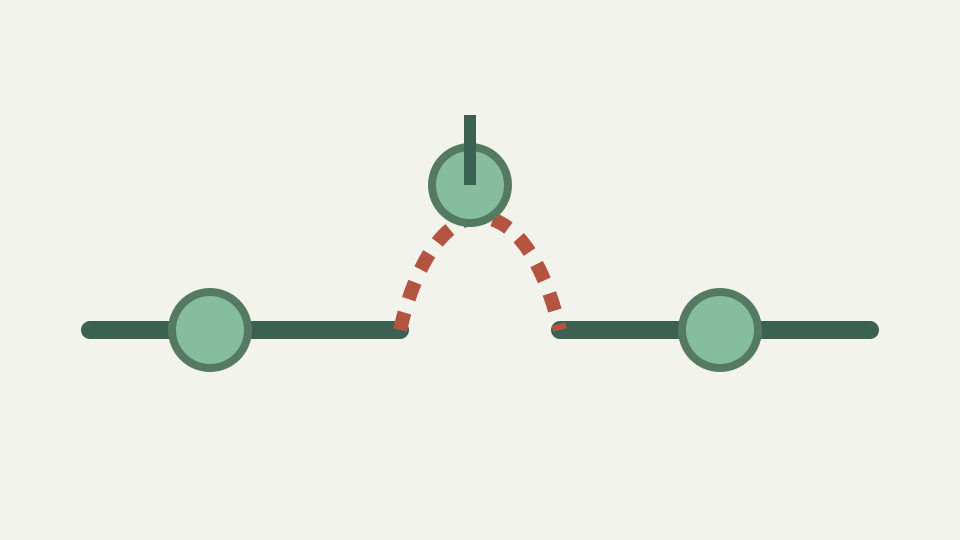
Twice a year the wall clock jumps, and a cron job scheduled in the gap or the overlap behaves unexpectedly. This post explains what Vixie-derived crons do, what others do, and how to schedule around it.
A missing preview candidate can occur when the selected zone has no such wall-clock time
A daily wall-clock time can be absent on a date when a selected time zone moves its clocks forward. ToolAcre represents that case by returning no instant for the nonexistent local minute and skipping it in the next-run list. The expression remains valid; one calendar candidate simply cannot be converted into a real instant in that zone.
This behavior is implemented in `wallClockToEpoch`, which converts a proposed local date and time, formats the result back in the same zone and compares every component. A mismatch returns null. `nextRuns` ignores null candidates and continues its search, preventing a fabricated nearby time from appearing as though it exactly matched the schedule.
The two events — the spring forward that removes an hour and the autumn fall back that repeats one
Clock changes create two conceptual cases: a forward gap with wall times that never occur, and a backward overlap where some labels occur more than once. The repository has tests for maintaining a daily local hour across a forward change and for omitting a nonexistent spring time. It does not contain a complete overlap-policy test suite.
That evidence boundary is important because scheduler implementations can make distinct choices. This article describes the browser preview algorithm, not universal daemon behavior. Before relying on a recurring task during a clock transition, read and test the actual scheduler on the target host rather than promoting a preview into an execution promise.
ToolAcre omits nonexistent local times; it does not model every Vixie-derived daemon policy
The workbook claimed that particular Vixie-derived daemons run skipped jobs after a jump and suppress duplicates. ToolAcre does neither in its preview code: it omits a candidate whose local components cannot round-trip. No daemon package is invoked, and no catch-up policy is modeled. Those operational claims are therefore corrected rather than repeated.
The tested London example searches for 01:30 around the March 2026 change. Because that local minute does not exist on the transition date, the returned days are the following valid dates. This proves the route’s own list behavior. It does not establish what a separately installed cron process does with an already saved line.
Wildcard scheduling behavior in external daemons is outside repository evidence
Stars are expanded into every allowed value by the parser, but the later wall-clock conversion still decides whether a particular date-time maps to an instant. ToolAcre does not have a separate external-daemon rule for “wildcard jobs.” All candidates travel through the same calendar search and zone conversion code.
Descriptions remain purely grammatical: `* * * * *` reads as every minute, while a stepped minute field receives step wording. The sentence does not narrate transition policy. Use the next-run list for the tool’s computed examples, and do not infer a catch-up, retry or duplicate-suppression guarantee from the prose alone.
Other implementations are not inferred from this browser preview
The zone implementation relies on `Intl.DateTimeFormat` data exposed by the browser or Node runtime. ToolAcre validates a supplied IANA zone name, offers the engine’s supported list when available and includes UTC. It does not inspect BusyBox, container orchestrators or cloud cron products.
When another scheduler disagrees, treat that as a dialect and runtime question. Record its version, zone configuration and observed transition behavior. The browser preview is still useful as a transparent comparison, but its code cannot answer which policy another service applies or whether that service retries missed work.
Worked example: choose a wall time and inspect ToolAcre’s computed candidates
A safer worked method is to select the deployment zone, enter the proposed daily expression and inspect dates around the next transition known to that environment. If a required candidate is absent, choose another wall time or a scheduler policy that the target explicitly documents. Re-run the preview after changing the hour.
The source includes a preset at 02:30, but a preset is an example, not a universal recommendation. Its validity depends on the selected calendar and zone. ToolAcre’s five-result window may not span a distant transition, so choose a suitable starting context in tests when auditing implementation behavior.
Zone selection is part of this preview and is discussed here only as tool behavior
Unlike the workbook’s separation, zone handling is directly part of this tool’s preview. The panel asks “Show next runs in” and warns that the machine running cron may use a different zone from the reader. Choosing a zone changes the resulting instants while preserving the expression’s wall-clock fields.
The selection configures only the browser calculation. It does not write a timezone directive, update a server or embed the choice in the copied expression. Preserve the intended zone in adjacent deployment documentation, then configure the actual scheduler through mechanisms proven for that environment.
Takeaway: preview in the intended zone without treating the list as an execution guarantee
A next-run list is a model output from five fields, a starting instant, calendar arithmetic and browser zone data. It is valuable for detecting nonexistent times and accidental hour shifts. It remains neither a daemon trace nor evidence that a command executed.
Use the preview to identify risky wall times, then verify the target scheduler at the transition boundary. ToolAcre’s defensible promise is narrow: daily jobs stay at the selected local hour when that hour exists, and nonexistent local candidates are omitted. Everything beyond that belongs to the deployed system.