Developer tools · Base64 encoder & decoder
Decoding Base64 to UTF-8 without mojibake: atob plus TextDecoder
· How it works
base64 encoding unicode
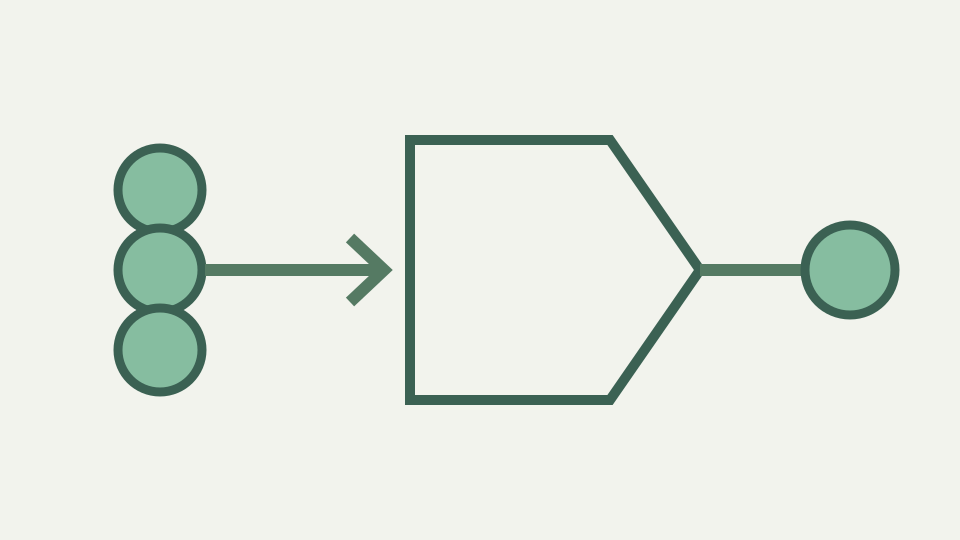
atob() returns bytes disguised as characters, which is why accented text looks broken after decoding. This post shows the correct pipeline from Base64 to bytes to UTF-8 text, and how to recognise the failure pattern.
The API response that decodes to 'Café' — a concrete mojibake symptom and the two bytes behind the two wrong characters
A Base64 string Q2Fmw6k= decodes to bytes (67, 97, 102, 195, 169), which are UTF-8 text Café. Paste into naive decoder (just atob and string conversion) and output is often Café, each accent replaced by two wrong characters. This mojibake happens because atob returns string of bytes (code units 0–255), not UTF-8 text. The bytes 195 and 169 encode accented é in UTF-8.
Treating them as if separate Latin-1 characters gives mojibake pattern. Correct pipeline is atob (bytes as string), then TextDecoder (interpret bytes as UTF-8), and original text comes back. The atob function is not broken; it is designed for binary data. Its name comes from ASCII-to-binary, and binary string it produces is sequence of code units 0–255, each representing one byte.
What atob() actually returns — a string of code units 0–255 that stand for bytes, not decoded text
If you feed it Q2Fmw6k= (standard Base64), it outputs string where each character is one byte: code unit 67, then 97, then 102, then 195, then 169. If display that string directly or interpret as Latin-1 text, you see garbled output. The step missing is converting code units to byte array and then decoding array as UTF-8.
The charCodeAt loop recovers byte values: for each character in atob output, call charCodeAt to get code unit (number 0–255), store in Uint8Array. Once array of bytes exists, pass to TextDecoder with charset utf-8. TextDecoder reads byte sequence and interprets as UTF-8 text, combining byte sequences like (195, 169) into single characters like é. Bytes (67, 97, 102, 195, 169) become four-character string Café. The loop is deliberately boring: read each returned code unit with charCodeAt and assign it to the matching Uint8Array position. No character-set decision happens there. The only interpretation arrives when TextDecoder receives that array and applies UTF-8 with fatal error handling.
Turning that string into a Uint8Array — the charCodeAt loop and why it is a byte copy, not a conversion
This two-step process—byte recovery, then UTF-8 interpretation—is what Base64 encoder & decoder does internally. The mojibake pattern is tell-tale sign of this error. If Café appears as Café, you are seeing Latin-1 interpretation of UTF-8 bytes. UTF-8 bytes for é are 0xC3 0xA9 (decimal 195, 169). In Latin-1, code unit 195 is Ã, and code unit 169 is ©.
When UTF-8 byte sequence is read as if each byte were separate Latin-1 character, every multi-byte UTF-8 sequence produces wrong replacement characters. If Café appears as Caf followed by replacement character, or as Caf? or Caf plus U+FFFD, you are seeing different failure: decoder did not recognize byte sequence as valid UTF-8. A concrete example: Base64 SGVsbG8sIOS4lueVjCEg8J-Zgg== decodes as follows.
TextDecoder and the charset decision — decoding as UTF-8, and why the charset is a separate fact you must know
atob produces binary string with bytes (72, 101, 108, 108, 111, 44, 32, 228, 184, 180, 149, 140, 33, 32, 240, 159, 152, 130). First six bytes are ASCII: become Hello,. Bytes 228, 184, 180 are three-byte UTF-8 sequence representing CJK character. Bytes 149, 140 are part of next sequence. Complete sequence includes four-byte emoji sequence (240, 159, 152, 130) for final character.
When processed correctly through TextDecoder, all bytes combine to produce original mixed-script text. UTF-8 byte sequences have predictable lengths: byte starting with 0xxxxxxx is single-byte ASCII; byte starting with 110xxxxx expects following byte starting with 10xxxxxx (two bytes total); byte starting with 1110xxxx expects two following bytes (three bytes total); byte starting with 11110xxx expects three following bytes (four bytes total). For a mixed CJK-and-emoji sample, the byte view is particularly diagnostic because ASCII intuition no longer helps. Several bytes belong to each visible symbol, and a one-byte deletion shifts the remaining sequence into invalid UTF-8. Strict decoding turns that shift into a named failure instead of plausible-looking damage.
Worked example: decoding a Base64 string containing CJK and an emoji — bytes, code points and the final string compared to the original
Sequence starting with 1111110x is invalid in UTF-8 (reserved for future, not used). Byte starting with 10xxxxxx should never appear as lead byte; it is continuation. If byte stream violates rules, it is not valid UTF-8. TextDecoder with charset utf-8 interprets array by these rules and succeeds for valid sequences. For invalid, it reports error.
Base64 encoder & decoder uses TextDecoder with strict mode flag true. This means invalid UTF-8 raises error rather than silently inserting replacement characters (U+FFFD). If Base64 string decodes to bytes that are not valid UTF-8, strict mode will throw instead of continuing with garbled text. This is design choice: binary payloads (images, keys, compressed data) are not text and should not be decoded as text.
Recognising the pattern: Ã, †and � — how to tell a Base64 problem from a charset problem
If attempt to decode JPEG as Base64, byte stream will not represent valid UTF-8, and strict decoding will reject it. Tool offers hex view for such payloads: you can see raw bytes without pretending they are text. Recognising UTF-8 decode errors involves looking at bytes in context. Are they odd number where multi-byte sequence expected?
Is first byte of potential sequence invalid (starting with 10xxxxxx)? Are continuation bytes missing? The byte-output button provides the cleanest fork in the investigation. If hex appears but text decoding fails, Base64 parsing succeeded and the payload is either binary, damaged, or encoded with a different charset. Changing Base64 punctuation cannot repair a charset mismatch after the correct bytes already emerged.
What this does not cover — UTF-16 payloads, binary output such as images and invalid-byte handling
Patterns are consistent. A single byte 0xFF is never valid in UTF-8; it cannot be ASCII byte (only 0–127 are ASCII) and cannot be lead byte (lead bytes are 0xC0–0xFD, 0xFF is reserved). Lone surrogates (UTF-16 concept) cannot appear in UTF-8; if see byte sequence 0xED 0xA0 0x80 (which encodes surrogate U+D800 in UTF-8 style), it is not valid UTF-8.
One historical workaround is btoa(unescape(encodeURIComponent(text))). encodeURIComponent turns café into %C3%A9 (percent-encoding UTF-8 bytes), unescape repacks as code units, btoa encodes code units. This works for most text but is fragile around lone surrogates and hard to read. Modern pipeline—TextEncoder to bytes, then base64—is clearer and standard. TextEncoder is built into all modern browsers and Node.js, making right choice. UTF-16, legacy single-byte encodings and arbitrary file contents require a decoder selected for those bytes or a binary-aware viewer. ToolAcre intentionally does not guess among them. Guessing could turn an invalid sequence into misleading text, while a hex dump preserves every byte for a later, informed interpretation.
Takeaway: Base64 gives you bytes, UTF-8 gives you text — how the Base64 encoder & decoder does both steps so the decoded text matches the input exactly
When you have Base64 string and want UTF-8 text, complete steps are: decode Base64 to bytes (using atob or base64-decoding library), create Uint8Array from bytes, pass array to TextDecoder with charset utf-8, read result as string.
If the input is binary data rather than text, skip TextDecoder and examine the bytes directly. Base64 encoder & decoder provides a hexadecimal byte view, preserving values that strict UTF-8 decoding would reject. That fork is diagnostic: successful bytes plus failed text mean Base64 parsing worked, while the payload is binary, damaged, or encoded with a charset this tool does not guess.