Video & subtitles · Direct Media Downloader
How a browser downloads a file from a direct link with fetch and Blob
· How it works
downloads browser-apis cors
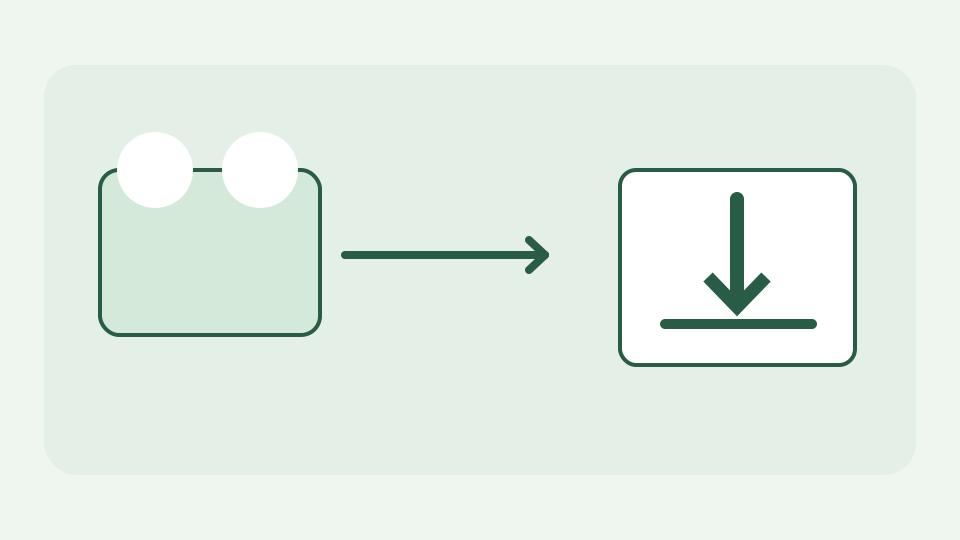
Walks through the pipeline a browser tool uses to turn a direct link into a saved file: fetch the bytes, hold them as a Blob, and hand them to the download attribute. Explains why no server is needed at any step.
The link opens a player instead of saving a file — clicking a direct MP4 or MP3 link usually plays it inline, which is the problem a downloader solves
Clicking a direct MP3 link may open a player because the browser knows how to play that MIME type. Saving the same bytes is a separate action. The key word is direct: a link to an actual file response, not a web page containing a player or a manifest listing media segments. ToolAcre makes this distinction before offering a download and does not pretend a page URL is a file URL.
Step one: fetch() asks the host for the bytes — what a GET request to the announced host looks like and what comes back
After you choose Check link, the browser may issue a HEAD request to the URL you supplied to inspect status, type and length. Fetching the file uses a GET request to that host, not a ToolAcre proxy. The request deliberately omits credentials, so a host requiring your login may refuse it. The remote server must also permit cross-origin script reads; if CORS blocks access, the tool explains the refusal rather than routing around it through a hidden relay. A redirect can change the destination, so check the announced host.
Step two: the response body becomes a Blob — how the bytes are collected in memory and why the Blob carries a MIME type
The response body is read as a stream of byte chunks. Progress can use Content-Length when the host exposes it; without a known length the tool can show bytes received but not a reliable percentage. It enforces a memory ceiling while collecting chunks, then assembles a Blob with the returned content type. This is safer than calling response.blob() on an unlimited stream, but it is not zero-memory streaming to disk: the completed Blob still occupies space in your browser session.
Step three: URL.createObjectURL and the download attribute — how a temporary blob: URL plus an anchor triggers the save dialog
A Blob is data in memory, not an Internet address. The browser can create a temporary blob: object URL and attach it to an anchor with a download filename; clicking that anchor asks the browser to save the bytes. The filename may come from a Content-Disposition header or the URL path rather than from the page title. Since the link is now a same-page Blob URL, the browser can save the result without hosting it on ToolAcre. It is still wise to inspect extension and MIME type before opening a file from an unfamiliar source.
Worked example: saving a podcast episode from its enclosure link — following one MP3 from pasted URL to a file on disk
Imagine a podcast publisher exposing an authorised enclosure URL ending in episode.mp3. Paste that exact address, inspect the announced host and use Check link. If HEAD is allowed it may show audio/mpeg and an expected byte count; Fetch then asks the publisher for the MP3 bytes, streams them into a Blob and saves episode.mp3. If the host omits CORS headers, the browser can play the link in its own tab while this page cannot fetch it by script; “Save link as” may then be the correct route. The user’s right to save the file is separate from whether its server technically permits fetching it.
Cleaning up: revoking the object URL and freeing memory — why a well-built downloader releases the Blob after the save completes
Temporary object URLs keep references to their backing Blobs. A downloader that leaves every URL alive can retain large files in a long-lived tab. ToolAcre’s shared download utility creates a local URL for the save action and revokes it when finished; cancellation releases the response reader and discards partial chunks. For very large files, an ordinary browser download from the host is a better fit than collecting the entire response in page memory.
What this does not cover — page URLs, streaming manifests, DRM and links that need a login
This tool will not find media hidden behind a video page, parse HLS/DASH .m3u8 or .mpd manifests, bypass DRM, spoof headers or access a session-protected stream. It does not download private content for you and does not decide whether a licence grants permission to copy a file. A 403, a redirect to a login page or a CORS error is a boundary to understand, not a cue to search for an undocumented proxy.
Takeaway: three browser APIs, no server — how the Direct Media Downloader applies this pipeline to the link you paste
The pipeline is fetch from the supplied host → receive chunks → create a Blob → trigger a local download. No ToolAcre relay is involved, but a real request to the third-party host is absolutely involved; its logs can see the connection. Direct Media Downloader announces that contact before making it and tells you when browser security rules refuse a cross-origin read.