Developer tools · HTML WYSIWYG editor
How a WYSIWYG Editor Turns Formatting into HTML: contenteditable Explained
· How it works
html contenteditable developer-workflow
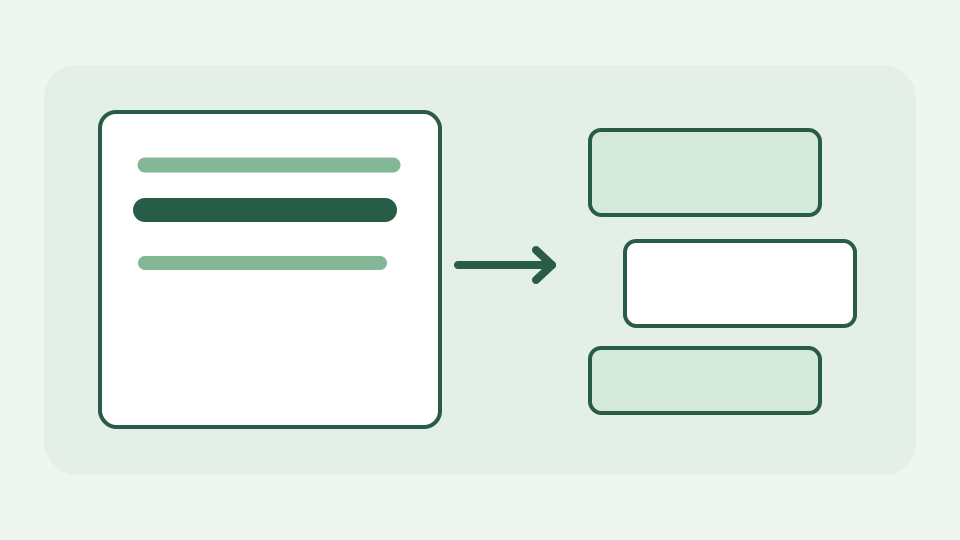
Explains the contenteditable attribute that makes any element editable, how the browser mutates the DOM as you type and format, and how that DOM becomes the HTML you copy out.
You pressed bold; where did the <strong> come from? — opens with the gap between clicking a button and seeing markup
A toolbar button labelled Bold feels like a paintbrush, but the browser must represent the result in a document tree. A selected phrase can become a <b> or <strong> element depending on the editing command and engine. The developer task is to turn those browser-specific mutations into HTML another page can read without accepting every tag or dangerous attribute. What you see on screen is an editable DOM, not a word-processing file with an independent formatting layer.
contenteditable: the attribute that makes a page editable — explains the editing host, caret placement and how the browser owns the editing behaviour
contenteditable="true" makes an element an editing host. The browser manages caret movement, selection, insertion and deletion inside it, with a DOM tree underneath. ToolAcre’s editing surface uses this browser feature and exposes both visual mode and source mode; the content stays in the page instead of being submitted to a rich-text server. A paste event receives separate attention because pasted HTML can include elements and attributes that must not enter a trusted document unchecked.
Every keystroke is a DOM mutation — describes text nodes growing, elements being wrapped and split, and why the tree changes even when the text looks unchanged
Typing creates or extends text nodes; pressing Enter may split a block; bolding a selection wraps a range. The precise DOM after two clicks is not guaranteed to match a developer’s imagined <strong> string: browsers choose different elements and nesting. ToolAcre currently uses document.execCommand for formatting. That API is deprecated, but there is no uniformly implemented drop-in replacement for every editing operation here, so the editor treats its output as untrusted input to be normalized rather than as canonical markup.
From live DOM to HTML string — explains serialisation of the edited tree into markup you can copy
To copy HTML, the editor reads the editing surface’s innerHTML and passes the resulting string through an element/attribute allowlist. Tags such as b are normalized to semantic strong; allowed links are checked for acceptable URL schemes, while event handlers and unrelated attributes are removed. Source mode also passes its text through the same filter before putting it back into the visual surface. This is an editor-specific cleanup path, not a general-purpose server-side HTML sanitizer for hostile content from arbitrary users.
Worked example: a two-paragraph note with a bold phrase — follows the DOM through typing, selecting and bolding, then shows the resulting markup
Type two paragraphs—“Project update” and “Draft ready”—then select “Draft” in the second and press Bold. A browser may insert <b>Draft</b> into the live DOM. Switching to source mode passes it through ToolAcre’s sanitizer, which can emit <strong>Draft</strong> inside its paragraph after normalization. Try a pasted <img onerror="..."> payload in a disposable document: the output allowlist does not include images or event-handler attributes. The example illustrates why you inspect the resulting markup rather than assuming a click has one universal HTML representation.
Why the same actions give different markup in different browsers — covers browser-specific editing behaviour and why editors normalise their output
Different browsers implement editing commands, line breaks and selection boundaries differently. Even identical visible paragraphs can serialize with different nested spans or block elements. The normalization step reduces some differences but does not make a WYSIWYG surface a standards-guaranteed serializer. ToolAcre shows source alongside the visual result, so you can correct odd nesting. Its preview runs in an iframe with a sandbox attribute granting no script execution, limiting the impact of an unsafe fragment reaching that preview.
What this does not cover — collaborative editing, undo stacks and full editor frameworks are outside the scope
This page does not promise collaborative editing, a complete undo history, a polished email client or a full editor framework. Contenteditable cannot by itself decide what markup a third-party CMS accepts, and a string-based allowlist is not a substitute for a server-side HTML5-parser sanitizer where untrusted users can submit content. The sandboxed preview is a separate defence from cleaning output; neither makes arbitrary JavaScript or hostile URLs safe in every destination.
Takeaway: the editor is a DOM you can see — summarises the mechanism and how ToolAcre's HTML WYSIWYG editor exposes the markup your formatting produces, without leaving the browser
The editor is a DOM you can see and inspect. ToolAcre’s HTML WYSIWYG editor gives you a direct way to compare a visual formatting action with the filtered HTML it produces, locally in your browser. Type and bold a throwaway note, switch to source mode and keep only the elements your destination actually supports.