Developer tools · HTML WYSIWYG editor
When a Standalone HTML Editor Beats Your CMS's Built-In Editor
· Why it matters
html developer-workflow contenteditable
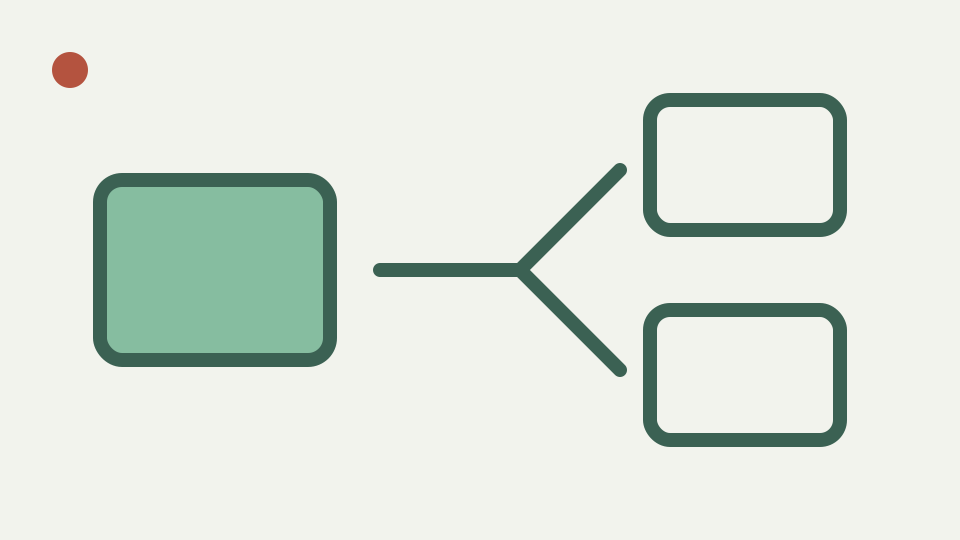
Explains the workflow case for drafting snippets in a single-purpose browser editor, with no autosave to a server and no plugin quirks, before pasting markup into whichever platform publishes it.
Five platforms, five editors, one announcement — opens with the pain of reformatting the same content in each CMS
A release notice can be destined for a CMS, a help centre and an email platform, each with a different editor and accepted subset. Rebuilding the wording three times creates drift before approval. A standalone draft can establish one reviewed semantic base before destination-specific changes begin.
ToolAcre provides visual and source modes without an account or saved project. That makes it suitable for transient composition when the approved workflow already includes an external system of record. It is not a publishing hub and cannot guarantee that one fragment will be accepted unchanged everywhere.
Why CMS editors differ — explains plugin configurations, paste filters and platform-specific markup
CMS editors differ because deployments choose plugins, filters, themes and security policies. One may remove h1, another may rewrite links, and an email platform may inline presentation. Those differences are configuration facts to verify in each destination, not flaws a local editor can erase.
ToolAcre’s own subset is explicit: semantic text structure and constrained links, with style, class, images, tables and forms removed. Starting from that subset reduces baggage, but a destination may require still less or materially more. Preserve meaning rather than promising byte-identical transfer.
Draft one semantic base, then adapt it for each destination
Draft once means stabilize wording and basic structure, not publish one universal artifact blindly. Create headings, paragraphs, lists, quotations and links, then copy the sanitized fragment into separate controlled branches for CMS, email and help-centre adaptation.
Record which branch changed and why. Email may need specialized layout and inline styling; the CMS may supply classes; the help centre may restrict heading levels. Keep the neutral draft as the comparison base so necessary translation does not quietly alter claims, prices or limitations.
No autosave is a feature here — covers why a tool that stores nothing suits unapproved drafts
No autosave can be an advantage for an unapproved scratch draft because ToolAcre stores no project in browser storage or an account backend. It is also a loss risk. Reloading or closing removes the current work, and browser undo is not durable version history.
Use a fictional sample while evaluating the tool, then follow organizational policy for real announcements. Copy approved progress to an authorized repository before leaving the tab. “Stores nothing” does not mean clipboard contents, downloaded files or later pasted copies vanish from the user’s environment.
Worked example: one notice to a CMS, an email tool and a help centre — drafts once, copies the markup and adapts only styling per destination
Draft a short maintenance notice with one heading, two paragraphs and a three-item list. Copy its fragment to three test destinations. In the CMS branch, apply approved component classes; in the mail branch, hand it to an email-specific template; in help content, adjust heading level to the host outline.
Compare text after each adaptation. ToolAcre supplies source visibility and plain-text copying, but it does not run a destination test suite. Preview each channel through the systems that will actually render it, and do not infer deliverability, responsiveness or accessibility from the local sandbox alone.
Related tools are separate routes; this source does not prove zero page loads between them
The workbook says moving among developer panels costs no page load, but the article’s verified sources show separate tool routes and do not establish router caching behavior. The accurate recommendation is simply to use the dedicated Text comparison route when two approved versions need comparison.
That correction matters because product workflow claims should be observable, not decorative. Whether navigation reloads is unrelated to the editorial benefit. A stable base and reviewed derivatives remain useful even if opening another tool requires ordinary navigation or a fresh document.
What this does not cover — collaborative editing, approval workflows or publishing itself
This workflow does not provide simultaneous editing, comments, approval states, publishing credentials or rollback. It also cannot retain one master and automatically synchronize derivatives. Those features belong to content operations platforms, repositories and destination APIs.
ToolAcre’s allowlist is not a server security boundary for hostile user submissions. Each receiving platform must sanitize under its own policy. The local sandbox protects only its preview. Treat drafts, safe publication and channel compatibility as separate controls with separate evidence.
Takeaway: separate drafting from publishing — summarises the workflow and how the HTML WYSIWYG editor fits as the local drafting step
Separate drafting from publishing when one clear semantic base reduces retyping and unreviewed divergence. ToolAcre can produce that base and expose every retained element. Its intentional omissions keep the drafting surface small rather than pretending to replace a CMS.
Keep the neutral version, label destination copies and recheck wording after channel-specific adjustments. If a destination needs tables, images or style attributes, use its approved tooling instead of forcing unsupported markup through this editor. Portability comes from disciplined adaptation, not a universal HTML promise.