Developer tools · Text comparison
Separating Formatting Noise from Real Changes When Reviewing Code
· Why it matters
text-diff code-review whitespace
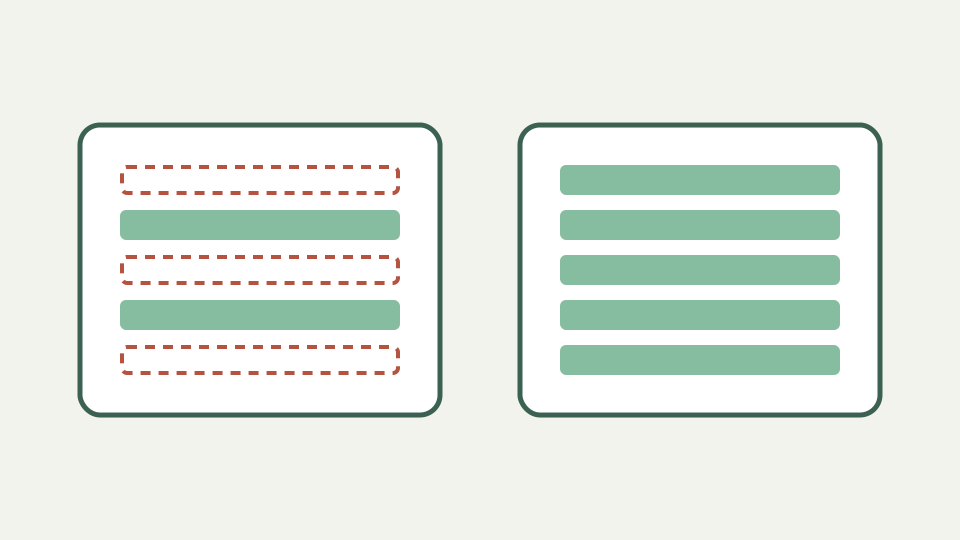
Explains why mixing reformatting with logic changes hides bugs, and how a whitespace-insensitive comparison lets you review the substance first.
A 400-line change that is really four lines — opens with the review nobody wants to do
A formatter run can turn a four-line logic edit into hundreds of changed rows. Review attention then shifts from behavior to braces, indentation and wrapping. A second whitespace-insensitive view can expose remaining textual changes, but it cannot certify that those changes are the only behavioral ones.
Keep the ordinary review as the record. ToolAcre’s option trims and condenses each line key while retaining line boundaries and original display text. It is a noise lens for a known file, not a parser that separates formatting from semantics.
Why formatting and logic should be reviewed separately — explains how attention drops when real changes hide among cosmetic ones
Formatting and logic deserve separate commits when the workflow allows it because reviewers can reason about each intent independently. When they arrive combined, compare the formatter output against the original, then compare the final code against that formatted baseline.
That three-state method is stronger than one aggressive normalization. It identifies what the formatter produced and what the author changed afterward. A two-text browser tool can support each pair, while version control remains the authoritative workflow for commits and review history.
What a whitespace-insensitive comparison keeps — describes what still shows up: changed identifiers, values, operators and reordered statements
Whitespace-insensitive matching still exposes changed identifiers, literals, operators and line order when their normalized line keys differ. It also retains added or removed lines. Because whitespace is condensed rather than deleted, `ab` and `a b` remain different keys.
The option can nevertheless hide leading indentation, trailing spaces and changes among internal whitespace runs. Those are meaningful in Python, YAML, Makefiles, fixed-width data, string literals and other contexts. The diff has no grammar that tells safe formatting from significant spacing.
Worked example: a formatter run plus a bug fix — compares two versions of a function with and without the whitespace option to isolate the actual fix
Run a formatter over a function, then change `limit < 10` to `limit <= 10`. Ordinary mode may show every re-indented row; whitespace mode should quiet keys whose only difference is spacing while leaving the operator edit as a remove-plus-add pair.
Inspect the strict view around that operator before approval. If the language permits line continuation or indentation-sensitive blocks, a formatting change can affect behavior despite a normalized match. ToolAcre reports line text, not compilation or control flow.
Limits of ignoring whitespace in code — notes indentation-sensitive languages and string literals where spacing is meaning
Python block indentation and YAML nesting are obvious hazards. Spaces inside regular expressions, shell here-documents, Markdown code blocks or user-facing string literals can be equally meaningful. A whitespace-insensitive result should never be the sole review for these regions.
Run both passes and treat disagreement as information. If strict mode changes but normalized mode does not, classify the region using the language’s actual rules. Do not infer harmlessness merely from disappearance; the option proves only equality after its documented transformation.
Getting code out of the review tool and into a quick comparison — explains pasting both versions when the review interface's own noise filter is unavailable
When a hosting interface lacks an adequate noise filter, copy a small, non-secret region into the browser tool. Preserve enough unchanged context to align the edit, and avoid pasting credentials or proprietary files outside their approved review environment.
Collapse long unchanged runs can make distant edits easier to scan. It retains three context lines around changes in the current UI and inserts a skip count for long equal ranges. That is presentation only; the complete underlying row list remains available for patch download.
What this does not cover — syntax highlighting, understanding language semantics or replacing your version-control review workflow
Text diff supplies no syntax highlighting, language semantics, compiler checks or rename detection. It cannot replace a pull-request review, tests or static analysis. A moved function may appear removed and added, and a case-insensitive pass can hide a case-sensitive identifier change.
Use this page as a focused auxiliary view. The source’s O(n·m) LCS applies to the bounded differing middle, not an unqualified promise of instant performance on arbitrary repositories. Whole-project review belongs to tools built for repositories and language structure.
Takeaway: review substance, then style — summarises the two-pass approach with ToolAcre's Text comparison toggling the whitespace option
Review substance and style in two explicit passes. First preserve exact characters; then enable whitespace normalization to locate changes that survive it. Explain any hidden region using the language’s rules rather than the checkbox’s result.
This discipline turns a noisy comparison into a question list without pretending formatting is universally cosmetic. ToolAcre provides transparent line operations and original rows. The compiler, tests and human review provide the behavioral evidence that a text comparator cannot.