Video & subtitles · Subtitle Toolkit
Subtitle drift explained: why a fixed offset fails and how stretch works
· How it works
subtitles timecodes frame-rate
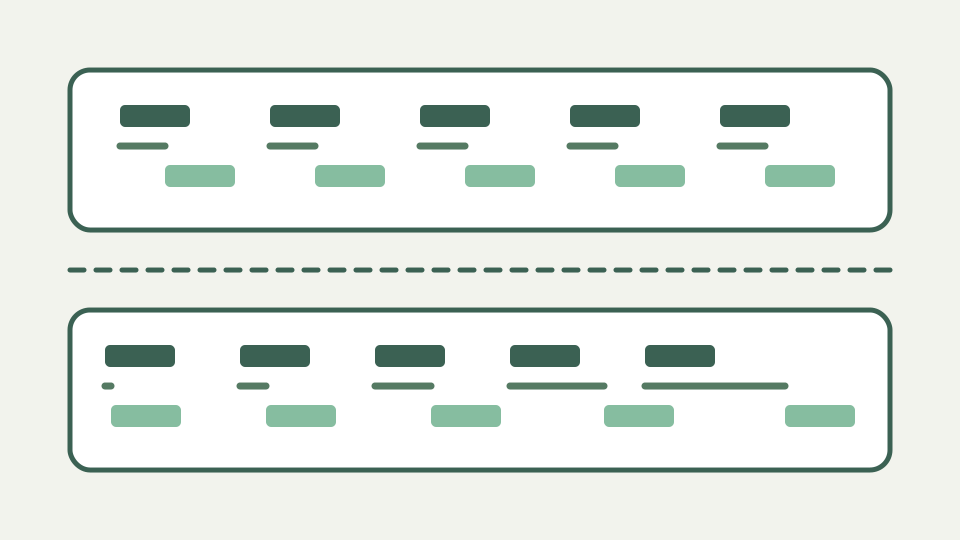
If captions are fine at the start and late by the end, the problem is speed, not offset. This post explains how frame-rate mismatches cause drift, how to diagnose it and how the maths of a linear stretch differs from a shift.
In sync at minute one, half a second late by minute thirty — the signature of drift rather than offset
There are two different faults behind out-of-sync captions and they need opposite corrections. An offset is constant: every line is late by the same amount, and the file is as wrong in the first minute as in the last. Drift grows: the opening lines land correctly, the error is barely noticeable at ten minutes and the closing lines are seconds adrift. The symptom that separates them is whether the error at the end is larger than the error at the start.
Getting this diagnosis wrong is expensive because the obvious action makes things worse. Lining up the first line of a drifting file with an offset moves the whole file, so the ending drifts by the original amount plus whatever was just added. The tool documents this directly as a common mistake, and notes that both operations have to be undone before scaling.
Where drift comes from — a file timed for 25 fps played against a 23.976 fps video, or vice versa
The usual cause is a frame-rate mismatch between the timing the file was authored against and the video it is being played with. Subtitle timestamps are wall-clock times, but they are frequently derived from frame counts. If a frame count produced against 23.976 fps material is replayed as though each frame were a twenty-fifth of a second, every timestamp is wrong by the same ratio, and a constant ratio applied to a growing number produces a growing error.
That ratio is roughly 1.0427 for 23.976 fps material played at 25 fps, which the tool states beside the scale field. The number is not a tuning knob discovered by trial: it is the quotient of the two frame rates, so a file that was correct in one world is systematically stretched or compressed in the other. This is why drift is almost always smooth and linear rather than erratic.
Diagnosing drift with two reference points — measuring the error near the start and near the end
Diagnosing drift needs two measurements, not one. Find a line of dialogue near the start whose caption you can time precisely, and another near the end, and record for each the timestamp the file claims and the timestamp the dialogue actually occurs. One measurement cannot distinguish the two faults, because a single observed error is consistent with both a constant offset and a stretch.
Choose the two points as far apart as the material allows. The whole calculation divides one difference by another, so a short baseline makes a small measurement error large in the result. Two points a minute apart in a ninety-minute file will produce a ratio confident to a precision the measurement does not support.
The maths of a linear stretch — scaling every timecode by a ratio rather than adding a constant
A shift is addition and a stretch is multiplication, and that is the entire difference. The shift adds one constant to every start and end; internally the cues are integer milliseconds counted from zero, so the operation is a single addition per timestamp and introduces no rounding of its own. Because it adds the same number everywhere, it cannot change the distance between the first cue and the last, which is precisely what drift has got wrong.
A stretch multiplies every timestamp by a factor, measured from zero. Because the multiplier acts on a larger number later in the file, it moves the ending more than the opening, which is the shape drift needs. Timestamps are re-rounded to whole milliseconds after scaling, so a scale is not perfectly reversible in the way a shift is; scale once from the original rather than refining a factor across several passes.
Worked example: computing the ratio from two measurements — turning two observed errors into a single correction
Suppose the caption at two minutes claims 00:02:00.000 while the dialogue is at 00:01:59.750, and the caption at fifty-eight minutes claims 00:58:00.000 while the dialogue is at 00:57:52.750. In milliseconds the file says 120000 and 3480000; the video wants 119750 and 3472750. The error has grown from 250 ms to 7250 ms, which is drift, not offset.
The factor is the ratio of the two intervals: divide the true span 3472750 minus 119750, or 3353000, by the claimed span 3480000 minus 120000, or 3360000. That gives about 0.99792. Multiplying the claimed times by it returns 119750 and 3472750, both measurements, which is the check that the correction is a pure stretch with no leftover offset. When a residue does remain, correct the stretch first and only then apply a shift for what is left.
What this does not cover — cuts, added scenes and ad breaks, which produce jumps rather than smooth drift
This covers errors that grow smoothly and proportionally. It does not cover a file that is correct for twenty minutes and then abruptly a fixed amount out for the remainder, which is the signature of an edit: a removed scene, an inserted advertisement break or a different cut of the same feature. That fault is a shift applied to part of the file, and no single ratio fixes it.
The shift tool applies to every cue in the file and offers no way to retime a selected range, so a file with a mid-point jump cannot be repaired in one pass. It also cannot recover from clamping: a negative result is floored at zero because neither format can express a negative time, and shifting forward afterwards does not restore cues that were pinned there. The tool warns when a cue clamps, and the documented remedy is undo rather than a compensating shift.
Takeaway: shift for offset, scale for drift — how to use the Subtitle Toolkit's retime feature for the fixed-offset case, and where to check its 'What this tool will not do' list before relying on it for drift
Shift for an offset, scale for drift, and measure before doing either. Enter the offset in milliseconds, because the field has no seconds or timecode input and typing 2 shifts the file by two milliseconds rather than two seconds; the operation succeeds, the file genuinely changes and the sync looks exactly as wrong as before. A positive offset delays captions that are appearing ahead of the dialogue.
For drift, use the scale factor beside the offset rather than nudging the offset repeatedly. Read the tool page limits before relying on it: undo holds the last twenty operations, clamped cues can collapse to zero duration or grow longer when only one end was pinned, and validation re-runs after every change so those cases are reported rather than shipped silently.