Developer tools · Base64 encoder & decoder
Why btoa() throws on emoji and how to Base64-encode UTF-8 in JavaScript
· How it works
base64 unicode encoding
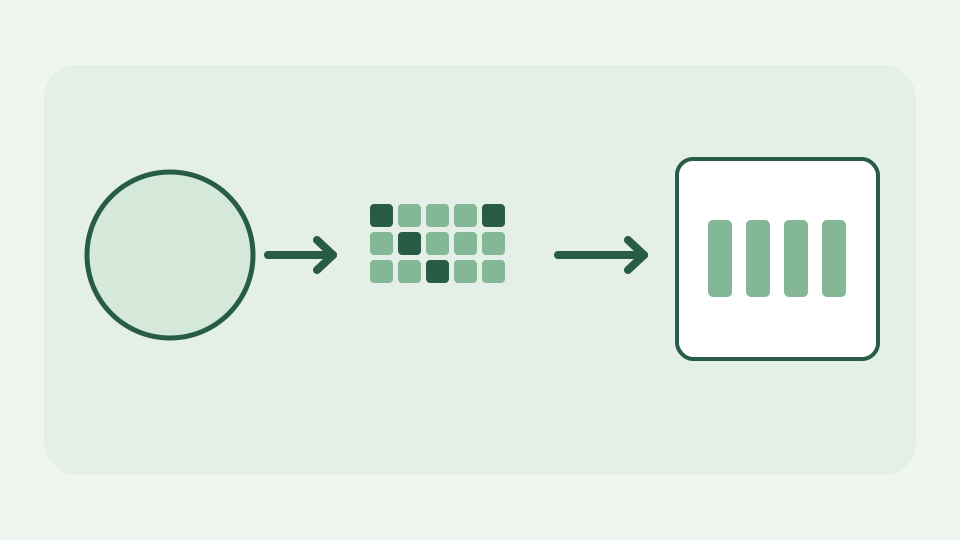
btoa() only accepts characters up to U+00FF, so accented text, CJK and emoji throw. This post shows what the function actually expects and how TextEncoder gets you a correct UTF-8 Base64 string.
Why btoa can throw on Unicode—and silently misencode an accent
Calling btoa("😀") throws InvalidCharacterError because the emoji cannot fit into a single byte-sized code unit. A subtler error is btoa("é"): precomposed é is U+00E9, below 256, so btoa accepts it but encodes Latin-1 byte E9, not UTF-8 bytes C3 A9. The same visible accent written as e plus a combining mark can throw because the mark is outside the accepted range. The workbook’s shorthand “an accent throws” needs this qualification: a string can fail loudly or quietly produce the wrong bytes.
What btoa() really encodes: a binary string of code units 0–255 — why the function was designed around Latin-1 bytes rather than Unicode text
btoa consumes a “binary string”: each JavaScript character code unit must be in the range 0–255 and stands for one byte. It does not understand Unicode text encoding, language or normalization. An astral emoji is represented by two UTF-16 surrogate code units, both much larger than 255, so sending the raw JavaScript string directly cannot work. Treat the output as an encoding of bytes, not of abstract characters.
UTF-8 first, Base64 second — why text must become bytes before any Base64 alphabet applies
TextEncoder turns a JavaScript string into its UTF-8 byte sequence first. Then turn each byte into a binary-string character and pass that binary string to btoa, or use another API that accepts bytes directly. For decoding, atob returns the binary string; recover its byte values and give them to TextDecoder("utf-8"). ToolAcre uses a strict decoder that refuses malformed UTF-8 instead of silently inserting replacement characters.
Worked example: encoding 'café 😀' with TextEncoder and btoa — the byte sequence, the intermediate binary string and the final output
For the literal text café 😀, the UTF-8 bytes are 63 61 66 C3 A9 20 F0 9F 98 80 in hexadecimal: ASCII c-a-f, two bytes for é, a space and four bytes for the emoji. Base64 of these ten bytes is Y2Fmw6kg8J+YgA==. The padding and alphabet describe the bytes only; they do not label the language. Compare a direct btoa("café 😀") failure with ToolAcre’s UTF-8 mode, then decode its result and verify the same visible accent and emoji survive.
The old unescape(encodeURIComponent()) trick and why it is a hack — what it does under the hood and why it is discouraged
A historical workaround is btoa(unescape(encodeURIComponent(text))). encodeURIComponent percent-encodes UTF-8 and unescape repacks percent triplets as single code units, but unescape is deprecated, hard to read and awkward around malformed lone surrogates. It makes a conversion look like URL processing even when no URL exists. TextEncoder states the intended boundary clearly: text becomes bytes once, and Base64 operates only after that.
Decoding on the other side — pairing atob with TextDecoder so the round trip is lossless
After atob, do not call decodeURIComponent on arbitrary binary bytes and hope they become text. Convert character codes to a Uint8Array and pass it through TextDecoder. In the café 😀 example the result is the original ten-byte UTF-8 sequence, then the original string. If the Base64 decodes to image or compressed-file bytes, it may not represent valid UTF-8 text at all; ToolAcre reports that rather than pretending binary data is readable prose.
What this does not cover — file and binary-blob encoding, base64url variants and streaming large inputs
This explanation concerns text encoded as UTF-8. File and Blob Base64, Base64url for JWT segments and incremental encoding of multi-gigabyte data have different interfaces or memory needs. Base64 also does not encrypt a token: anyone holding it can decode the bytes. The decoder can accept common missing padding and whitespace, but interoperability still depends on knowing whether the payload is text or arbitrary binary data.
Takeaway: encode bytes, not strings, and check the round trip — how the Base64 encoder & decoder does the UTF-8 step for you so accents, CJK and emoji survive
Encode bytes, not raw JavaScript strings, then check the round trip. Base64 encoder & decoder performs the TextEncoder and TextDecoder steps for you while keeping pasted text in the browser. RFC 4648 specifies the alphabet and padding; UTF-8 supplies the separate character-to-byte contract. Mixing those two layers is the root of both InvalidCharacterError and the quiet Latin-1 corruption.