Text & everyday tools · QR & Barcode Toolkit
Code 128 code sets A, B and C: why digits make shorter barcodes
· How it works
encoding printing developer-workflow
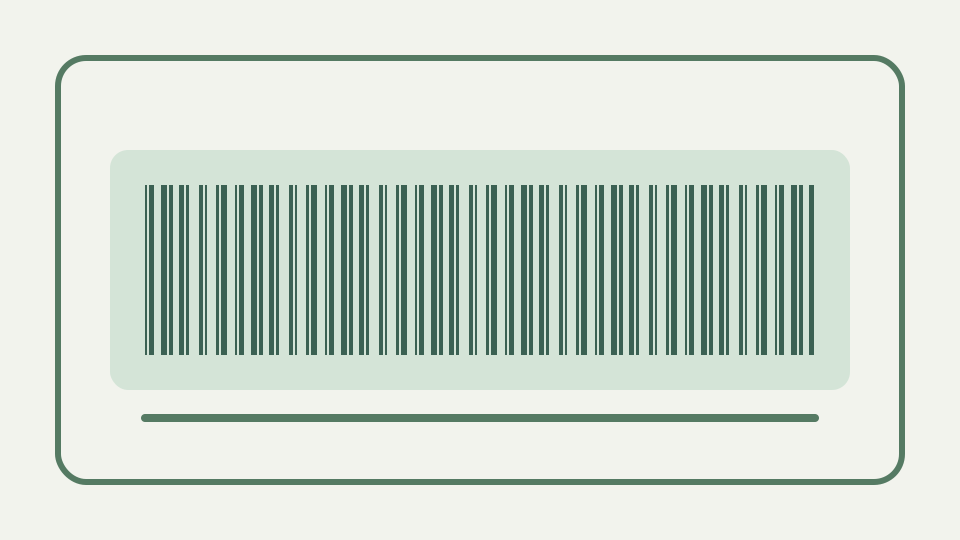
Explains the three Code 128 code sets, how code set C packs two digits per symbol, and why a numeric-only label can come out noticeably narrower than a mixed one.
The barcode that would not fit the label — how character choice, not just font size, controls the width of a Code 128 symbol
Code 128 width is controlled by the emitted symbol sequence, not by shrinking a caption font. ToolAcre’s tests show that a run of digits is encoded more compactly than a similarly sized run of letters because the automatic encoder can use paired digits.
A label designer can measure the consequence directly because `generateCode128` returns `moduleCount` with the binary pattern. Two strings of equal character length can have different module counts when one permits paired digits and the other requires individual characters or set changes. The exported width also includes fixed quiet zones, so squeezing the caption or changing its font does nothing to reduce the bars themselves.
Code sets A, B and C in one table — control characters and capitals, upper and lower case, and digit pairs
The three code sets cover different parts of the Code 128 repertoire: A is useful for capitals and controls, B covers printable mixed-case text, and C represents pairs of decimal digits. ToolAcre does not ask users to select a set manually.
ToolAcre intentionally hides manual set selection because the automatic encoder has the complete input and can choose transitions consistently. That avoids a UI where a user forces set C for letters or mistakes a control-oriented set for ordinary text. The boundary is equally important: automatic selection optimises a valid ASCII string, but it does not transliterate accented letters or extend Code 128 beyond code points zero through 127.
Why code set C halves the width of digit runs — one symbol per two digits, and what happens with an odd digit count
Set C turns each complete pair of digits into one data symbol, so long even-length numeric runs need fewer symbols. With an odd count, the encoder must leave or delay set C for the unmatched digit, making the exact result dependent on automatic segmentation.
An odd run demonstrates the limit of the “two digits per symbol” shortcut. In `12345`, the final digit cannot form a set-C pair, so the encoder must account for it through another strategy and any transition overhead. Prefixing the run with `A` adds another non-paired character. Generate both values rather than estimating width from six displayed characters, because segmentation decisions are represented in the emitted modules, not the caption.
Switching mid-barcode — how shift and code-change characters let one barcode mix sets, at the cost of extra symbols
A mixed identifier can switch between sets when the saved symbols outweigh the switch overhead. The CODE128_AUTO encoder makes that decision; the application checks the output rather than promising that every isolated digit pair triggers a particular transition.
Switch symbols consume space, which means a short numeric island inside letters may not be worth entering set C. CODE128_AUTO decides from the whole string, not from a rule that every two digits trigger a switch. This also explains why inserting punctuation into a serial can widen it by more than one data symbol: it can split a useful run and cause transitions around the interruption.
Counting modules — eleven modules per symbol, thirteen for the stop pattern, plus quiet zones, to predict printed width
Ordinary Code 128 symbols occupy eleven modules, while the stop pattern is longer, and the renderer adds ten narrow-bar quiet zones on both sides. Counting emitted modules predicts width more reliably than counting the visible input characters.
The renderer turns each binary module into a fixed multiple of pixels and adds ten narrow-module quiet zones on both sides. Its stop sequence is thirteen modules while ordinary symbols begin in eleven-module groups. These implementation facts let a layout use the returned module count to calculate a candidate pixel width; they do not guarantee a physical print will scan on a particular device.
Worked example — the same twelve-character serial as digits only, then with a letter prefix, comparing symbol counts and widths
Compare 123456789012 with A12345678901 in the generator. The all-digit input gives the encoder a continuous series of pairs, while the prefix forces a mixed sequence; ToolAcre’s tests use this same principle to verify that digit data is narrower.
Use a controlled pair such as `123456789012` and `A12345678901`, retain the same export settings and compare both SVG viewBox widths. The second value may need a different start set and mixed encoding even though both contain twelve characters. This is a better design proof than substituting a smaller module size, which preserves the count but makes every bar harder for the printer and reader to resolve.
What this does not cover — printer resolution, ribbon quality and the GS1 rules for retail barcodes
That comparison says nothing about ribbon quality, printer dots or GS1 label rules. It also does not turn ToolAcre into a retail barcode service: the configured and implemented symbology is plain Code 128 for identifiers you control.
Printer dots, ink spread and ribbon transfer happen after ToolAcre has produced exact geometry. GS1 rules happen before it, by defining the data and controls to encode. Neither problem is solved by automatic code-set choice. A technically compact SVG can still be the wrong symbology, an under-resolved print or an identifier that the receiving database never registered.
The takeaway — design labels with digit runs where you can, then generate the barcode in the QR & Barcode Toolkit to check its width
Design internal identifiers with useful digit runs when compactness matters, but keep them understandable to people who must type them. Generate the final pattern before laying out the label, because its real module count is the width that matters.
Compactness should remain subordinate to stable operations. A shorter numeric key can save modules, but an opaque sequence may increase transcription mistakes when a damaged label must be entered manually. Choose a scheme that staff and software can use, generate representative extremes before fixing the label template, and preserve the quiet zones instead of reclaiming their blank space for nearby text.