Text & everyday tools · QR & Barcode Toolkit
Code 128 for internal labels: when you do not need a GS1 barcode
· Why it matters
encoding printing validation
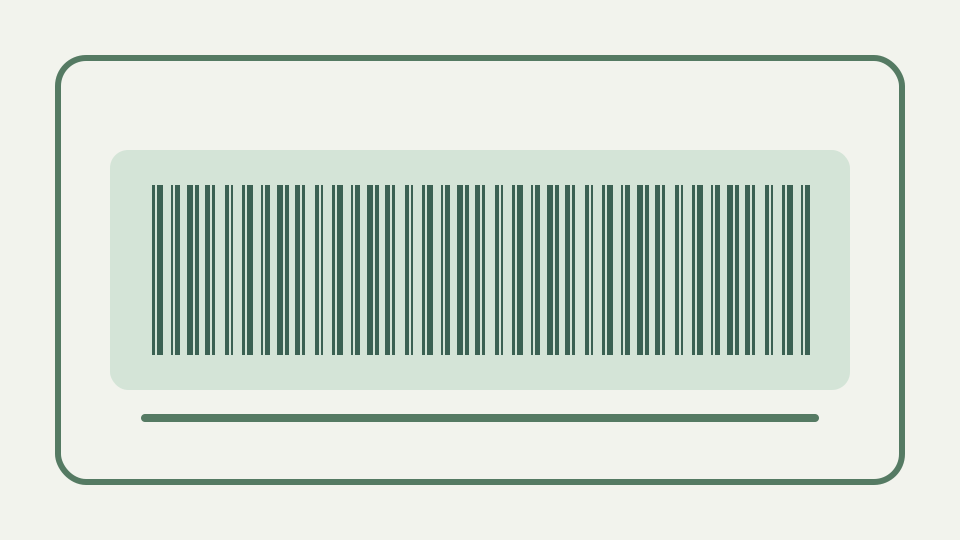
Explains the difference between barcodes for retail checkout and barcodes for your own shelves, and why Code 128 with your own numbering scheme is enough for most internal tracking.
Decide requirements before buying external numbering; this repository does not document GS1 membership products
An internal labelling project should begin with who scans the labels and which system consumes the identifier. This repository does not document GS1 membership products, so it cannot price or define them; it does show that plain Code 128 serves identifiers you control.
Start by asking what receives the scan. If it is your own spreadsheet or asset application and every scanner returns ordinary Code 128 text, an external retail numbering system may add no value. If a customer, carrier or marketplace specifies another format, that requirement controls. ToolAcre cannot determine membership obligations or acceptance from the label’s appearance, so a purchasing decision needs current information from the organisations exchanging the goods.
Retail versus internal — why EAN and UPC exist for supply chains and why your own scanner does not care
Retail identifiers must meet the requirements of the trading partners and systems that exchange them. An in-house shelf key has a different job: your scanner returns text, and your own register decides what that text means.
The scanner returns a key; meaning comes from the lookup. `SH-A-012` can identify a shelf only because the inventory table maps that exact string to a location. This separation makes corrections easier: changing a description or custodian does not require reprinting the bars. Changing the identifier does, because the printed payload and database key must remain byte-for-byte aligned, including any accidental spaces.
What ToolAcre Code 128 gives you: ASCII data, automatic set selection and a check symbol
ToolAcre accepts ASCII text for ordinary Code 128, selects code sets automatically and appends the mandatory modulo 103 check symbol. It does not offer every scanner repertoire, extended character encoding or GS1 FNC1 semantics.
The ASCII limit is enforced before the encoder runs. Entering café or Japanese text produces an actionable error listing unsupported characters rather than a plausible-looking but corrupted barcode. The automatic encoder then chooses Code 128 sets and returns a binary pattern with a check symbol and stop sequence. Those safeguards make a valid plain Code 128 artifact; they do not certify a business numbering scheme or a receiving partner’s rules.
Designing a numbering scheme — prefixes for locations and assets, fixed lengths, and avoiding characters that confuse people
Choose prefixes that distinguish object types, keep lengths predictable where useful, and avoid visually confusing identifiers when people may type them. Reject leading or trailing spaces unless they are deliberately part of the key, because bars preserve them exactly.
Human factors belong in the identifier design. Distinguish shelf, tool and job keys with short prefixes, avoid characters that operators routinely confuse, and decide whether fixed width helps sorting. Keep a printed caption when manual recovery matters, but verify that it matches the encoded text. A tab or leading space can be represented in the bars while a display or spreadsheet hides it, creating a lookup failure that appears random.
Pairing barcodes with a spreadsheet — the barcode is just the key; the data lives in the table
The barcode should be a lookup key, not the whole inventory record. A spreadsheet or database can hold description, location, status and maintenance dates while the printed symbol remains short enough to scan and replace easily.
For a spreadsheet workflow, make the identifier column text, unique and protected from automatic numeric conversion. Scan into a test row and compare exact values before printing a batch. The barcode does not carry description, quantity or maintenance history unless you put that data into the identifier, which would make labels longer and updates painful. A short stable key keeps operational data editable in one table.
Worked example — labelling shelves and tools with a simple scheme and generating the barcodes one by one
Assign shelf keys such as SH-A-012 and tool keys such as TL-0042, enter each in the register, then generate and scan a proof. Confirm that the returned string matches the key byte for byte before attaching labels across the workshop.
A pilot can cover a shelf and a tool: register `SH-A-012` and `TL-0042`, generate each as SVG, print with full quiet zones and scan into the actual application. Test normal search, duplicate detection and a deliberately unknown key. The unknown scan should fail clearly rather than creating a blank record. This exercise validates the complete workflow instead of proving only that a camera can decode bars.
What this does not cover — selling products through retailers, GS1-128 logistics labels and 2D codes on tiny parts
This workflow does not cover retailer acceptance, GS1-128 logistics data, EAN or UPC, or tiny two-dimensional part marks. The toolkit explicitly generates none of those formats, so requirements calling for them need a different validated system.
Retail and logistics formats are excluded because syntactic similarity is not compliance. ToolAcre has no EAN, UPC, GS1-128, FNC1, Data Matrix or direct-part-marking mode. A plain Code 128 representation of a product number can decode successfully and still be rejected by every downstream partner. Use the format named in the requirement and a generator that validates its data structure.
The takeaway — for internal tracking, the QR & Barcode Toolkit's Code 128 output is all the barcode you need, generated without an account
For a closed internal system, a clear identifier plus plain Code 128 can be enough. Barcode Generator produces SVG or PNG without an account; your numbering discipline, scanner configuration and inventory register make the system useful.
Once the pilot works, retain a register of issued keys and generate labels from that source rather than typing one by one. ToolAcre’s panel is suitable for individual artifacts, but it does not claim batch inventory integration. The check character protects each encoded sequence from some reading errors; uniqueness, lifecycle, reissue policy and reconciliation still belong to the internal tracking process.