Documents · PDF Toolkit
Inside a PDF File: Header, Objects, Xref Table and Trailer Explained
· Background
pdf file-structure pdf-lib
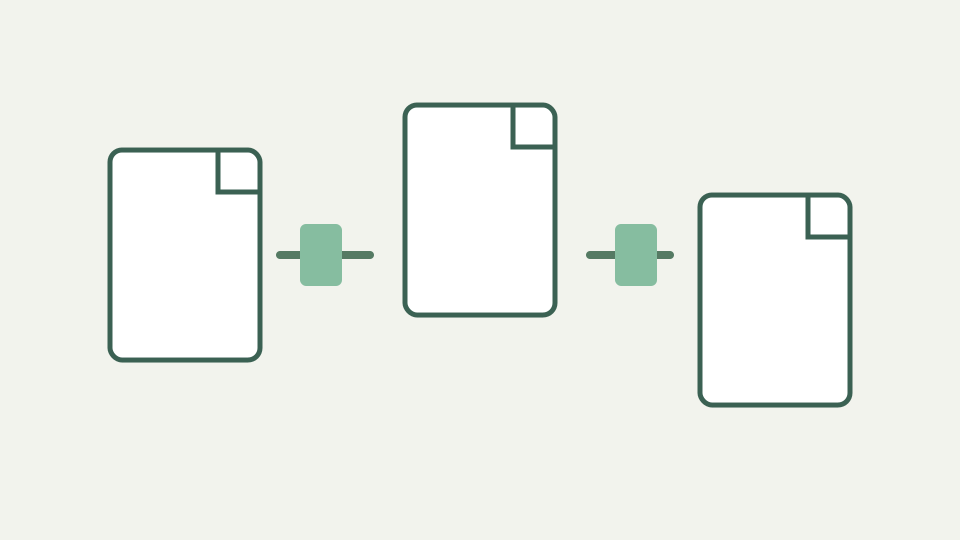
Open a PDF in a text editor and you will see a header, numbered objects, a cross-reference table and a trailer. This post explains what each part does, how incremental updates and encryption fit in, and why this structure makes local rewriting feasible.
Binary-looking PDF bytes are parsed by libraries; a fixed header example is not asserted
Opening an arbitrary PDF as text can reveal readable fragments mixed with compressed or binary data, but the toolkit does not inspect files through a text editor. It passes selected bytes to pdf-lib or pdf.js, catches malformed and encrypted-document errors, and works with the parsed document interfaces those libraries expose.
The outline fixes a `%PDF-1.7` example, yet accepted files can carry other valid forms and the source does not promise one version header. The useful fact is behavioral: signature checks and parsers identify a PDF, then operations reason about pages rather than treating the entire byte sequence as concatenable text.
Objects and references — dictionaries, streams, arrays and the indirect references that link them into a graph
The implementation demonstrates linked structure through its APIs. A document exposes pages; pages expose dimensions and rotation; copying a page carries the resources required for its visible content. Image assembly creates pages and embeds image objects once, while watermarking draws reusable resources at calculated positions.
It does not manually walk every dictionary, stream, array, or indirect reference in application code. pdf-lib owns that lower-level interpretation. Describing the format as an object graph is consistent with page-copy behavior, but this article avoids pretending the toolkit implements a general object inspector or exposes raw references to users.
Cross-reference implementation details are delegated to pdf-lib and pdf.js
Cross-reference tables, streams, and trailers are library concerns in this project. Application source calls `PDFDocument.load`, creates documents, copies pages, and saves bytes. It does not document whether every input uses a classic table or another representation, nor does it publish byte-offset algorithms for readers to rely on.
That abstraction is valuable. The operation can merge valid inputs without application code renumbering objects manually. The output is whatever correct serialization the library produces. For forensic questions about exact offsets or trailer chains, use a dedicated parser and the relevant specification rather than inferring details from a high-level page tool.
The page tree and content streams — from the document catalog down to the drawing instructions on a single page
Page-level operations reveal a catalog-to-page concept without exposing its full grammar. Merge obtains every source page index and copies those pages into a new document. Split copies chosen groups. Reorder supplies an explicit order array. Rotate retrieves a page and updates its normalized angle. Watermark draws onto selected page surfaces.
Visible content streams are not rasterized during those structural operations, which preserves selectable text and vector quality. PDF-to-image is intentionally different: pdf.js renders the page to canvas pixels, after which text is no longer text. Understanding which path ran matters more than memorizing a generalized diagram of PDF internals.
This toolkit saves fresh outputs rather than promising incremental updates
The outline discusses incremental updates, but ToolAcre’s supported edits save fresh output files. The source does not offer a mode that appends an update while preserving prior byte revisions, nor does it claim secure removal of previously stored content through incremental-history handling.
This matters for privacy and signatures. A fresh page-copy output drops several document-level structures and invalidates digital signatures, but it should not be advertised as a forensic sanitizer without dedicated evidence. Keep source and output roles clear, and use specialist tools when prior revisions or deleted content must be assessed.
Encrypted files — how passwords and permission flags change what a tool can open, and why they are a separate problem from page operations
Encrypted or password-protected inputs are a separate boundary from ordinary page editing. The controller reports a protected-document error and stops; the toolkit does not ask for a password, bypass permissions, or remove access controls. Users must produce an authorized unprotected copy elsewhere before using these operations.
Refusal also prevents a misleading partial result. A blank or malformed output would be dangerous when a user expects a complete contract. The implementation catches encryption explicitly, while configuration repeats the limitation. That is enough to describe product behavior without offering a general tutorial on PDF cryptography or permission semantics.
Compression, fonts, and color remain outside this implementation-level explanation
Compression filters, font encodings, and color spaces remain important to PDF fidelity, but application code delegates them to libraries and source documents. This explainer does not enumerate filter algorithms or standard-font history. It instead records visible consequences verified by tests and configuration.
Page copying retains page appearance and selectable text, while raster output loses the text layer. Text watermarking is limited to built-in Latin encoding. Image preparation can re-encode unsupported browser image formats as PNG. These concrete boundaries are more actionable than a broad tour of subsystems the toolkit neither exposes nor validates.
Takeaway — page-level operations are edits to this structure, and the PDF Toolkit performs them by parsing and rewriting it in your browser
ToolAcre edits parsed document structures through library APIs and serializes fresh files. Merge, split, reorder, rotate, and watermark are therefore structural operations with operation-specific preservation rules, not byte concatenation. PDF-to-image is a rendering operation and has a different fidelity result.
The work occurs locally, mostly in a dedicated worker, with Blob downloads returned to the user. Use this model to predict behavior: copied pages preserve appearance, fresh documents lose unsupported document-level features and signatures, encrypted sources stop, and rasterized pages become pictures. Deeper format claims require the specification or dedicated inspection tools. When debugging an unexpected result, first classify the operation as copying, metadata adjustment, drawing, or rasterization; that narrows the likely loss mechanism immediately. Then reproduce it with the smallest non-sensitive file that still shows the issue, preserving both input and output for a byte-level investigation if necessary.