Developer tools · Text comparison
Redlines, Track Changes and Plain-Text Diffs: Three Models of Change
· Background
text-diff editing legal-workflow
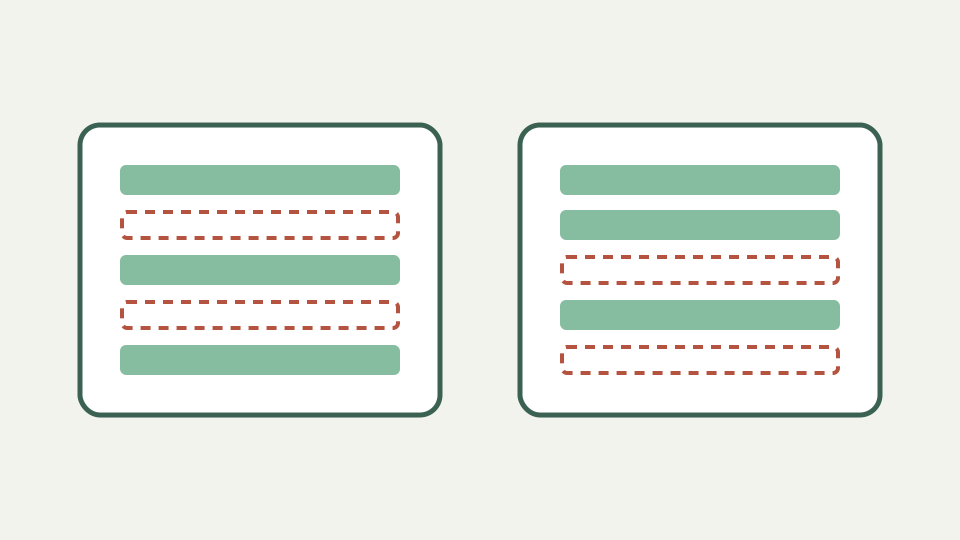
Compares the three ways people show what changed in a document, from legal redlining and word-processor track changes to line-based diff, and explains what each records and omits.
Three teams, three pictures of the same edit — opens with a scenario where legal, editorial and engineering each show changes differently
Legal, editorial and engineering teams can show one wording edit through different evidence models. A document redline emphasizes visible negotiation, tracked changes can carry revision metadata, and a plain-text diff computes difference after receiving two states. They should not be treated as interchangeable records.
ToolAcre implements only the third model. It receives no author, timestamp, comment or acceptance status. That neutrality makes it useful as an independent wording check, while also making it insufficient when provenance is part of the review requirement.
Redlining and blacklining in legal practice — describes the strike-through and underline convention and its purpose in negotiation
The workbook describes legal redlining conventions, but the Text diff repository is not a source for legal practice or terminology history. This article therefore avoids asserting a universal strike-through or underline standard without an external authority.
What can be said safely is that a formatted redline contains presentation ToolAcre cannot preserve. Once exported as plain text, strike-through, underline and page layout disappear unless someone converts them into literal notation. Keep the authoritative redline alongside any extracted comparison.
Legal redline conventions require external practice sources; this repository proves only plain-text diff
A word processor may record who changed a range, when it happened and whether it was accepted, depending on that product and file. None of that data enters the two browser editors. A line diff cannot recover metadata from final before-and-after wording.
This matters for confidentiality and accountability. Removing metadata can be a deliberate review step, but it can also discard evidence. Use the document system to inspect its own revision information and use ToolAcre only for the separate question of textual state difference.
Track-change metadata behavior belongs to the document system being used
Plain-text comparison is computed after the fact. Line keys determine matches under current options; unmatched left rows are removals and unmatched right rows additions. The result contains side-specific line numbers and original text, but no explanation of intent.
That limited model can expose a wording change a received redline failed to emphasize. It cannot prove concealment, identify an editor or decide which version is binding. Those conclusions require document history, process records and professional judgment outside the algorithm.
Worked example: the same clause in all three — shows one edit as a redline, as a tracked change and as a line diff, comparing what each reveals
Take a clause changing “within thirty days” to “within ten days.” A redline may style the replaced number, tracked changes may attribute it, and ToolAcre will report the old line removed and new line added. Only the wording distinction is common to all three views.
Exporting one sentence per line makes the independent check readable. Verify the flagged clause in the original files and preserve revision metadata separately. The browser result should supplement, never overwrite, the evidence model chosen for negotiation or editorial approval.
Worked example: compare what ToolAcre can reveal against metadata it never receives
Choose tracked revision tools when collaboration, authorship and acceptance state matter. Choose an authoritative redline workflow for the legal process your organization follows. Choose plain-text diff for a neutral second look at two final textual states.
The models can coexist. A reviewer may use the document application first and Text diff second to catch changed wording without trusting its presentation. The second pass is especially useful after export or conversion, provided missing footnotes and tables are acknowledged.
What this does not cover — comparing formatted .docx files, metadata scrubbing or accepting and rejecting changes
ToolAcre does not compare formatted `.docx` packages, scrub metadata, accept changes or preserve comments. It has no word-level highlighting inside rows. Rich tables, headers and footnotes only participate when represented in pasted text.
It also cannot establish legal adequacy. This article describes a technical review aid, not legal advice. Keep sensitive drafts inside approved systems and use redacted excerpts when a browser tool is outside the matter’s authorized handling environment.
Takeaway: a diff is the neutral witness — summarises the differences and how ToolAcre's Text comparison serves as an independent check on any received redline
A plain-text diff is a neutral witness only in a narrow sense: it reports how two supplied line sequences differ under explicit options. It knows nothing about authorship or intent. That limitation can make it a useful check precisely because it does not rely on revision metadata.
Pair the result with the authoritative document and process record. When every model is asked only for evidence it actually contains, reviewers gain redundancy without confusing a computed difference with the richer history of how a document reached its current state.