Video & subtitles · Subtitle Toolkit
Why a subtitle file plays in VLC but fails in the HTML5 track element
· How it works
subtitles webvtt browser-processing
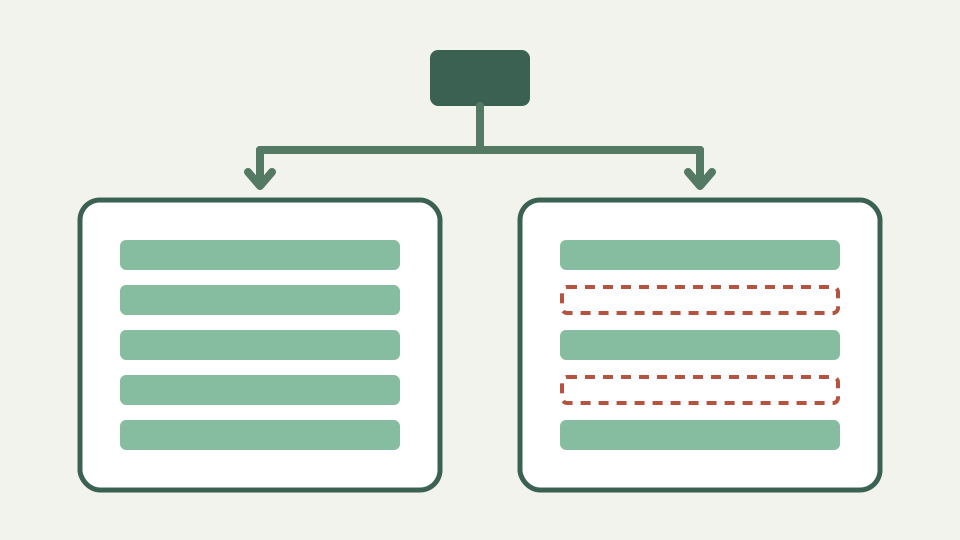
Desktop players are forgiving; the browser's track element is not. This post explains how the HTML5 caption parser reads a WebVTT file, the errors it silently drops and how to prepare a file that both accept.
The same file works in VLC and shows nothing on the web page — two parsers, two levels of tolerance
A caption file that plays correctly in a desktop player and shows nothing on a web page has not changed between the two. What changed is how much tolerance the reader brings. Desktop players are built to display whatever a user drags at them, so they guess, repair and skip. The HTML5 track element implements a specification, and a specification that accepted guesses would not be one.
The difference is not a bug in either. It is two designs with different obligations, and the practical consequence is that the desktop player is a poor test of whether a file will work on the web.
How the track element loads a caption file — the request, the MIME type, CORS for cross-origin tracks and the WEBVTT header check
The track element fetches the caption file as a normal resource, which means it is subject to the same rules as any other request. It must be served with the WebVTT media type, and a file served as plain text is rejected regardless of its contents. A track hosted on another origin needs cross-origin headers and the crossorigin attribute on the video element, and without them the fetch fails before any parsing happens.
Then comes the header check. A WebVTT file must begin with the WEBVTT signature, optionally preceded by a byte order mark, and a file without it is not a WebVTT file. This is the single most common reason an SRT file renamed to a VTT extension displays nothing: renaming changed the extension and not the first line.
Cue-by-cue parsing — what the browser does with a malformed timecode or an unexpected line, and why the failure is silent
Parsing after that point is cue by cue, and the failure mode is what makes it confusing. A block the parser cannot read is discarded and parsing continues. There is no exception, no console error and no visual indication; the cue simply never appears. A file with four malformed timecodes out of nine hundred plays almost perfectly, with four moments of silence that look like missing translation rather than a format fault.
This is why the symptom is usually reported as intermittent. Nothing is intermittent about it. The same cues fail every time, but because the surrounding cues work, the file looks broadly functional and the fault is attributed to the content rather than the parse.
Desktop players' leniency — why VLC and others accept files that are technically invalid
Desktop players take the opposite position deliberately. They accept both millisecond separators, tolerate missing index lines, infer the format from the contents rather than the extension, repair ordering, and skip what they cannot use without complaint. A user who drags a file onto a player wants the film to have subtitles, not a validation report.
The toolkit parser sits in the same lenient tradition on input, accepting optional hours, either separator and files whose blocks are irregular. The difference is what it does afterwards: it records every fault it tolerated as a located issue, and it writes back one canonical shape rather than preserving the irregularity it accepted.
Worked example: a file with three common faults — testing it in a browser and seeing which cues vanish
Take a file with three faults: it lacks the WEBVTT header, one cue has a seconds field of seventy-five, and one cue ends before it starts. In a desktop player the file plays, the impossible seconds are repaired or skipped quietly and the reversed cue flashes or is dropped. The viewer sees subtitles.
In the track element the missing header ends it immediately; not one cue displays, because the file was never accepted as WebVTT. Add the header and the picture changes: most cues appear, the cue with seventy-five seconds is discarded during parsing, and the reversed cue is parsed but never shown because it has no duration to display for. Validation names both before you load the page, reporting the impossible timecode and the cue that ends before it starts, each by number.
What this does not cover — styling with ::cue, positioning settings and live captions
This covers whether cues load, not how they look. Styling through the cue pseudo-element, positioning and alignment settings on the timecode line, region definitions and vertical text are all separate concerns that only matter once the file parses. A file that displays nothing is not a styling problem, and styling will not rescue it.
Live and streaming captions are also outside this. Segmented caption tracks delivered alongside adaptive streams have their own delivery model, and a static file loaded by a track element is not how they reach the player.
Takeaway: prepare for the strictest parser — how the Subtitle Toolkit's conversion and clean-up produce a file the track element accepts
Prepare for the strictest parser rather than the most forgiving one, because the strict parser is the one your audience uses. Convert to WebVTT properly so the signature line is written rather than assumed, serve it with the correct media type, and add cross-origin headers if the file lives on another host.
Run the conversion and read the reported issues before shipping. The converter writes canonical timestamps with the separator the format requires, renumbers cues contiguously and reports the faults it had to tolerate, which is the list of cues that would have silently vanished in a browser. Then reload the page and compare the cue count against the source rather than trusting that captions appeared.