Video & subtitles · Subtitle Toolkit
Frame rates and subtitles: why 23.976, 25 and 29.97 fps cause drift
· Background
subtitles frame-rate timecodes
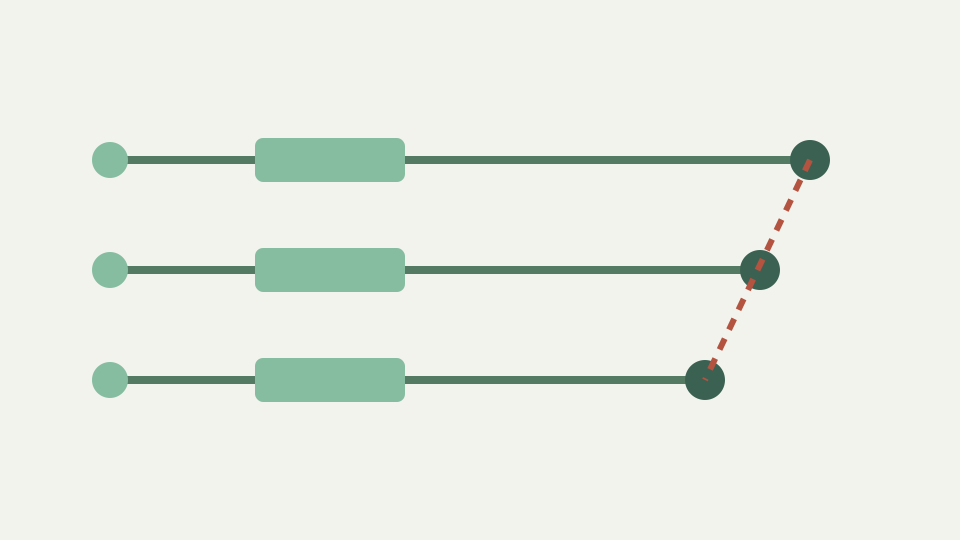
Frame rates are a legacy of analogue television, and they still haunt caption timing. This post explains where the odd numbers came from, how a frame-rate mismatch produces drift and how to reason about it before fixing anything.
Captions synced to one master drift on another — the practical result of a century of television standards
A caption file can align perfectly with one master and finish minutes or seconds away from the dialogue on another even though no cue was edited. That pattern is drift: elapsed subtitle time and elapsed programme time are advancing at different rates. The opening provides little evidence because multiplying a small time produces a small error; the closing makes the mismatch obvious.
Television and film workflows inherited several closely spaced rates, so a file labelled only with a title and language may lose the context needed to interpret its timing. The practical repair begins by identifying the rate relationship rather than applying an offset that lines up one scene and leaves the growth untouched.
Where 24, 25 and 30 came from — film projection and the mains frequencies of European and American television
Whole-number rates such as 24, 25 and 30 reflect different production and television lineages. Film is commonly associated with 24 frames per second, while television systems were built around regional electrical and broadcast constraints that led to different nominal rates. Those broad origins are stable background; this article does not assign invention dates or claim one universal path from mains frequency to every modern format.
The important restoration fact is that these rates represent different durations for the same frame count. A hundred thousand frames played at 25 fps finish sooner than the same frames played near 24 fps, so subtitles authored against one duration cannot remain aligned to the other without proportional retiming.
Why 29.97 and 23.976 exist — the colour television compromise and its knock-on effect on film transfers
Fractional rates near 30 and 24 are part of the colour-television and film-transfer legacy. Their precise engineering history is outside the repository sources, so this article does not repeat a detailed subcarrier formula. What matters for subtitle work is that 29.97 is not 30 and 23.976 is not 24; treating either pair as identical introduces a small percentage error that accumulates with elapsed time.
The decimal shorthand is also rounded. A workflow should use the exact rate metadata available from the master rather than deriving a factor from a three-decimal label when precision matters. The tool accepts a numeric scale factor; it does not inspect video metadata or identify which rate created the captions.
PAL speed-up — why a film runs slightly faster on a 25 fps transfer and what that does to timing
A common 25 fps delivery of film-origin material runs the frames faster than a roughly 24 fps master. This is often called PAL speed-up. Every event arrives sooner, so captions timed to the slower master increasingly lag when used unchanged with the faster transfer. The words and cue order remain correct; only the clock relationship is wrong.
This is not fixed by moving every cue the same distance. A shift is addition, while this fault changes the distance from zero to each cue. The required operation is multiplication, and the direction matters: when the destination runs faster, timestamps from the slower source need a factor below one to become earlier.
From frame rates to caption drift — how a fixed percentage speed difference becomes a growing timecode error
A constant percentage speed difference creates an error proportional to elapsed time. Ten minutes into a programme the absolute error is modest; ninety minutes in it is nine times the ten-minute error. That straight-line growth is why two checkpoints distinguish rate mismatch from a constant intro trim: equal errors indicate a shift, while a larger ending error indicates scaling or another form of drift.
ToolAcre holds timestamps as integer milliseconds and scaleCues multiplies both boundaries by the chosen factor, rounds each to the nearest millisecond and clamps at zero. Scaling is therefore less exactly reversible than a shift. Work from the original cue file and apply one calculated factor instead of refining several rounded exports.
Worked example: a 90-minute film moved from a 23.976 to a 25 fps master — estimating the drift at the end
For a ninety-minute subtitle file authored against 23.976 fps material and used with a 25 fps transfer of the same frames, multiply source timestamps by 23.976 divided by 25, approximately 0.95904. The source ending at 5,400 seconds becomes about 5,178.8 seconds, so the faster master finishes roughly 221.2 seconds earlier. That estimate assumes the same frame sequence and a uniform rate change.
The reverse journey uses 25 divided by 23.976, approximately 1.0427, which is the example documented beside the scale field. Verify the calculated result against real dialogue near both ends. If a residual constant difference remains after proportional correction, then and only then apply a measured offset.
What this does not cover — variable frame rate recordings and pulldown removal
Variable-frame-rate recordings do not provide one factor for the entire programme, and material assembled from several rate conversions can change behaviour at edit points. Pulldown removal adds another layer because frame cadence and displayed frame rate are not captured by a simple subtitle timestamp list. A single global scale cannot repair those cases honestly.
The shift tool also cannot retime a selected range. If captions are correct until a cut and then jump by a fixed amount, that is an edit mismatch rather than smooth rate drift. Preserve the source and move to a timeline-aware editor that can correct segments independently.
Takeaway: drift has a cause you can name — how to diagnose it before reaching for the Subtitle Toolkit's retime feature
Name the error before changing it. Compare a clear cue near the start with one near the end, record the direction and magnitude of both errors, and look for constant versus proportional behaviour. Frame-rate drift calls for scaling from zero; a removed bumper calls for one offset; a mid-programme edit calls for regional work the tool does not provide.
Use Shift subtitle timing only after that diagnosis. Enter a positive scale factor, check the rounded output at both measurement points and download a new file rather than overwriting the master. The implementation performs the arithmetic you specify; it does not infer the history of the video for you.