Developer tools · Text comparison
Two-Way Diff vs Three-Way Merge: Why Comparing Is Not the Same as Merging
· Background
text-diff merge-conflicts version-control
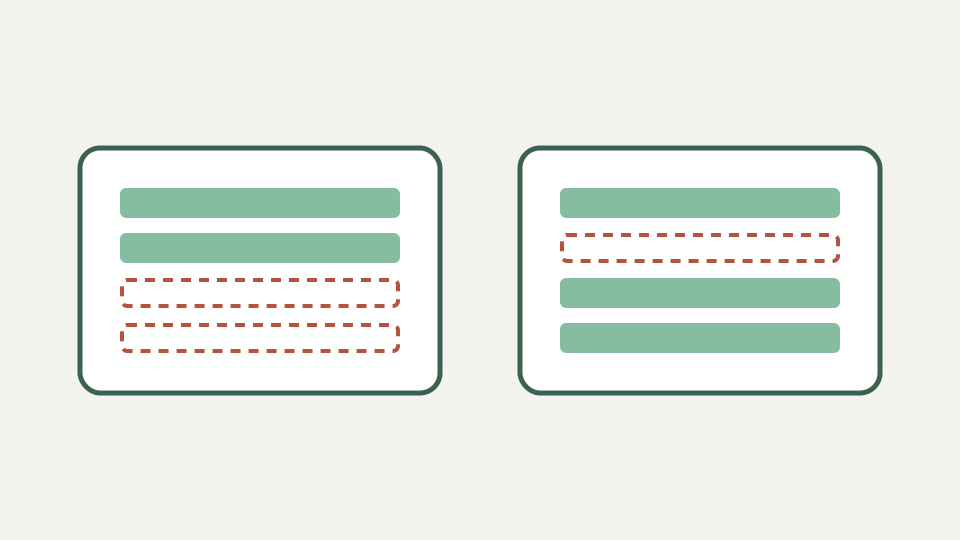
Explains the difference between comparing two versions and merging two versions that share a common ancestor, and why conflict markers exist.
Two people edited the same file: now what? — opens with the limits of a two-version comparison when both sides changed
When two people edit one file, comparing their final states shows difference but not ancestry. A two-way diff lacks the common base needed to tell which side changed a particular original line. It can support investigation, yet it cannot make the merge decision.
ToolAcre accepts exactly two strings called Original and Changed. Swap reverses perspective; it does not add history. Any workflow that needs base, ours and theirs must provide those states through separate comparisons or use a genuine three-way merge engine.
A two-way diff answers one question — restates that a comparison tells you what differs, not which side should win
A two-way comparison answers which ordered lines differ under selected case and whitespace options. Rows are equal, removed or added. Nothing in that result says one side is newer, authoritative or correct, and no operation selects a winner.
This limitation matters when both sides edited the same region. A line present only on the left may be a valuable new change rather than an obsolete deletion. Without base evidence, direction labels describe comparison perspective, not development chronology.
The common ancestor changes everything — explains how a base version lets a merge tool tell one side's change from the other's
A common ancestor allows a merge system to compare base-to-left and base-to-right. If only one descendant changes a region, that change may combine cleanly; if both make incompatible edits, the system can surface a conflict for human resolution.
ToolAcre has no third input and no merge algorithm. You can paste base and one branch, record the rows, then repeat for the other branch. That manual analysis helps understanding but does not recreate all placement and conflict rules of version control.
Conflict markers decoded — explains the <<<<<<<, ======= and >>>>>>> sections and what goes between them
Conflict markers such as angle-bracket blocks are literal text once pasted here. Text diff can compare a marked file with a proposed resolution, but it does not parse sections as ours, base or theirs. It will not remove markers or choose content.
Resolve conflicts in the authoritative repository, where filenames, ancestry and tests remain available. Use the browser tool only for a small wording check when the material is appropriate to paste. A visually clean result is not proof that the merged program behaves correctly.
Worked example: a merge with one clean hunk and one conflict — walks through a base, two edits and the resulting output
Begin with base lines `color=blue` and `limit=10`. One branch changes color; another changes limit. Base-to-branch comparisons reveal independent rows, and a merge can plausibly retain both. If both change the same limit differently, textual conflict requires a policy decision.
A two-way comparison between the two branches shows both rows different but cannot infer the shared starting value. That missing fact is exactly why comparing is not merging. Add the base to the reasoning, then test the chosen combined state in its real system.
Where a two-way comparison still helps — describes comparing each side against the base, or checking the merged result against expectations
Two-way diff remains useful after conflict resolution. Compare the merged excerpt against each branch to confirm intended contributions survived, or against an expected hand-written state. Keep normalization off when whitespace or case can affect the language.
The downloaded patch-shaped stream can record each check, but it cannot apply or validate the merge. Original line numbers are local to each pasted state and may differ from repository positions after neighboring edits.
What this does not cover — ToolAcre's Text comparison compares two texts; it does not perform merges, and this post does not cover rebasing strategies
ToolAcre does not perform merges, rebases, conflict attribution or commit history analysis. It has no moved-block label and no semantic understanding. These are explicit consequences of a two-input line comparator rather than missing buttons hidden elsewhere.
The article also does not prescribe branching strategy. Teams should follow their repository controls, code ownership and test gates. Browser comparison is an auxiliary inspection surface, not an alternative source-control system.
Takeaway: diff to understand, merge to decide — summarises the distinction and how a browser comparison fits into resolving a conflict by hand
Diff to understand the text; merge to decide the combined state. The first can be repeated pairwise with ToolAcre, while the second needs ancestry, policy and validation. Keeping those verbs separate prevents a clear row display from being mistaken for a safe integration.
After resolving a conflict, run syntax checks, tests and domain review in the actual project. Textual agreement is necessary for many merges but never sufficient for behavior. The browser’s role ends once it has made the relevant line differences visible.