Developer tools · Text comparison
Finding Added and Removed Entries Between Two Lists or Data Exports
· Why it matters
text-diff data-cleaning lists
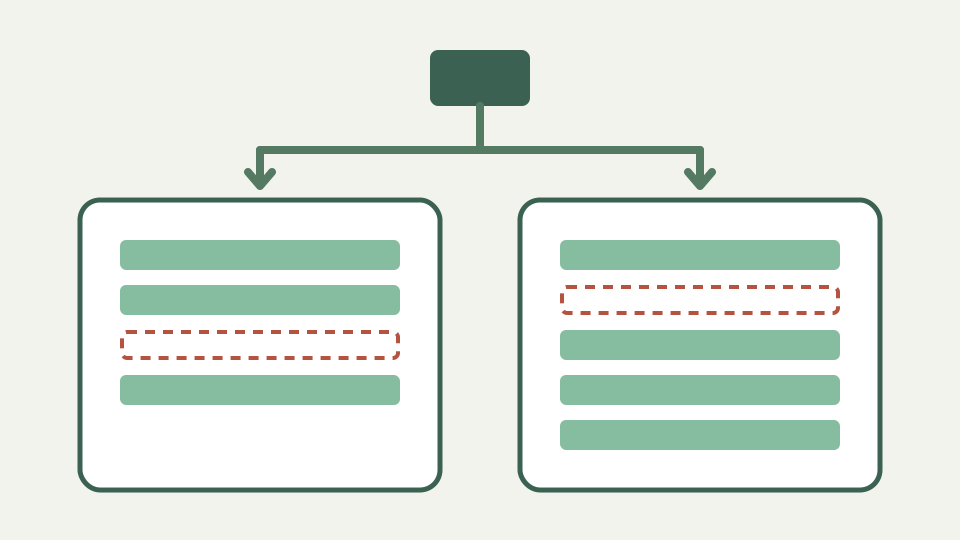
Shows how to turn two exports into sorted, one-item-per-line text and compare them to find exactly which entries appeared or disappeared.
Which twenty rows changed between these two exports? — opens with the reconciliation problem
A reconciliation question often starts with two exports and no useful change log: which entries disappeared, and which arrived? A raw line diff can answer, but only when identical items can align. Different sort orders create apparent movement rather than a clean set-like view.
Prepare copies rather than altering the evidence. Preserve the original exports, extract the one field being reconciled, and sort both copies with the same rule. The comparison then reports removed left rows and added right rows around stable shared entries.
Why sorting first turns a diff into a set comparison — explains that identical ordering lets a line diff report pure additions and removals
Sorting places equal values in corresponding neighborhoods, allowing the ordered LCS to retain them. Without sorting, the same item at a different position may appear removed and inserted because line comparison preserves relative order. Sorting changes the question from sequence change toward membership change.
It is still not a mathematical set operation. Duplicate lines remain duplicate sequence units, and the algorithm can report changes in their counts. Decide whether duplicates are meaningful before deduplicating, because deleting them during preparation would remove evidence about repeated records.
One item per line, consistent formatting — covers trimming, matching case and removing headers so entries line up
Use one item per line and one representation per item. Remove a header only from the disposable comparison copy, and record that decision. Matching case or padding manually can hide distinctions, so begin with strict comparison and inspect variants before applying options.
If values contain embedded newlines or several CSV columns, plain line comparison is the wrong model. A CSV-aware tool understands quoting and records. Text diff sees only strings separated after newline normalization and cannot keep tabular fields associated by a key.
Worked example: two lists of SKUs — sorts both lists, compares them and reads off three removed and five added entries
Suppose yesterday contains SKUs A100, B210, C300 and E900, while today contains A100, C300, D450 and F800. Sort each list, compare, and read B210 and E900 as removals with D450 and F800 as additions. Shared rows anchor the report.
Verify counts against each source before acting. A copied subset, filtered export or changed header can mimic inventory movement. The diff identifies textual membership in the prepared lists; it does not prove a warehouse event, deletion request or valid catalog state.
Using ignore-case and ignore-whitespace for messy exports — shows the options absorbing inconsistent capitalisation and padding without editing the data
Ignore case can match `sku-a` with `SKU-A`, and Ignore whitespace can match padded variants after trimming and condensing. Those options are helpful for diagnosing inconsistent exports, but they may also hide distinct identifiers where case or spacing is significant.
Run each option separately and save the strict findings. If normalized results reduce the change count, route those entries into a data-quality review rather than silently treating them as identical. The original rows remain the source of truth for correction.
When a spreadsheet is the better tool — acknowledges that lookups across multiple columns are a job for a spreadsheet, not a text diff
A spreadsheet or database is better when records must match on one key while other columns change. It can join rows, compare fields and preserve typed values. A line diff cannot know that two CSV rows share an email while their timestamps differ.
Use ToolAcre for a single-column list, a redacted export or a quick check of ordered records. Move to table-aware reconciliation when quoted delimiters, composite keys, numeric tolerances or duplicate-resolution policies enter the requirement.
What this does not cover — matching records on a key while other columns change, or comparing CSV files as tables
This workflow does not compare CSV as tables, infer renamed entries or choose which source is authoritative. A removed row might be a deletion, filter change or formatting mismatch. An added row may be new, duplicated or merely normalized differently.
It also does not upload a file because it does not accept one; users paste strings into editors. That local call path is useful for redacted lists, but operational policy still determines whether source data may be copied into a browser tab.
Takeaway: sort, then compare — summarises the technique and how ToolAcre's Text comparison handles lists in the browser with nothing uploaded
Sort, preserve duplicates, compare strictly and explain every normalization. Those four steps transform an opaque export difference into a reviewable list without overstating what the algorithm knows. Keep the preparation recipe beside the result so another person can reproduce it.
The browser tool supplies line numbers, row types and summary counts. Your reconciliation process supplies provenance, key meaning and approval. When those responsibilities remain separate, a simple line diff becomes a reliable first pass rather than an accidental data-cleaning policy.