Video & subtitles · Subtitle Toolkit
Open, closed and burned-in subtitles: three ways text reaches the screen
· Background
subtitles accessibility file-formats text-processing
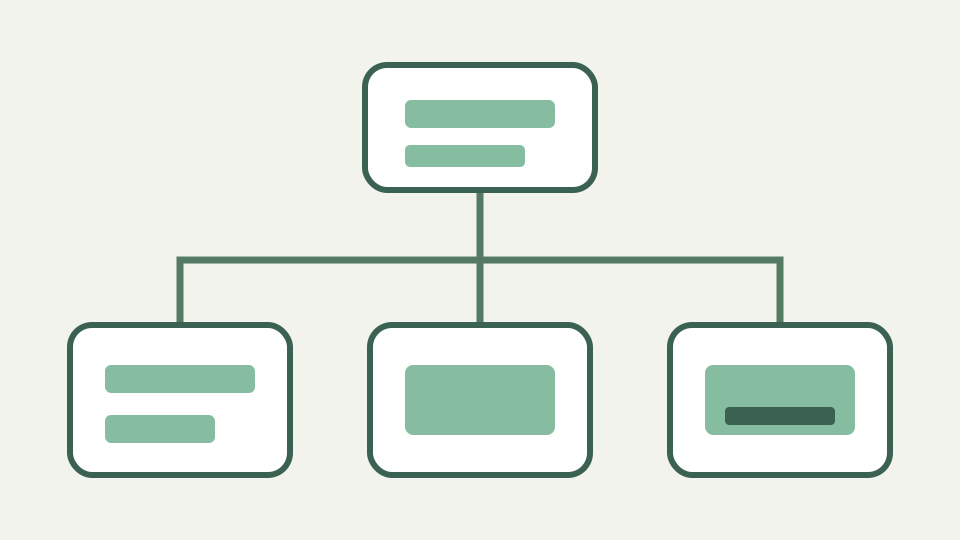
Subtitles can be a separate file, a hidden track or pixels baked into the picture. This post explains the three approaches, their trade-offs for editing, accessibility and distribution, and why sidecar files are the ones you can still fix.
The festival wants burned-in, the platform wants a file — the delivery question every filmmaker meets
A festival may ask for subtitles permanently visible in the screening file while a platform asks for a separate caption upload. Those are not contradictory descriptions of one asset; they are different delivery forms with different failure costs. The safest workflow starts from an editable timed-text master and creates each requested form from it.
Clarify the vocabulary in the delivery specification. “Open” often means always visible, while “closed” means selectable, but teams also use “subtitle,” “caption,” “embedded” and “burned-in” inconsistently. Ask for the actual files or container tracks required rather than relying on a label alone.
Sidecar files — SRT and WebVTT alongside the video, switchable and editable
A sidecar is a separate SRT or WebVTT file delivered alongside the video. It remains small, searchable and directly editable, and a capable player can offer it as a selectable track. The same video can be paired with several languages without duplicating the picture, and a typo can be corrected by replacing text rather than encoding the programme again.
The separation also creates a delivery dependency. The player must fetch, recognise and associate the correct file, and a web track needs appropriate resource headers and page configuration. Subtitle Toolkit prepares the text file but does not configure the player or guarantee a platform’s upload rules.
Embedded tracks — captions inside the container, still switchable but harder to edit
An embedded subtitle or caption track is stored inside a media container while remaining separate from the picture essence. A player can expose it as switchable, but editing usually requires demuxing or container-aware software rather than opening a neighbouring text file. Embedding is packaging, not burning pixels into the image.
The converter record explicitly says captions embedded in a video container are not handled. ToolAcre neither reads a video file nor extracts its track. Keep the sidecar source beside the packaged master so wording and timing can be revised without treating the container as the only editable copy.
Burned-in subtitles — text rendered into the frames, universal but permanent
Burned-in subtitles are rendered into every frame. They display anywhere the picture displays and require no caption decoder, sidecar association or viewer action. That universality is also the cost: the text cannot be switched off, restyled by the audience or corrected without rendering a new video.
Burning in belongs to a video-encoding or finishing workflow because it combines text with pixels. The subtitle toolkit produces and edits timed text only. It cannot preview font rendering against picture, resolve safe areas or encode a festival master.
Trade-offs — accessibility, translation, styling control and what happens when a typo is found later
Sidecars and embedded tracks can support selectable access and multiple languages; burned-in text guarantees visibility but removes choice. Sidecars offer the easiest correction path, embedded tracks package neatly with the media and burned-in delivery gives the filmmaker complete visual control at the expense of adaptability. A late typo makes those costs concrete.
Accessibility is not automatic in any form. A selectable track may omit sound descriptions, and permanently visible translated dialogue may not be complete captions. Likewise, styling control is split: burned-in text preserves the author’s rendering, while closed tracks allow the player and sometimes the viewer to influence presentation.
Worked example: one short film delivered three ways — the steps and the files involved for each
For one short film, retain an approved UTF-8 sidecar master. Deliver that SRT or WebVTT directly to a platform that accepts a caption upload. For a packaged screening file, use container-aware software to embed a copy as a selectable track. For a festival requesting open subtitles, give the same reviewed file to the finishing pipeline and render it into the frames.
Check timing against each final picture because an added leader or bumper can offset only one delivery. If that difference is constant, retime a derivative rather than altering the master. Record which text version and offset produced each output so a later correction can regenerate all three consistently.
What this does not cover — rendering burned-in subtitles, which is a video-encoding job, not a text job
This article does not teach burned-in rendering. Font choice, antialiasing, line wrapping, colour, safe placement, resolution and codec settings are video-production concerns, and the result must be reviewed from the encoded picture. Passing structural subtitle validation says nothing about how those pixels will look.
The toolkit also does not mux or demux embedded tracks. Attempting to load a video container is outside its declared SRT and WebVTT scope. Extract or package tracks with suitable media software, then use this tool only on an actual supported sidecar file.
Takeaway: keep an editable file — how the Subtitle Toolkit works on the sidecar file that every other form derives from
Keep the editable sidecar even when nobody will receive it directly. It is the source from which an embedded or burned-in version can be regenerated, audited and corrected. Without it, a simple spelling fix becomes container surgery or a new render based on text reconstructed from the picture.
Use Subtitle Toolkit before packaging: inspect parser issues, clean only unwanted markup, validate cue timing and export the required SRT or WebVTT representation. Then preserve that reviewed file with the project. Every downstream form is easier to trust when its text source remains readable and reproducible.