Video & subtitles · Subtitle Toolkit
How subtitle retiming works: shifting every cue by a fixed offset
· How it works
subtitles timecodes browser-processing
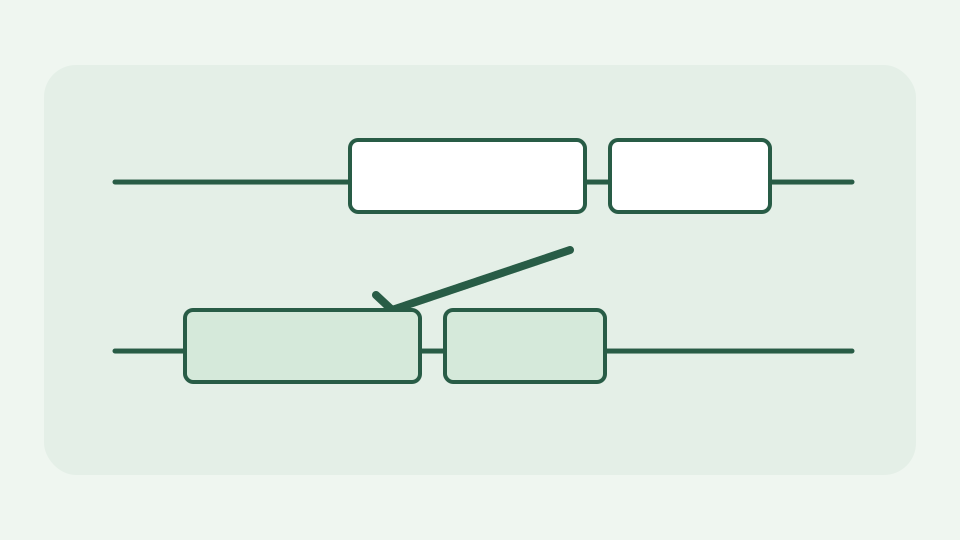
When every caption is late or early by the same amount, the fix is timecode arithmetic. This post explains how a retime shifts each cue's start and end, what happens at zero and how to measure the offset in the first place.
Every caption appears two seconds after the speaker — the symptom that a constant offset produces
When every caption appears about two seconds after the matching spoken line, moving cue blocks individually is unnecessary. A constant offset applies the same arithmetic to each cue. The fact that it is constant is the diagnosis: if captions start correctly and drift farther away over forty minutes, rescaling or a frame-rate correction is a different operation. Check at the beginning, middle and end before touching the whole file.
Measuring the offset — pausing on the first clear line of dialogue and comparing the video clock with the cue's start time
Pause on one line of clear dialogue and note the video time when it begins. Compare it with the first matching subtitle start time. If audio begins at 00:01:10.000 and the subtitle starts at 00:01:11.850, cues are 1,850 milliseconds late, so the adjustment is −1,850 ms. A second checkpoint later in the video tests whether the same difference persists. The offset comes from observing your recording; the tool cannot infer it from unrelated words.
Timecode arithmetic — converting HH:MM:SS,mmm to milliseconds, adding the offset, converting back
SRT expresses a cue as HH:MM:SS,mmm; WebVTT normally uses a dot before milliseconds. Convert the components to milliseconds with (((hours×60+minutes)×60+seconds)×1000)+millis. Add the chosen offset once, then decompose the result back into hours, minutes, seconds and three millisecond digits. Keeping time in integers avoids a series of floating-point rounding errors when processing hundreds of cues. The parser and serializer choose the format-specific punctuation after the arithmetic.
Shifting both cue boundaries preserves duration except when clamped at zero
For ordinary cues the same offset is added to start and end: a caption from 02:00.000 to 02:03.500 lasts 3.5 seconds before and after shifting. Changing only the start would stretch it; changing only the end would compress it. ToolAcre’s shiftCues maps over parsed cues and updates both values without rewriting the caption text, so punctuation or a speaker label remains attached to the same cue. Check the first line and a later one to ensure the operation you chose is a shift, not a frame-rate rescale.
Clamping at zero — what happens to cues that would move before the start of the video and why they cannot have negative times
Negative timestamps are not valid subtitle times. ToolAcre clamps a start or end that crosses zero back to zero and reports how many cues were affected. That is the important exception to duration preservation: a cue originally 0.8–2.8 seconds long shifted by −1.85 seconds has a negative start and a 0.95-second end, so its duration is no longer two seconds. An earlier cue might clamp both ends to zero. Review or remove clamped opening cues rather than claiming the result is exact near the start.
Worked example: shifting a 40-minute lecture's captions by -1,850 ms — before and after cues, checked at the start, middle and end
For a forty-minute lecture, consider cues at 00:10.000–00:12.400 and 20:15.000–20:17.000. A −1,850 ms shift yields 00:08.150–00:10.550 and 20:13.150–20:15.150. A final cue at 39:55.000 also moves 1.85 seconds earlier: the distance from the dialogue should remain constant at all three checkpoints. If the end cue is still out of sync by many seconds while the first is right, undo the change and investigate drift instead.
What this does not cover — drift that grows over time, which a fixed offset cannot fix
A fixed offset cannot solve an audio track edited at a different speed, a video cut with missing frames, a variable frame-rate conversion or captions aligned to a different release. It also cannot recover dialogue absent from the subtitle file. The formatting conversion between SRT and VTT is a separate operation; retiming should not be assumed to translate words or improve accessibility descriptions. Keep the source file until a human has watched representative cues against the video.
Takeaway: measure once, shift everything — how the Subtitle Toolkit's retime feature applies the offset to every cue in the file
Measure the constant difference once, apply it to every start and end, and pay special attention to cues crossing zero. Subtitle Toolkit does the millisecond parsing and writing locally, so your caption text is not uploaded. The valuable check is not that the download completed; it is that the first, middle and last spoken lines now match their cues.