Developer tools · Base64 encoder & decoder
How much bigger does Base64 make your data? The 4/3 overhead worked out
· How it works
base64 encoding performance
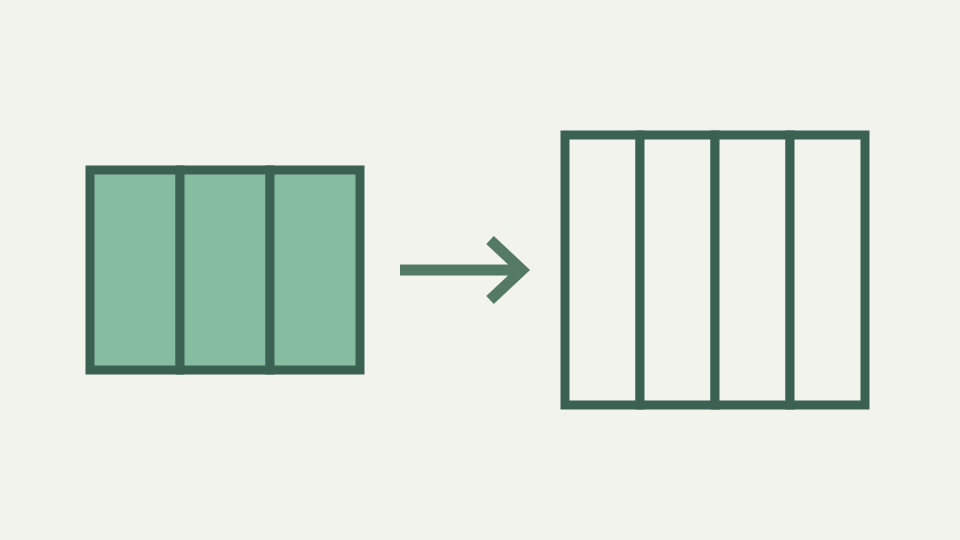
Base64 output is about a third larger than its input, plus padding and possibly line breaks. This post derives the exact formula and applies it to realistic sizes so you can judge the cost.
The 30 KB icon that became 40 KB in the bundle — a concrete size jump that surprised a build review
A 30 KB icon inlined as Base64 in CSS file becomes 40 KB, and build review question arises: where did extra 10 KB come from? Expansion factor for Base64 is always 4/3: every three bytes input produce four bytes output (four characters). For 30 KB input (30,000 bytes), divide by three to get 10,000 groups, multiply by four to get 40,000 bytes output.
Math is deterministic and unavoidable: Base64 is not compression format. If inlining asset costs 33% more bandwidth and page loads faster because one fewer HTTP request, that is trade-off worth measuring. If costs 33% more and loads slower, inlining was not worth. The 4/3 ratio comes from bit layout. Three bytes are 24 bits; four Base64 characters carry 24 bits (each carries six bits).
Why 4/3 is the floor — six bits per character against eight per byte, and where the remaining overhead comes from
So far, ratio is 1:1. But Base64 characters are text (ASCII 0–127), and average ASCII character in UTF-8 or Latin-1 encoding is one byte. So four Base64 characters are four bytes output for three bytes input, ratio of 4/3. This is not universal: if Base64 were output as binary format (one byte per character, packed into six bits), ratio would be 3/4 (compression).
Because Base64 is designed for text transport, it uses text characters, and cost is 33% size increase. Padding adds small margin at end. If input length multiple of three, no padding needed. If input length 1 mod 3 (one byte short of multiple), two padding characters = added, increasing output by 2. If 2 mod 3, one padding character = added, increasing by 1.
The exact formula with padding — ceil(n/3) × 4 characters, and the effect for inputs of 1, 2 and 3 bytes
For large inputs, margin is negligible: 300-byte input needs 400 characters plus at most two padding characters, difference of less than 0.5%. For tiny inputs (1–3 bytes), padding dominates: one byte produces YQ== (four characters), 4x expansion. But average across files is dominated by large ones. Exact formula is ceil(n / 3) × 4 characters, where n is input byte count.
For n = 1, ceil(1/3) × 4 = 1 × 4 = 4. For n = 2, ceil(2/3) × 4 = 1 × 4 = 4. For n = 3, ceil(3/3) × 4 = 1 × 4 = 4. For n = 4, ceil(4/3) × 4 = 2 × 4 = 8. For n = 30000, ceil(30000/3) × 4 = 10000 × 4 = 40000. The small-input cases explain why “about one third” is not exact for every value. One byte still occupies a four-character block, as do two bytes. The ratio approaches four thirds only as many complete three-byte groups dominate the final padded block.
Worked example: measuring a 20-character UTF-8 string — counting bytes rather than characters, then the Base64 length
Ceiling function accounts for final group not being complete multiple of three. As n grows large, ceil(n/3) approaches n/3, so output approaches (n/3) × 4 = 4n/3, the 4/3 ratio.
Measure concrete string: 20 characters mixed ASCII, accents and emoji. Character count is 15 in JavaScript (emoji counts one). UTF-8 byte count differs: ASCII letters 1 byte each, accented letter 2 bytes (0xC3 0xA9 for é), emoji 4 bytes (0xF0 0x9F 0x98 0x80). The tool reports UTF-16 characters, Unicode code points and UTF-8 bytes separately. That distinction prevents a twenty-character sentence containing multibyte symbols from being priced as twenty bytes. The encoded length follows the byte count, not what a human counts on screen.
Line breaks and MIME wrapping — how 76-column formatting adds a further few percent
Total around 18 bytes. Base64 encodes these: ceil(18/3) × 4 = 6 × 4 = 24 characters. Since 18 multiple of three, no padding needed. Base64 output is 24 characters. Encoding adds 24 - 18 = 6 bytes, or 33%, confirming 4/3 formula. MIME Base64 wrapping introduces additional overhead. Classic MIME wraps at 76 characters per line and adds newline.
A 400-character Base64 output becomes approximately 405 bytes with newlines inserted. For every 76 characters of Base64 output, one newline byte inserted. For large files, adds less than 2%. For email attachments, newline convention is standard and expected by parsers; tool accepts wrapped Base64 and decodes correctly. Compression interactions complicate size analysis. Raw binary data (image, video) compresses differently than Base64 text. ToolAcre inserts a newline after each configured 76-character slice and excludes those newlines from its displayed encoded-character measurement. A wire-format budget must add the separators back; a comparison of the visible measurement alone describes the Base64 symbols, not every transmitted line-ending byte.
Compression interactions — why Base64 text tends to compress worse than the raw bytes it represents
Base64 string might compress to 60% its size with gzip, and image might compress to 25%. Because gzip looks for repeated byte patterns, text representation (letters A–Z plus + / or - _) has less repetition than binary data represents. Inlining image with compression often costs more in code than embedding separately. For fonts, particularly complex with many glyphs, Base64 inlining can be inefficient.
Trade-off analysis depends on specific context. Inlining small data URI (10–50 bytes) might be worth overhead to avoid HTTP request. Inlining large asset (100 KB) might not. Compression depends on patterns in both the source and its Base64 representation, so a universal compressed-overhead percentage would be dishonest. Measure the actual asset before and after the surrounding response compression. The certain cost is the uncompressed character count given by the block formula.
What this does not cover — measuring rendering or decode performance, and format-specific optimisations such as WebP
If asset on CDN close to user, avoiding request not benefit. If asset on same server and loading requires extra round trip, inlining might justified. Measuring is essential: use formula to compute inline size, add character count to CSS or HTML file, measure total bundle size and load time.
33% overhead is certain; performance benefit is not. URL-safe Base64 (base64url) has same 4/3 ratio, just different characters. Removing padding saves two characters in worst case. For large files, negligible. For JWT tokens (three base64url segments joined dots), removing padding is conventional but saves very little space; real size is token content, not encoding overhead. Rendering speed, image decoding and alternative formats such as WebP require different measurements. A shorter Base64 string does not imply faster painting, and this text-only tool does not accept an image file. Its reliable contribution is the arithmetic for UTF-8 text entered in the panel.
Takeaway: budget one third extra — how the Base64 encoder & decoder gives you the real encoded length of any text so you can measure rather than guess
Compression also encodes text similarly; whether last two characters are == or string shorter makes almost no difference in gzip output. Base64 encoder & decoder reports both input byte count and output character count immediately. For any text encode, can see exact size increase. For UTF-8 strings with multi-byte characters, tool shows that character count (what see) differs from byte count (what Base64 encodes).
A 10-character string might be 15 bytes if contains accents and emoji, producing 20 characters of Base64 output instead of 4/3 ratio based on character count. Understanding distinction clarifies why inlining emoji-heavy icon costlier than ASCII art: not emoji costs more, UTF-8 bytes they represent. For a candidate inline value, record the tool’s UTF-8-byte count and encoded-character count side by side. Then include the URI prefix, CSS syntax and any wrapping required by the destination. That complete measurement is more useful than repeating a rounded percentage without its framing costs.